7
SET UP
5.A 65.B
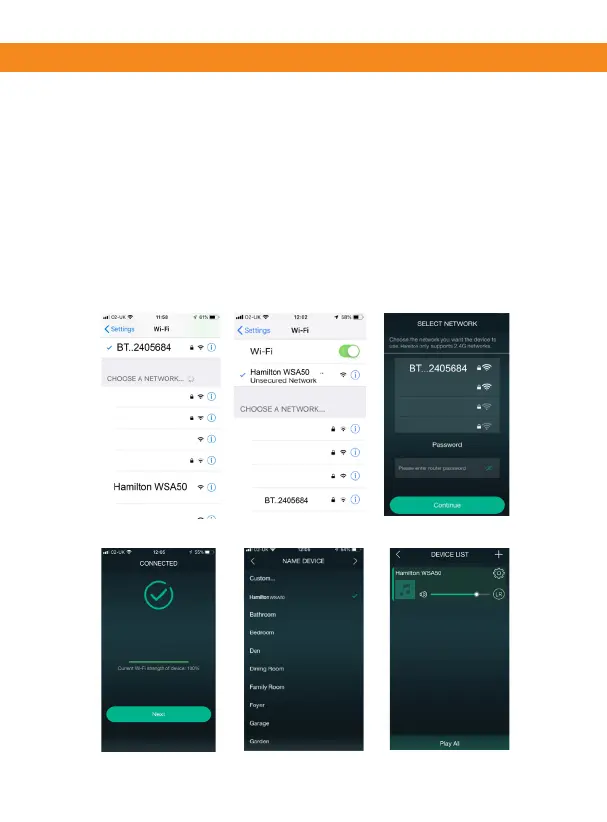
5.a Select the Hamilton WSA50 network.
5.b You are now connected to the Hamilton WSA50 network.
Now return to the Hamilton Player app.
6. Connect your Hamilton WSA50 to your home router.
Enter your network password and press connue.
7. You are now connected.
8. Choose device name or custom name, then press the >
symbol.
9. Your device is now ready to play music.
7
8
9


 To Next Page