© 2017 mPTech. All rights reserved. HAMMER Bow+
7
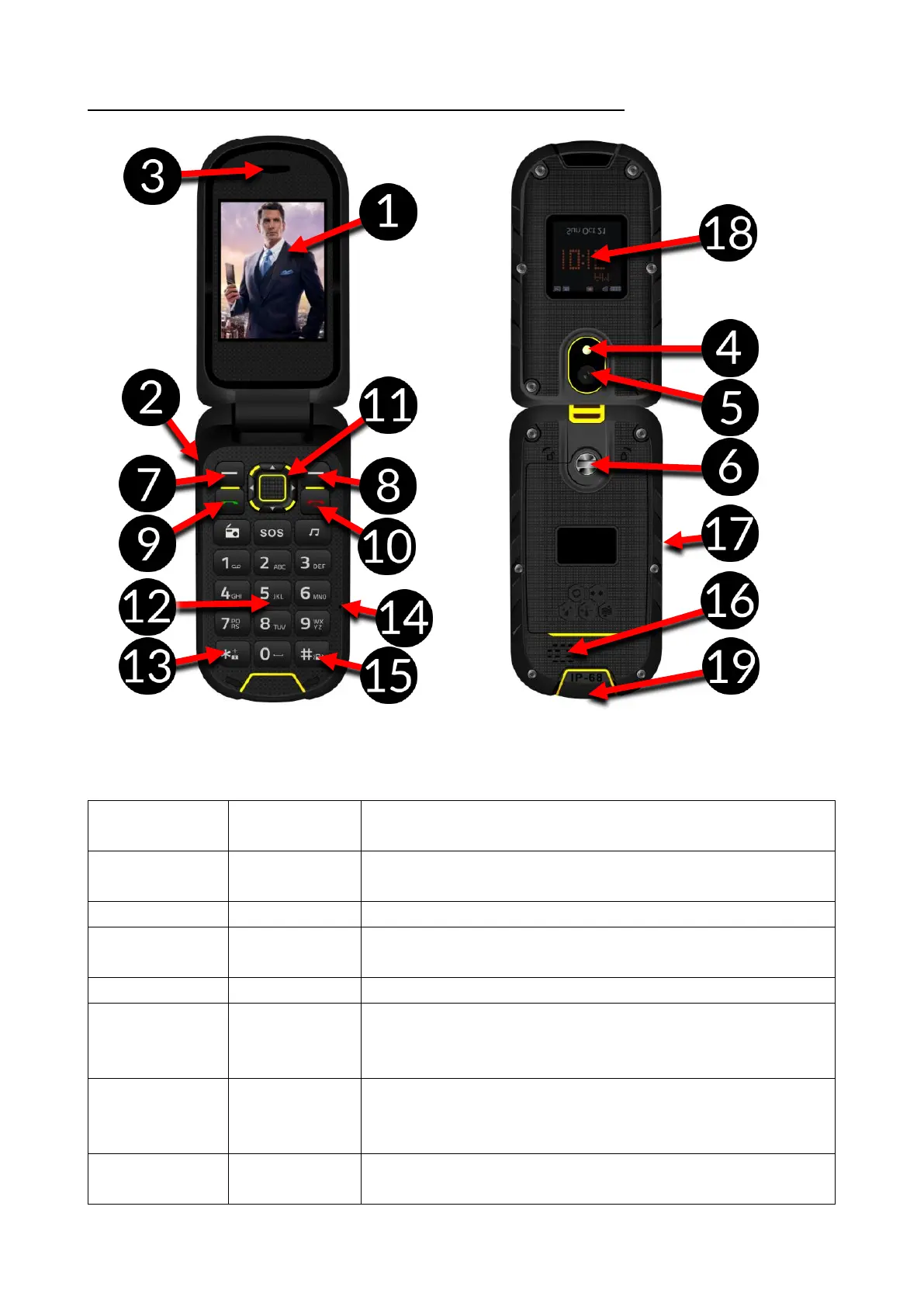
1. Appearance of the phone, its functions and buttons
Main LCD display of the phone.
Used to plug earphone (also: used as an
antenna while listening to FM radio).
A speaker used in phone conversations
It is used as a torch and a flashlight during
taking photos
It allows you to tighten the cover flap (space
for SIM, microSD and battery is situated
there).
While on the main screen enables entering
into the Menu While in the menu confirms
chosen options.
While on the main screen enables entering
into the phonebook [Contacts]. While in the


 To Next Page