EasyManua.ls Logo

HAMPTON BAY AK401A-BN - User Manual

HAMPTON BAY AK401A-BN
17 pages
Print Icon
To Next Page IconTo Next Page
Loading...
THANK YOU
Visual instruction of how to install this fan:
Visit www.homedepot.com and enter either the Item or Model number to find
this fan and click the link of visual instruction in the product overview section.
USE AND CARE GUIDE
1-855-HD-HAMPTON
HAMPTONBAY.COM
Questions, problems, missing parts? Before returning to the store,
8 a.m. - 7 p.m., EST, Monday-Friday, 9 a.m. - 6 p.m., EST Saturday
call Hampton Bay Customer Service
We appreciate the trust and confidence you have placed in Hampton Bay through the purchase of this ceiling fan. We strive to
continually create quality products designed to enhance your home. Visit us online to see our full line of products available for
your home improvement needs. Thank you for choosing Hampton Bay!
Item #1008 656 772
1008 656 503
Model #AK401A-BN
AK401A-MBK
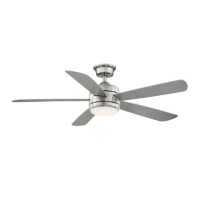
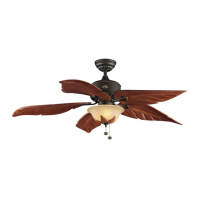
52 IN. BAYLA
INDOOR CEILING FAN

Questions and Answers

  • C
    Christina Terry PhDAug 8, 2025
    What to do if HAMPTON BAY AK401A-BN Fan remote control is not working?
    • R
      Rachel DoyleAug 8, 2025
      If the remote control for your HAMPTON BAY Fan isn't working, ensure that you have not connected the fan to any wall-mounted variable speed controls. Also, verify that the frequency switches are set correctly.
  • N
    Nicole BishopAug 15, 2025
    How to troubleshoot a HAMPTON BAY AK401A-BN that won't start?
    • B
      Barry LittleAug 15, 2025
      If your HAMPTON BAY Fan will not start, check the main and branch circuit fuses or breakers. Also, inspect the line wire connections to the fan and the switch wire connections in the fan motor assembly. Finally, ensure that the frequency switches on both the remote control and receiver are set to the same frequency.
  • T
    Tamara HarrisAug 22, 2025
    Why is my HAMPTON BAY AK401A-BN Fan wobbling?
    • S
      Stephen RichAug 22, 2025
      If your HAMPTON BAY Fan wobbles, first ensure that all blades and blade bracket screws are secure, as loose parts are a common cause of wobble. Allow the fan to run for 10 minutes to self-adjust after installation. If wobbling continues, measure the distance from each blade to a fixed point on the ceiling; deviations should be within 1/8 inch. If the deviation is greater than 1/8 inch, contact Customer Service at 1-855-HD-HAMPTON to order complimentary replacements of your brackets. If deviations are less than 1/8 inch and the fan still wobbles, call Customer Service to request a complimentary blade balancing kit.
  • C
    Carmen ShepherdAug 30, 2025
    How to reduce noise from HAMPTON BAY AK401A-BN?
    • T
      Tommy SilvaAug 31, 2025
      If your HAMPTON BAY Fan is making noise, ensure all motor housing screws are snug and that the screws attaching the fan blades to the motor hub are tight. Also, check that wire nut connections are not rattling against each other or the switch housing's interior wall. Allow a 24-hour breaking-in period, as most new fan noises disappear during this time. If using a ceiling light kit, make sure the glassware is tightly secured. Ensure there is a short distance from the ceiling to the canopy, so they are not touching. Finally, confirm that your ceiling box is secure and rubber isolator pads are used between the mounting bracket and outlet box.

Summary

Pre-Installation

SPECIFICATIONS

Details fan size, speed, electrical ratings, RPM, CFM, and weight for setup.

TOOLS REQUIRED

Lists essential tools like screwdrivers, wrench, ladder, and wire stripper for installation.

Installation

MOUNTING OPTIONS

Explains how to attach the fan mounting bracket to the ceiling outlet box.

Assembly

Preparing the canopy

Steps to remove and prepare the fan's canopy and mounting bracket.

Preparing the motor

Instructions to prepare the fan motor assembly by removing pins and loosening screws.

Assembling the fan

Guides on routing wires, attaching the hanger ball, and inserting the clevis pin.

Attaching the mounting bracket to the electrical box

Procedure for securing the mounting bracket to the ceiling outlet box for fan support.

Hanging the fan on the mounting bracket

Steps to correctly seat the fan's hanger ball in the mounting bracket for balance.

Making the electrical connections

Detailed instructions for connecting fan wires to the receiver and household wiring.

Installing the canopy

How to slide and secure the fan canopy onto the mounting bracket.

Attaching the canopy bottom cover

Instructions for fitting the decorative canopy bottom cover to the assembled fan.

Attaching the Fan Blades

Process for attaching each fan blade to the motor assembly using provided hardware.

Installing the Light Kit

Steps to connect and attach the LED light kit to the fan motor assembly.

Operation

SETTING THE TRANSMITTER

Guide to installing batteries and preparing the remote control for use.

LEARNING PROCESS

Instructions for pairing the remote control with the fan's receiver.

OPERATING YOUR FAN AND REMOTE CONTROL

Explanation of remote buttons for fan speed, light, and power control.

Correlated Color Temperature (CCT) changing

How to adjust the ceiling fan light color temperature (warm to daylight).

INSTALLING THE REMOTE CONTROL HOLDER

Steps to mount the remote control holder on a wall switch plate.

REVERSE SWITCH OPERATING INSTRUCTIONS

How to use the reverse switch for warm or cool weather fan operation.

Troubleshooting

The fan will not start.

Checks for power, wiring, and frequency settings when the fan fails to start.

The fan sounds noisy.

Addresses common causes of fan noise, including loose parts and glassware.

The remote control is not working.

Troubleshooting steps for a non-functional remote control.

The fan wobbles.

Guidance on checking blade security and balancing for wobble issues.

HAMPTON BAY AK401A-BN Specifications

General IconGeneral
BrandHampton Bay
ModelAK401A-BN
TypeCeiling Fan
ReversibleYes
Number of Blades5
Indoor/OutdoorIndoor
Blade Span44 inches
Motor Speed3 speeds
Motor TypeAC Motor

Related product manuals