EasyManua.ls Logo

HAMPTON BAY GLENDALE III AK338-MBK - User Manual

HAMPTON BAY GLENDALE III AK338-MBK
17 pages
Print Icon
To Next Page IconTo Next Page
Loading...
THANK YOU
USE AND CARE GUIDE
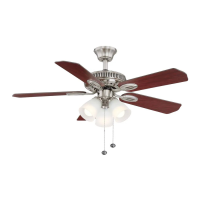
GLENDALE III 52 IN. CEILING FAN
We appreciate the trust and condence you have placed in Hampton Bay through the purchase of this ceiling fan. We strive to
continually create quality products designed to enhance your home. Visit us online to see our full line of products available for
your home improvement needs. Thank you for choosing Hampton Bay!
1-855-HD-HAMPTON
HAMPTONBAY.COM
Questions, problems, missing parts? Before returning to the store,
8 a.m. - 7 p.m., EST, Monday-Friday, 9 a.m. - 6 p.m., EST Saturday
call Hampton Bay Customer Service
Visual instruction of how to install this fan:
Visit www.homedepot.com and enter either the Item or Model number to nd
this fan and click the link of visual instruction in the product overview section.
Item #1007 887 413
1007 887 367
1007 887 287
Model #AK338-FB
AK338-MBK
AK338-WH

Questions and Answers

  • M
    Meghan GravesAug 7, 2025
    How to fix a noisy HAMPTON BAY GLENDALE III AK338-MBK?
    • A
      Amy MasonAug 7, 2025
      To reduce noise from your HAMPTON BAY Fan, ensure all motor housing screws are snug and that the screws attaching the blades to the motor hub are tight. Also, check that wire nut connections aren't rattling against each other or the switch housing's interior. Allow the fan a 24-hour breaking-in period, as most new fan noises disappear during this time. If using a ceiling light kit, make sure the glassware is secured tightly. Verify there's a small gap between the ceiling and canopy, ensuring they don't touch. Lastly, confirm your ceiling box is secure and that rubber isolator pads are used between the mounting bracket and outlet box.
  • J
    Jennifer NelsonAug 15, 2025
    What to do if my HAMPTON BAY GLENDALE III AK338-MBK will not start?
    • D
      Danielle HigginsAug 15, 2025
      If your HAMPTON BAY Fan won't start, check the main and branch circuit fuses or breakers. Also, inspect the line wire connections to the fan and the switch wire connections in the switch housing.
  • C
    Carolyn TaylorAug 26, 2025
    Why does my HAMPTON BAY GLENDALE III AK338-MBK Fan wobble?
    • J
      Jacqueline HillAug 26, 2025
      Most fan wobble problems are due to loose parts. Check that all blades and blade bracket screws are secure. After installation, let the ceiling fan run for 10 minutes to self-adjust. If wobbling continues, measure the distance from each blade to the ceiling; deviations should be within 1/8 inch. If deviations are minimal but the wobble persists, contact Customer Service (1-855-HD-HAMPTON) for a complimentary blade balancing kit. If the deviation exceeds 1/8 inch, call Customer Service (1-855-HD-HAMPTON) to order complimentary bracket replacements.

Summary

Use and Care Guide

Safety Information

FCC Declaration

Information regarding FCC compliance and user responsibilities for interference.

Warranty

Pre-Installation

Specifications

Technical details of the fan including size, voltage, amps, watts, RPM, CFM, and N.W.

Tools Required

List of tools needed for installation, including screwdrivers, wrench, ladder, stripper, and tape.

Hardware Included

Details and quantities of hardware components provided with the fan for installation.

Package Contents

List of all fan parts and their quantities included in the package.

Installation

Mounting Options

Information on how to safely mount the fan, including outlet box requirements and clearance.

Assembly

Standard Ceiling Mounting

Steps for assembling the ceiling fan using the standard mounting method.

Close-to-Ceiling Mounting

Steps for assembling the ceiling fan for a close-to-ceiling installation.

Hanging the Fan

Instructions on how to attach the assembled fan to the mounting bracket and electrical box.

Hanging the Fan (Optional)

Specific instructions for optional wiring configurations during fan hanging.

Attaching the Fan Blades

Procedure for securely attaching the fan blades to the blade arms and motor.

Installing the Light Kit

Steps for connecting and mounting the light kit assembly to the fan.

Operation

Pull Chain Operating Instructions

How to use the pull chains to control fan speed and light operation.

Reverse Switch Operating Instructions

How to use the reverse switch to change fan direction for different weather conditions.

Care and Cleaning

Troubleshooting

HAMPTON BAY GLENDALE III AK338-MBK Specifications

General IconGeneral
BrandHAMPTON BAY
ModelGLENDALE III AK338-MBK
CategoryFan
LanguageEnglish

Related product manuals