EasyManua.ls Logo

HAMPTON BAY AVERLY AK18B-BN - User Manual

HAMPTON BAY AVERLY AK18B-BN
20 pages
Print Icon
To Next Page IconTo Next Page
Loading...
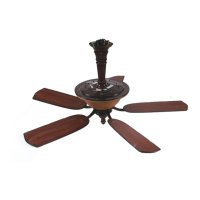
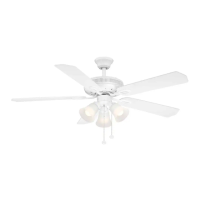
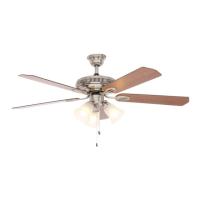
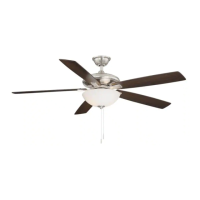
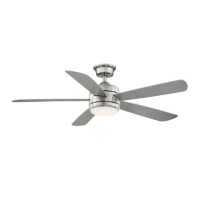
AVERLY 52 IN. CEILING FAN
USE AND CARE GUIDE
THANK YOU
1-855-HD-HAMPTON
HAMPTONBAY.COM
Questions, problems, missing parts? Before returning to the store,
8 a.m. - 7 p.m., EST, Monday-Friday, 9 a.m. - 6 p.m., EST Saturday
call Hampton Bay Customer Service
Item #1005 092 311
#1005 092 078
Model #
AK18B-BN
#
AK18B-MBK
Visual instruction of how to install this fan:
Visit www.homedepot.com and enter either the Item or Model number to nd
this fan and click the link of visual instruction in the product overview section.
#1005 462 891
#AK18B-MWH

Questions and Answers

  • J
    justinenglishAug 6, 2025
    What to do if my HAMPTON BAY AVERLY AK18B-BN remote control is not working?
    • S
      Stephanie SheltonAug 6, 2025
      If the remote control for your HAMPTON BAY Fan isn't working, ensure the fan is not connected to any wall-mounted variable speed controls. Also, verify that the frequency switches are correctly set.
  • H
    Holly HorneAug 13, 2025
    How to fix a HAMPTON BAY AVERLY AK18B-BN that will not start?
    • K
      kevincoxAug 13, 2025
      If your HAMPTON BAY Fan is not starting, please check the main and branch circuit fuses or breakers. Also, check the line wire connections to the fan and switch wire connections in the switch housing. Finally, ensure that the frequency switches from the remote control and receiver are set to the same frequency.
  • F
    franklinnancyAug 21, 2025
    How to reduce noise from my HAMPTON BAY AVERLY AK18B-BN Fan?
    • D
      dean17Aug 21, 2025
      If your HAMPTON BAY Fan sounds noisy, ensure all motor housing screws are snug and the screws attaching the fan blade to the motor hub are tight. Also, make sure the wire nut connections are not rattling against each other or the interior wall of the switch housing. Allow a 24-hour "breaking-in" period, as most noises disappear during this time. If using a ceiling light kit, ensure the glassware is secured tightly. Confirm there's a short distance from the ceiling to the canopy, preventing it from touching the ceiling. Lastly, ensure your ceiling box is secure and rubber isolator pads are used between the mounting bracket and outlet box.
  • M
    Melissa HarringtonAug 28, 2025
    Why does my HAMPTON BAY AVERLY AK18B-BN Fan wobble?
    • L
      Lisa AcostaAug 28, 2025
      If your HAMPTON BAY Fan is wobbling, start by checking that all blades and blade bracket screws are properly tightened. Often, wobbly fans result from loose components.

Summary

Safety Information

General Safety Precautions

Essential safety guidelines for operating and installing the ceiling fan.

FCC Compliance and Warnings

Information regarding FCC compliance, interference, and device modification warnings.

Warranty Information

Warranty Coverage Details

Details the manufacturer's warranty for the fan motor, light kit, and other parts.

Pre-Installation Requirements

Fan Specifications

Technical specifications of the fan, including size, voltage, amps, watts, RPM, CFM, and weight.

Tools Required for Installation

Lists the necessary tools for safely installing the ceiling fan.

Hardware Included

Identifies and quantifies the hardware components provided for fan assembly.

Package Contents Overview

Visual diagram and list of all parts included in the fan package for assembly.

Installation Guide

Mounting Options and Outlet Box Considerations

Guidance on mounting the fan, including outlet box compatibility and ceiling slope adjustments.

Assembly Instructions

Canopy and Motor Preparation

Steps for preparing the fan's canopy and motor components before final assembly.

Assembling the Fan Body

Detailed steps for assembling the main body of the fan, including the downrod and wiring.

Attaching Fan to Electrical Box

Procedure for securely attaching the fan's mounting bracket to the ceiling electrical box.

Hanging Fan to Mounting Bracket

Instructions for properly seating the fan's hanger ball into the mounting bracket.

Receiver and Remote Control Setup

Guide to setting up the remote control frequency and installing the receiver unit.

Making Electrical Connections

Detailed steps for wiring the fan to the receiver and household electrical supply.

Installing the Canopy and Canopy Ring

Instructions for covering the fan's wiring and mounting bracket with the canopy and ring.

Assembly - Attaching the Fan Blades

Attaching Fan Blades to Motor Assembly

Procedure for attaching the fan blades and blade support plates to the motor.

Assembly - Installing the Light Kit

Attaching Light Kit Mounting Plate

Steps to attach the light kit mounting plate to the fan's mounting ring.

Connecting Light Kit to Fan Motor

Procedure for connecting the 20W LED light kit wiring and mounting it to the fan.

Installing the Glass Shade

Guide to safely installing the glass shade onto the light kit assembly.

Operation Guide

Remote Control Functions

Explanation of the remote control buttons for fan speed, light, and color temperature.

Remote Control Holder Installation

Instructions for mounting the remote control holder to a wall.

Reverse Switch Operation

Instructions on how to use the reverse switch for seasonal airflow direction.

Care and Cleaning

Fan Maintenance and Cleaning

Guidelines for proper cleaning and maintenance of the ceiling fan to ensure longevity.

Troubleshooting Guide

Fan Will Not Start

Solutions for common issues when the fan fails to turn on.

Fan Sounds Noisy

Troubleshooting steps for addressing unusual or noisy fan operation.

Remote Control Not Working

Steps to resolve issues with the remote control not functioning correctly.

Fan Wobble Issues

Guidance on diagnosing and correcting fan wobble problems.

Service Parts

Parts Identification Diagram

Visual diagram showing all individual parts of the ceiling fan with labels.

List of Available Service Parts

A comprehensive list of all replaceable parts for the ceiling fan.

HAMPTON BAY AVERLY AK18B-BN Specifications

General IconGeneral
BrandHampton Bay
TypeCeiling Fan
Color FamilyBrown
Indoor/OutdoorIndoor
Number of Speeds3
Reversible MotorYes
Blade ColorBronze
ModelAVERLY AK18B-BN

Related product manuals