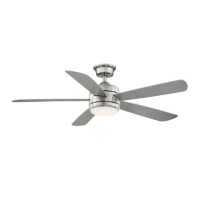
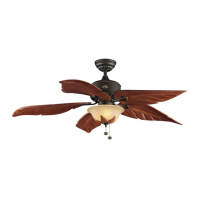
This document is a user manual for a Hampton Bay 52-inch Conjure Indoor Ceiling Fan.
Function Description
The Hampton Bay Conjure Indoor Ceiling Fan is designed to provide air circulation and illumination for indoor spaces. It features a remote control for convenient operation, including fan speed adjustment, light control, and reverse switch functionality for seasonal use. The fan can be installed with either a single switch or dual switch configuration, depending on the user's electrical setup.
Important Technical Specifications
The fan operates at three speeds: Low, Medium, and High.
- Low Speed: 0.30 Amps, 16.40 Watts, 63 RPM, 1752 CFM, 6.8 kg (14.96 lb) N.W.
- Medium Speed: 0.45 Amps, 37.90 Watts, 115 RPM, 3321 CFM.
- High Speed: 0.56 Amps, 58.65 Watts, 161 RPM, 4403 CFM.
The fan is designed to be installed in an outlet box capable of supporting at least 35 lbs. It uses a 20W LED light kit. The remote control requires two 1.5V AAA batteries.
Usage Features
Installation:
The manual provides detailed instructions for installation, including mounting the fan to an electrical box, hanging the fan, making electrical connections, attaching the fan motor assembly (optional), attaching the fan blades, and installing the LED light kit. It emphasizes safety warnings throughout the installation process, such as disconnecting power and ensuring proper support for the fan.
Remote Control Operation:
The fan is operated via a pre-paired remote control.
- Power ALL button: Turns the fan and light on or off.
- Fan ON/OFF button: Turns the fan on or off.
- Light ON/OFF button: Turns the light on or off.
- Fan 3 SPEED button (+/-): Increases or decreases the fan speed.
- Light BRIGHTNESS button (+/-): Increases or decreases the desired light level.
- Color Temperature (CCT) changing: Allows selection of three color temperature options: 3000K (Soft White), 4000K (Bright White), and 5000K (Daylight). The default setting is 3000K.
Reverse Switch Operation:
The fan features a reverse switch located on the surface of the motor housing. Sliding this switch allows the user to change the direction of blade rotation for different weather conditions.
- Warm weather (Counterclockwise Direction): Creates a cooling effect, pushing air down.
- Cool weather (Clockwise Direction): Moves warm air up off the ceiling, helping to set your heating unit on a cooler setting.
Wiring Configurations:
The manual illustrates two main wiring configurations:
- Single Switch Connections: For installations where the fan and light are turned on or off together using a single wall switch.
- Dual Switch Connections: For installations where the fan and light can be turned on or off separately using two wall switches.
Maintenance Features
General Maintenance:
- Cleaning: Use water when cleaning. Water could damage the motor, or possibly cause an electrical shock. Apply oil to your fan motor. The motor has permanently-lubricated sealed ball bearings.
- Loose Connections/Screws: Periodically check and tighten all connections, brackets, and blade attachments.
- Discoloration/Tarnishing: Use a soft brush or lint-free cloth to avoid scratching the finish. The plating is sealed with a lacquer to minimize discoloration or tarnishing.
- Wood Blades: Apply a light coat of furniture polish to the wood blades.
- Small Scratches: Cover small scratches with a light application of shoe polish.
Troubleshooting:
The manual includes a troubleshooting section to address common issues:
- Fan will not start: Check main and branch circuit fuses or breakers, fan wire connections, switch wire connections, and ensure the frequency switches from the remote control and receiver are set to the same frequency.
- Fan sounds noisy: Check for snug motor housing screws, screws attaching the fan blade to the motor hub, wire nut connections, and ensure the light kit glassware is secured tightly. Check for proper distance from the ceiling to the canopy and ensure rubber isolator pads are used between the mounting bracket and outlet box.
- Remote control is not working: Verify wall mounted variable speed control(s) and check frequency switches.
- Fan wobbles: Verify all blades and blade bracket screws are secure. If wobbling persists, verify blade level using the following process:
- Select a point on the ceiling above the tip of one of the blades, then select any fan blade and measure from the center of the selected blade to the point on the ceiling.
- Rotate the fan until the next blade is positioned and repeat the measurement using the same point from the ceiling for every blade.
- If deviations are less than 1/8 in., the fan continues to wobble, please call Customer Service (1-855-HD-HAMPTON) to order a complimentary blade balancing kit.
- If deviations are greater than 1/8 in., please call Customer Service (1-855-HD-HAMPTON) to order complimentary replacements of your brackets.
Warranty Information:
The manufacturer warrants the fan motor to be free from defects in workmanship and material for a period of lifetime from the date of purchase. The manufacturer warrants the light kit (excluding any glass), to be free from defects in workmanship and material from the date of shipment from the factory for a period of three years. All other fan parts, excluding any glass or acrylic blades, are warranted for a period of one year. This warranty does not cover any changes in brass finish, including rusting, pitting, corroding, tarnishing or peeling. It also excludes damages caused by improper installation, misuse, abuse, or use of other than original manufacturer parts.
For customer assistance, contact Hampton Bay Customer Service at 1-855-HD-HAMPTON or visit HAMPTONBAY.COM.

 Need help?
 General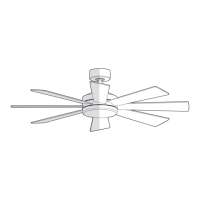



 To Next Page