EasyManua.ls Logo

HAMPTON BAY FANELEE - User Manual

HAMPTON BAY FANELEE
16 pages
Print Icon
To Next Page IconTo Next Page
Loading...
USE AND CARE GUIDE
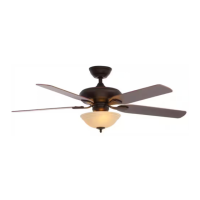
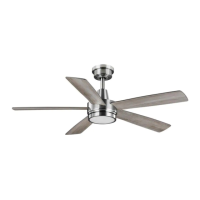
FANELEE 54-INCH CEILING FAN
Item #xxxx xxx xxx
Model #52133
UL model #54-FANE
THANK YOU
We appreciate the trust and condence you have placed in Hampton Bay through the purchase of this ceiling fan. We strive to continually create
quality products designed to enhance your home. Visit us online to see our full line of products available for your home improvement needs.
Thank you for choosing Hampton Bay!
Questions, problems, missing parts? Before returning to the store,
call Hampton Bay Customer Service
8 a.m. - 7 p.m., EST, Monday-Friday, 9 a.m. - 6 p.m., EST, Saturday
1-855-HD-HAMPTON
HAMPTONBAY.COM

Questions and Answers

Summary

Safety Information

Read and Save These Instructions

Essential safety guidelines to follow before operating the fan, emphasizing electrical safety and proper installation.

General Safety Warnings

Critical warnings regarding electrical shock, fire hazards, and safe operating practices for the ceiling fan.

Warranty

Pre-Installation

Specifications

Details on fan size, speed settings, electrical requirements, and performance metrics like RPM and CFM.

Tools Required

List of essential tools needed for the installation process, including screwdrivers, wrench, and wire tools.

Hardware Included

Identification and quantity of hardware components provided with the fan for assembly, such as blade screws and wire nuts.

Package Contents

Comprehensive list of all parts included in the fan package, detailing each component from mounting bracket to battery.

Installation

Mounting Options

Guidance on selecting appropriate mounting locations and ensuring secure installation, including outlet box compatibility.

Assembly - Standard Ceiling Mount

Attaching the Blades

Step-by-step instructions for securely attaching the fan blades to the motor assembly.

Remove the Hanger Ball from Downrod

Procedure for removing the hanger ball from the downrod to facilitate assembly.

Preparing for Standard Mounting

Steps to prepare the fan and mounting components for standard ceiling installation.

Routing the Wires

Instructions for safely routing electrical wires through the fan assembly during installation.

Assembling the Fan

Guidance on assembling the main components of the fan, including the canopy and downrod.

Assembly - Hanging the Fan

Attaching the Fan to the Electrical Box

Instructions for securely mounting the fan bracket to the ceiling electrical box.

Hanging the Fan

Steps for lifting and positioning the fan motor assembly onto the mounted bracket.

Setting the Code on Remote Control and Receiver

Procedure to synchronize the remote control with the fan's receiver unit using dip switches.

Installing the Receiver

Guidance on properly installing the remote control receiver within the fan assembly.

Wiring Receiver to Household Wiring

Instructions for connecting the fan's receiver to the household electrical wiring.

Wiring Fan to Receiver

Steps for connecting the fan's motor and light wires to the receiver unit.

Mounting Fan-Motor Assembly (Standard Mount)

Final steps for securing the fan motor assembly to the mounting bracket.

Assembly - Attaching the Lights

Attaching the Decorative Shade

Instructions for installing the decorative shade onto the light kit.

Assembly - Attaching the Accessories

Mounting the Remote Control Holder

Guidance on installing the wall mount holder for the remote control.

Operating Your Fan and Remote Control

Application Set-up

Instructions for setting up the fan's smart features via a mobile application.

Care and Cleaning

Troubleshooting

Summary

Safety Information

Read and Save These Instructions

Essential safety guidelines to follow before operating the fan, emphasizing electrical safety and proper installation.

General Safety Warnings

Critical warnings regarding electrical shock, fire hazards, and safe operating practices for the ceiling fan.

Warranty

Pre-Installation

Specifications

Details on fan size, speed settings, electrical requirements, and performance metrics like RPM and CFM.

Tools Required

List of essential tools needed for the installation process, including screwdrivers, wrench, and wire tools.

Hardware Included

Identification and quantity of hardware components provided with the fan for assembly, such as blade screws and wire nuts.

Package Contents

Comprehensive list of all parts included in the fan package, detailing each component from mounting bracket to battery.

Installation

Mounting Options

Guidance on selecting appropriate mounting locations and ensuring secure installation, including outlet box compatibility.

Assembly - Standard Ceiling Mount

Attaching the Blades

Step-by-step instructions for securely attaching the fan blades to the motor assembly.

Remove the Hanger Ball from Downrod

Procedure for removing the hanger ball from the downrod to facilitate assembly.

Preparing for Standard Mounting

Steps to prepare the fan and mounting components for standard ceiling installation.

Routing the Wires

Instructions for safely routing electrical wires through the fan assembly during installation.

Assembling the Fan

Guidance on assembling the main components of the fan, including the canopy and downrod.

Assembly - Hanging the Fan

Attaching the Fan to the Electrical Box

Instructions for securely mounting the fan bracket to the ceiling electrical box.

Hanging the Fan

Steps for lifting and positioning the fan motor assembly onto the mounted bracket.

Setting the Code on Remote Control and Receiver

Procedure to synchronize the remote control with the fan's receiver unit using dip switches.

Installing the Receiver

Guidance on properly installing the remote control receiver within the fan assembly.

Wiring Receiver to Household Wiring

Instructions for connecting the fan's receiver to the household electrical wiring.

Wiring Fan to Receiver

Steps for connecting the fan's motor and light wires to the receiver unit.

Mounting Fan-Motor Assembly (Standard Mount)

Final steps for securing the fan motor assembly to the mounting bracket.

Assembly - Attaching the Lights

Attaching the Decorative Shade

Instructions for installing the decorative shade onto the light kit.

Assembly - Attaching the Accessories

Mounting the Remote Control Holder

Guidance on installing the wall mount holder for the remote control.

Operating Your Fan and Remote Control

Application Set-up

Instructions for setting up the fan's smart features via a mobile application.

Care and Cleaning

Troubleshooting

Overview

This document is a user and care guide for the Hampton Bay Fanelee 54-inch Ceiling Fan.

Function Description:

The Hampton Bay Fanelee 54-inch Ceiling Fan is designed to provide air circulation and lighting for residential spaces. It features a remote control for operating fan speed and lights, and includes a reversing switch to change airflow direction for different seasons. The fan is suitable for damp locations.

Important Technical Specifications:

  • Size: 54 inches
  • Voltage: 120 Volts
  • Weight:
    • Net Weight: XX.XX lbs (X.X kg)
    • Gross Weight: XX.XX lbs (X kg)
  • Cube Feet: 1.98 cu.ft.
  • Fan Support: The outlet box and support structure must be securely mounted and capable of reliably supporting 35 lbs (15.9 kg). Only UL Listed outlet boxes marked "Acceptable for Fan Support of 35 lbs (15.9 kg) or less" should be used.
  • Clearance: The fan must be mounted with a minimum of 7 ft. (2.1 m) clearance from the trailing edge of the blades to the floor.
  • Electrical Wiring: All wiring must be in accordance with the National Electrical Code ANSI/NFPA 70-1999 and local electrical codes. Electrical installation should be performed by a qualified licensed electrician.
  • Light Kit: Optional light kits must be UL-listed and marked suitable for use with this fan.
  • Fan Speed Control: This fan should only be used with fan speed control part no. AP-8RDL manufactured by DawnSun Electronic Technology Co., Ltd. Zhongshan.
  • Ceiling Slope: The maximum angle allowable for a sloped ceiling is 20° away from horizontal. A longer downrod may be needed for proper blade clearance on steep, sloped ceilings.
  • Remote Control: The fan is equipped with a remote control for operation. It requires two 1.5V batteries (included).
  • Receiver: The receiver frequencies are preset at the factory. Dip switches on the receiver and hand unit must be set to the same frequency.
  • Dimming Function: The remote control includes a switch marked "O/D" to control the dimming function of the lights. "O" disables dimming for non-dimmable bulbs, and "D" enables dimming for dimmable bulbs.
  • Correlated Color Temperature (CCT): The fan light offers multiple color temperature options:
    • Option 1: 2700K (Warm White)
    • Option 2: 3000K (Soft White) (Default)
    • Option 3: 3500K (Neutral White)
    • Option 4: 4000/4100K (Cool White)
    • Option 5: 5000K (Daylight)
    • Option 6: 6500K (Cool Daylight)
  • Timer Function: The remote control includes a timer function for 2, 4, or 8 hours.
  • WIFI System: For better performance with the WIFI system, the WIFI antenna must be mounted to the ceiling outside the fan's ceiling canopy.
  • Safety Tab: The fan is equipped with a safety tab. If the setscrew (GG) becomes loose while the fan is running in reverse, the safety tab will engage and stop the fan from falling.

Usage Features:

  • Remote Control Operation: The fan speed and light can be controlled via the included remote.
    • Power ON/OFF: Press and release the power button.
    • Fan Speed: Pressing the fan speed button cycles through 5 speeds (5 being highest, 1 being lowest), and a sixth press turns the fan off. LEDs on the button indicate the current speed.
    • Light ON/OFF/Dimmer: Press and release to turn the light on or off. Press and hold to activate the dimmer function.
    • Comfort Breeze: Press and hold for 3 seconds to enable a random fan speed simulation of a relaxing breeze. This feature can be canceled by pressing the fan speed or power button.
    • CCT Changing: Push and release the button to cycle through the available color temperature options.
    • Timer: Pressing the timer button once activates a 2-hour timer, twice for 4 hours, and three times for 8 hours.
  • Reversing Switch: The fan has a reversing switch (YY) located on the top of the motor housing. To change the airflow direction, turn the fan off, wait for the blades to stop, slide the switch to the opposite position, and then turn the fan on again.
    • Warm Weather (Forward): Downward airflow creates a cooling effect.
    • Cool Weather (Reverse): Upward airflow moves warm air off the ceiling.
  • Mounting Options: The fan can be mounted to an existing UL mounting box. Illustrations are provided for three different ways to mount the outlet box. A longer downrod may be needed for steep, sloped ceilings.
  • Standard Ceiling Mount: Detailed instructions are provided for attaching blades, routing wires, assembling the fan with the downrod and hanger ball, and mounting the fan-motor assembly to the electrical box.
  • Attaching Accessories: Instructions are provided for mounting the remote control holder to the wall, including the use of screw wall anchors for extra support.
  • Application Set-Up: The guide mentions installing the ceiling fan, downloading the Hubspace app, and following in-app instructions to set up the ceiling fan.

Maintenance Features:

  • Regular Checks: Due to natural movement, some connections may become loose. Support connections, brackets, and blade attachments should be checked twice a year to ensure they are secure.
  • Cleaning: The fan should be cleaned periodically to maintain its appearance. Do not use water for cleaning, as it can damage the motor or wood, or cause electrical shock. Use only a soft brush or lint-free cloth to avoid scratching the finish. The plating is sealed with a lacquer to minimize discoloration or tarnishing.
  • Wood Protection: A light coat of furniture polish can be applied to the wood for additional protection and enhanced beauty. Small scratches can be covered with a light application of shoe polish.
  • Lubrication: The fan motor has permanently-lubricated sealed ball bearings and does not require oiling.
  • Troubleshooting Guide: A comprehensive troubleshooting section is included to address common issues such as the fan not starting, being noisy, or wobbling. Solutions include checking fuses/breakers, wall switch, wire connections, remote battery, dip switch settings, motor housing screws, blade attachment screws, wire nut connections, glassware screws, canopy distance from ceiling, outlet box security, and blade level. A balancing kit can be sent if wobbling persists after checking blade levels.
  • Battery Replacement: The remote control battery should be replaced before leakage occurs to prevent damage to the hand unit. Used batteries should be disposed of properly and kept out of reach of children.

HAMPTON BAY FANELEE Specifications

General IconGeneral
BrandHAMPTON BAY
ModelFANELEE
CategoryFan
LanguageEnglish

Related product manuals