EasyManua.ls Logo

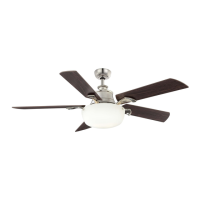
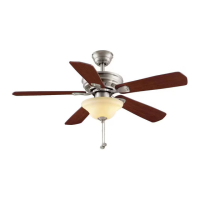
HAMPTON BAY Wellston - User Manual

HAMPTON BAY Wellston
15 pages
Print Icon
To Next Page IconTo Next Page
Loading...

Other manuals for HAMPTON BAY Wellston

Questions and Answers

  • J
    Jesse SteeleJul 26, 2025
    How to fix a HAMPTON BAY Wellston Fan that will not start?
    • B
      Brenda SnyderJul 27, 2025
      If your HAMPTON BAY Fan won't start, begin by checking the main and branch circuit fuses or breakers. Then, inspect the line wire connections to the fan and the switch wire connections in the switch housing to ensure they are properly connected.
  • T
    Timothy SmithAug 3, 2025
    What to do if my HAMPTON BAY Wellston Fan wobbles?
    • T
      Tracy WaltersAug 3, 2025
      If your HAMPTON BAY Fan wobbles, start by ensuring all blade and blade arm screws are secure. Also, check the blade levels by measuring the distance from the center of each blade to a point on the ceiling above the blade tip; deviations should be within 1/8 inch. If the issue persists after these checks, run the fan for ten minutes and if the fan continues to wobble please contact Customer Service and a balancing kit will be sent to you at no charge.
  • W
    William WilliamsAug 11, 2025
    Why is my HAMPTON BAY Wellston so noisy?
    • R
      robertrodriguezAug 11, 2025
      If your HAMPTON BAY Fan is noisy, there are several potential solutions: * Ensure all motor housing screws are snug. * Check that the screws attaching the fan blade bracket to the motor hub are tight. * Make sure the wire nut connections are not rattling against each other or the interior wall of the switch housing. * Allow a 24-hour 'breaking in' period, as most noises disappear during this time. * If using a light kit, ensure the screws securing the glassware are tight and the light bulbs are secure. * Verify the canopy has a small gap from the ceiling and isn't touching it. * Confirm your outlet box is secure and rubber isolator pads were used between the mounting plate and outlet box.
  • T
    Tina BrooksNov 17, 2025
    What to do if my HAMPTON BAY Wellston sounds noisy?
    • S
      samantha73Nov 17, 2025
      If your HAMPTON BAY Fan sounds noisy, there are several potential solutions: * Ensure all motor housing screws are snug. * Check that the screws attaching the fan blade bracket to the motor hub are tight. * Verify wire nut connections aren't rattling against each other or the switch housing's interior wall. Remember to turn the power off before checking. * Allow a 24-hour 'breaking in' period, as most noises disappear during this time. * If you're using a light kit, tighten the screws securing the glassware and ensure the light bulb is secure. * Make sure the canopy isn't touching the ceiling; it should have a small gap. * Confirm your outlet box is secure and that rubber isolator pads were used between the mounting bracket and the outlet box. * Note that there is no need ...

Summary

Read and Save These Instructions

Unpacking Your Fan

Installing Your Fan

Tools Required

Lists essential tools for fan installation.

Mounting Options

Details different methods for mounting the fan securely.

Hanging the Fan

Standard Ceiling Mounting

Instructions for hanging the fan using the downrod and ball mount.

Close-to-Ceiling Mounting

Instructions for mounting the fan close to the ceiling.

Installing Fan to the Outlet Box

Making the Electrical Connections

Finishing the Fan Installation

Standard Ceiling Mounting

Final steps for the standard ceiling mount installation.

Close-to-Ceiling Mounting

Final steps for the close-to-ceiling mount installation.

Attaching the Fan Blades

Instructions for attaching the fan blades to the motor.

Attaching the Light Kit

Blade Balancing

Procedure to correct fan wobble using provided kit.

Operating Your Fan

Warm Weather (Forward)

Explains downward air flow for cooling effect.

Cool Weather (Reverse)

Explains upward air flow for heating effect.

Care of Your Fan

Troubleshooting

Specifications

Hampton Bay Lifetime Limited Warranty

HAMPTON BAY Wellston Specifications

General IconGeneral
TypeCeiling Fan
Number of Blades5
Control TypeRemote Control
Downrod Length (in.)4.5
Bulb TypeLED
Number of Speeds3
Light IncludedYes
Reversible MotorYes
Blade Span52 inches
Motor TypeAC Motor
Light TypeIntegrated
MaterialMetal
WarrantyLifetime

Related product manuals