iii
Chapter 5 - Saving and Printing
Saving Data........................................................................... 5-1
Checking the Print Buffer During Operation........................ 5-1
Printing Data ......................................................................... 5-2
Deleting Stored Data............................................................. 5-3
Interfacing With a Computer.......................................... 5-4
Reviewing the Printouts ................................................. 5-4
Printing Guidelines ............................................................... 5-6
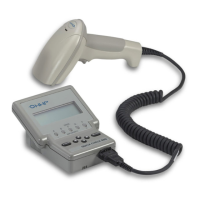
Using the QCP or QCHSP.............................................. 5-6
Troubleshooting the QCP or QCHSP........................... 5-11
Chapter 6 - Background Information
General Bar Code Information.............................................. 6-1
Symbology Specifications .................................................... 6-2
Symbologies ................................................................... 6-2
Symbology Characteristics ................................................... 6-4
How a Bar Code Verifier Works .......................................... 6-6
Additional Information ......................................................... 6-7
Chapter 7 - Using DataMatch
Understanding the DataMatch Feature ................................. 7-1
Downloading DataMatch ...................................................... 7-1
Structuring and Loading the Database.................................. 7-1
Selecting the DataMatch Feature .......................................... 7-4
Reviewing DataMatch Results.............................................. 7-5
Chapter 8 - Using a Quick Check 800 Verifier
Using the Quick Check 800 Verifier with a QC3800V Linear
Imager ................................................................................ 8-1
General Operation .......................................................... 8-1
Reflectance-Based Information...................................... 8-2
ScanProfile Output ......................................................... 8-2
Percent Decoded/Scanned Mode.................................... 8-2


 To Next Page