4 - 18 Quick Check® 600/800 Series User’s Guide
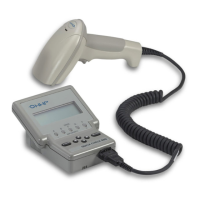
When using the reflectance mode, the reflectance “seen” by the unit is
continuously shown on the verifier’s display as both a two-digit reflectance
percentage (from 0% to 99%) and on a graphic bar graph (gas gauge). For
meaningful and consistent static reflectance values, you must calibrate the unit
and hold the wand at the proper scan angle with its “foot” just touching the
symbol. For information on proper scan technique and calibration, see
Chapter
2, Quick Start Guide
.
♦ To use the Quick Check Verifier as a static reflectometer:
1. Recalibrate the Quick Check Verifier if the calibration has not been per-
formed recently.
2. Press SELECT to display the menu with the term Print Results on top.
3. Press ↓ to move the cursor next to Reflectom’r.
4. Press SELECT.
The display changes to show the percent reflectance in large letters on the
left of the display. The term Reflectance appears below the reading and a
bar graph appears on the right of the display.


 To Next Page