Quick Check® 600/800 Series User’s Guide 5 - 7
Quick Check Printer (QCP) and Quick Check High Speed Printer (QCHSP)
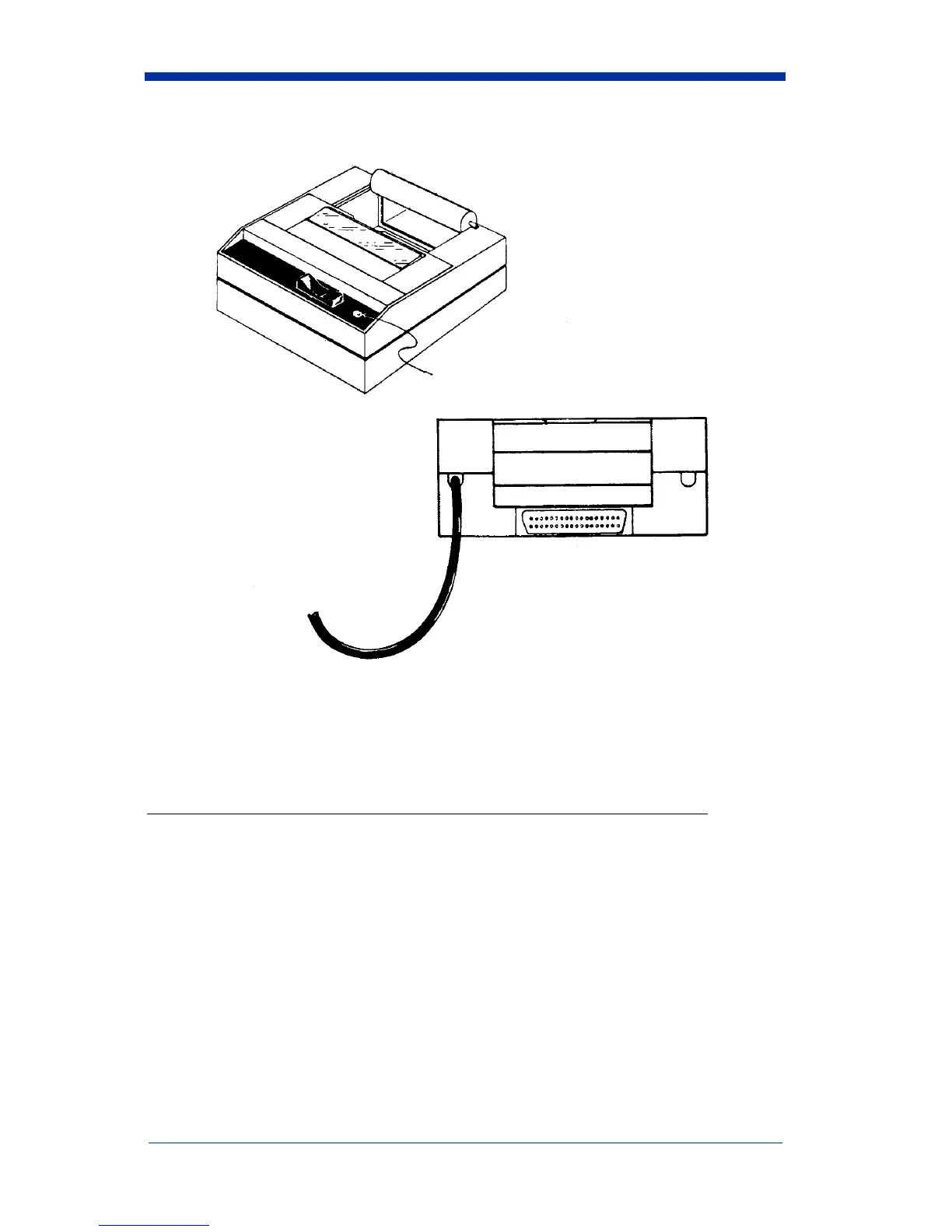
A three-position power switch on the printer’s front panel determines its function:
A red light-emitting diode (LED) to the right of the power switch lights to indicate
the On and Paper Feed states.
The printer has a VAC transformer with an 8-foot cord. The power transformer
cord has a transformer on one end and has a mating
connector to the printer on the other end.
An interface cable connects the printer directly to the verifier to provide easy
exchange of scanning results. The connectors on each end of the cable are
keyed so that they cannot be plugged in the wrong way.
Switch Position Function
Down Left
Center
Down Right
Off
On
Paper Feed


 To Next Page