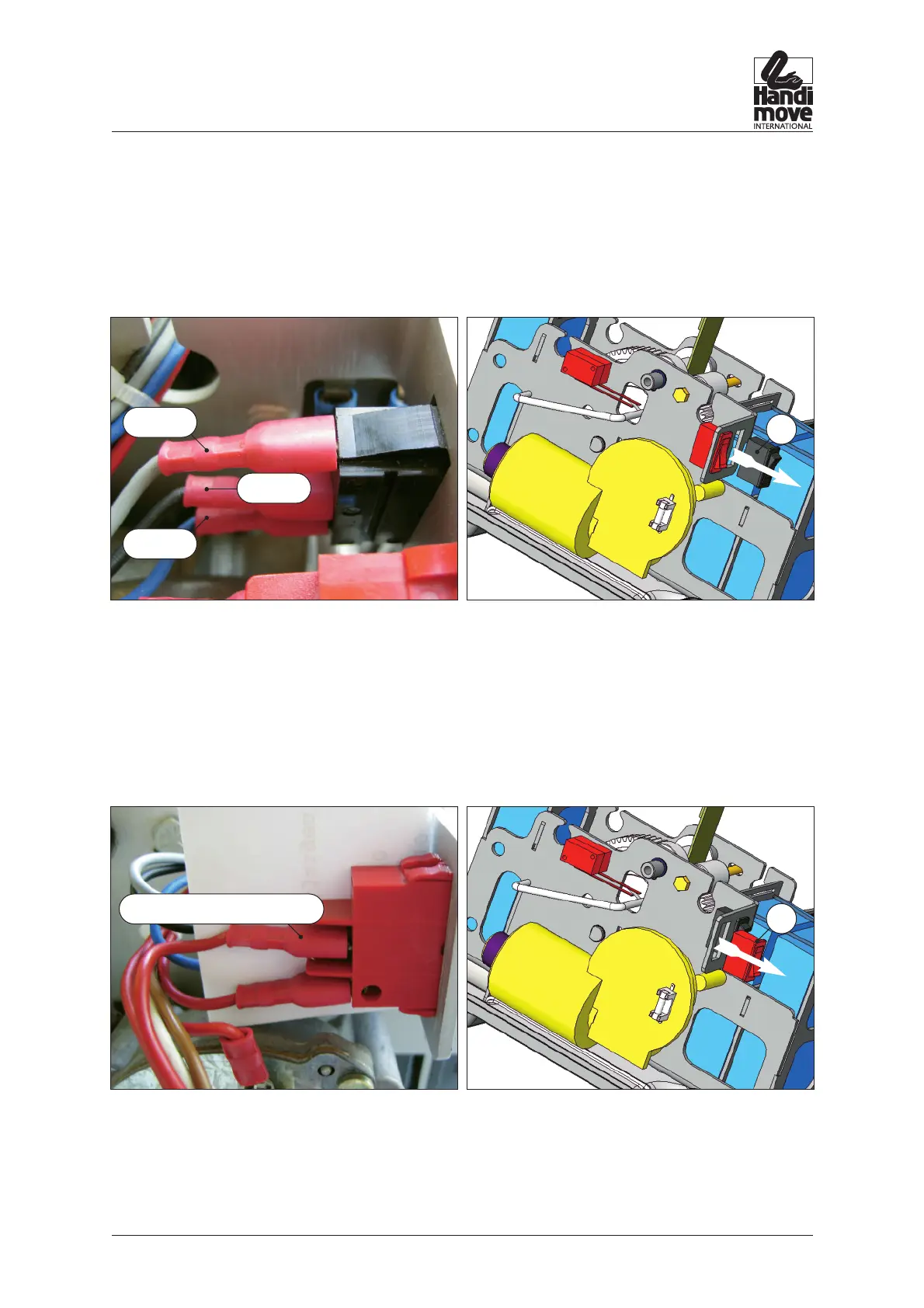
4.4. Replacing the up/down switch
1. Remove the top cover (see step 4.2.)
2. Release the fastons and press the switch (H) out of the frame.
3. Snap a new switch back into the frame and refasten the fastons.
4. Test the functioning of the switch before refitting the top cover.
5. Refit the top cover (see step 4.3.)
4.5. Changing the emergency switch
1. Remove the top cover (see step 4.2.)
2. Release the fastons and press the switch (I) out of the frame.
3. Snap a new switch back into the frame (see photo – clip below)
and refasten the fastons.
4. Test the functioning of the switch before refitting the top cover.
5. Refit the top cover (see step 4.3.).
p. 12
2540 / 2545 • REPAIR
H
grey
black
blue
I
red of rectifier (W)



 To Next Page