Operating instructions
18
2 Operating instructions
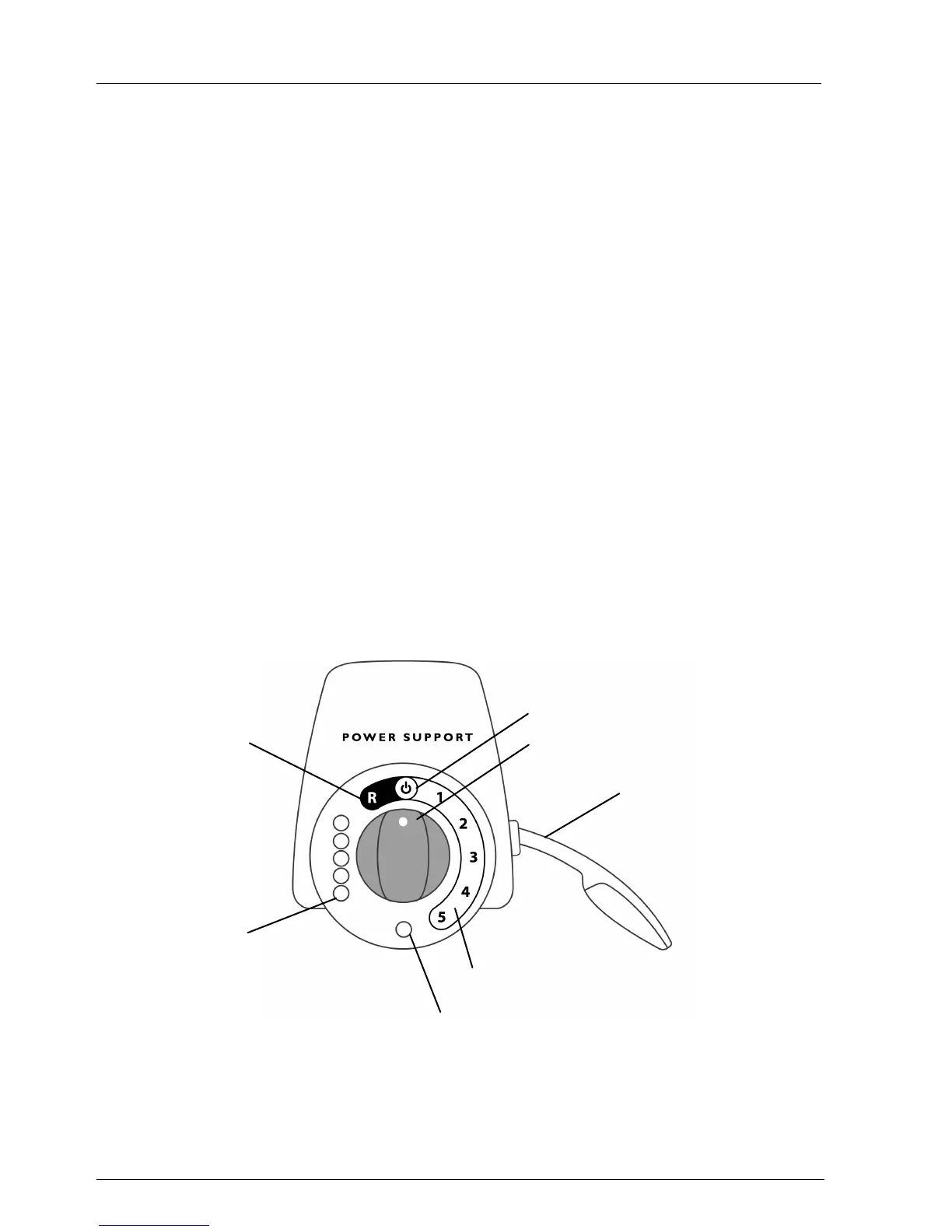
2.1 Controller
On/Off indicator
Green indicator light which is on when the Power Support is activated. In case of a
general malfunction the indicator will lighten up.
Operating handle
Handle (on/off) which activates the power assistance function.
Selector switch
Button on the controller to set the power supply. With this button, the walking
speed can be set. The selector switch has seven fixed positions: reverse (R), neutral
(off mode), and five drive forward positions (1 - 5).
Battery indicator
Lights showing the battery condition. The battery indicator comprises 5 lights (red: 20%,
orange: 40%, green: 60, 80 and 100% charge). When the Power Support is activated
or is being charged, the battery indicator is visible. When the battery charge is less than
40%, you should charge the batteries.






 To Next Page