EasyManua.ls Logo

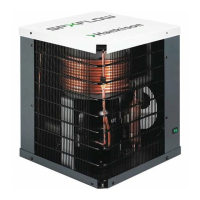
HANKISON HPRP 400 - User Manual

Default Icon
20 pages
Print Icon
To Next Page IconTo Next Page
Loading...
REFRIGERATED
TYPE
COMPRESSED
AIR DRYERS
CONTENTS
GENERAL SAFETY INFORMATION .........................2
RECEIVING, MOVING, AND UNPACKING ................2
1.0 INSTALLATION ..................................................3
2.0 OPERATION.......................................................5
3.0 MAINTENANCE .................................................8
SIZING ......................................................................8
ENGINEERING DATA (Models 100-250)...................9
ENGINEERING DATA (Models 300-750)...................10
WIRING DIAGRAM (Models 100, 125 & 150) ...........11
WIRING DIAGRAM (Models 200-600 - 460 VAC) .....12
WIRING DIAGRAM (Model 750 - 460 VAC) .............. 13
DIMENSIONS / WEIGHTS ........................................ 14
TROUBLESHOOTING GUIDE (Models 100-150) .....15
TROUBLESHOOTING GUIDE (Models 200-750) .....16
PARTS LIST ..............................................................17
WARRANTY..............................................................20
INSTRUCTION MANUAL
HPRplus Series with ColdWave™ Technology
Models: HPRP 100, 125, 150, 200, 250, 300,
400, 500, 600, 750
5002730 Rev. A 5/06
18-2-675 5th Edition
Internal Use Only
060519
SERVICE DEPARTMENT: (724) 746-1100

Questions and Answers

  • R
    Robert EatonAug 8, 2025
    Why is there water downstream of my HANKISON Dehumidifier?
    • T
      Tom TurnerAug 8, 2025
      If you find water downstream of your HANKISON Dehumidifier, it could be due to several reasons. Residual free moisture might be present in the downstream pipelines, in which case you should blow out the system with dry air. Also, check the valve positions to ensure the air bypass system isn't open. Verify that the inlet and outlet connections are correctly connected. If air lines downstream are exposed to temperatures below the dew point, insulate or heat trace them, or use dry air to lower the dew point. If there's excessive free moisture at the dryer inlet, install a separator ahead of the dryer. If the condensate is not being drained, or the dryer is overloaded, or the refrigeration system isn't functioning, see section C for more details.
  • T
    Tracy JohnsonAug 27, 2025
    What causes a high pressure drop across my HANKISON HPRP 400 Dehumidifier?
    • P
      parkerjasmineAug 28, 2025
      A high pressure drop across your HANKISON Dehumidifier can stem from a few potential issues. Excessive airflow could be the cause, so check the flow rate. Another possibility is the freezing of moisture in the evaporator due to a refrigeration system fault; in this case, consult section D. Lastly, a clogged separator filter element can lead to a pressure drop, so replace the filter element.
  • A
    Angela MedinaSep 1, 2025
    What does it mean if the dew point indicator is in the red area on my HANKISON Dehumidifier?
    • K
      Kim BryanSep 1, 2025
      If the dew point indicator on your HANKISON Dehumidifier is in the red area, this suggests that the dryer is overloaded, leading to a high air outlet temperature. Refer to section A 7. Alternatively, the refrigeration system might not be functioning properly, also resulting in a high air outlet temperature; in this case, consult section D.
  • C
    charles24Nov 11, 2025
    What to do if my HANKISON Dehumidifier shows checkpoint faults?
    • M
      Michael WuNov 11, 2025
      If your HANKISON Dehumidifier shows checkpoint faults, several factors could be at play. First, ensure the dryer has power. Check the current command status in case the compressor was manually switched off or turned off by a programmed schedule. Also, check the power to the compressor. Look at the display for any fault indications related to high or low pressure cutouts. If the service interval has elapsed, perform the scheduled service. For hot gas bypass valve adjustments, contact a qualified technician or the manufacturer’s service department. Ensure adequate condenser cooling by checking the air temperature in front of the condenser, cleaning the condenser, and verifying free airflow, as well as checking the fan and switch operation. Also, check the temperature and flow of the cooling ...
  • H
    haasjesusNov 16, 2025
    What to do if there is water downstream of my HANKISON Dehumidifier?
    • M
      Michael LutzNov 16, 2025
      If you notice water downstream of your HANKISON Dehumidifier, several factors could be responsible. It might be due to residual free moisture in the pipelines; in this case, blow out the system with dry air. Check the valve positions because the air bypass system might be open. Ensure that the inlet and outlet connections are correctly connected. If air lines downstream are exposed to temperatures below the dew point, insulate or heat trace them, or use dry air to lower the dew point. Excessive free moisture at the dryer inlet might be the cause, so install a separator ahead of the dryer. Condensate drainage issues can also lead to this problem; ensure the drain mechanism isn't clogged or inoperative, the drain line isn't restricted or frozen, and, for electric drains, the timer is set for...
  • T
    Tammy WaltersNov 22, 2025
    Why is my HANKISON HPRP 400 Dehumidifier's refrigeration system not functioning properly?
    • L
      Laura KramerNov 22, 2025
      Several issues can cause the refrigeration system of your HANKISON Dehumidifier to malfunction. First, check if the power is on. If the power light is off, ensure the unit is receiving power. Verify that the line disconnect switch is closed and inspect for blown fuses or open breakers, checking for continuity. Faulty wiring or loose terminals can also be culprits, so have an electrician inspect the electrical connections. High or low ambient conditions might affect the system; check the minimum and maximum temperature ranges. If your system is air-cooled, inspect for dirty or clogged condenser fins and ensure there's no obstruction to airflow across the condenser. Also, check the fan motor or fan control switch. If the issue persists after cleaning the condenser and ensuring free airflow, ...

Summary

General Safety Information

Pressurized Devices Safety

Safety precautions for equipment containing pressure.

Electrical Safety Guidelines

Rules for safe electrical connections and operations.

1.0 Installation

1.1 Location Selection

Guidance on choosing an appropriate installation site for the dryer.

2.0 Operation

2.1 Minimum;Maximum Operating Conditions

Specifies the operating limits for inlet air pressure and temperature.

2.2 Start-up Procedures

Step-by-step guide for initiating dryer operation.

Program Monitor Settings

Configuration of language, date, time, and schedule.

Control Panel Overview

Dryer Starting Procedure

3.0 Maintenance Schedule

Monthly Condenser Coil Cleaning

Routine cleaning of the condenser coil for optimal performance.

Moisture Separator Filter Replacement

Procedure for replacing the separator filter element.

Sizing and Model Selection

Engineering Data Models 100-250

Engineering Data Models 300-750

Wiring Diagrams

Models 100, 125 & 150 Wiring

Electrical schematic for models 100, 125, and 150.

Wiring Diagrams (Continued)

Models 200-600 - 460 VAC Wiring

Electrical schematic for models 200-600 on 460 VAC.

Wiring Diagrams (Final)

Model 750 - 460 VAC Wiring

Specific wiring diagram for the 750 model on 460 VAC.

Troubleshooting Guide (Models 100-150)

Refrigeration System Malfunctions

Troubleshooting problems with the refrigeration system.

Troubleshooting Guide (Models 200-750)

Water Downstream of Dryer

Diagnosing and resolving water in downstream lines.

High Pressure Drop Across Dryer

Troubleshooting causes of increased pressure drop.

Checkpoint Faults and Alarms

Identifying and resolving various operational faults and alerts.

Product Warranty Information

HANKISON HPRP 400 Specifications

General IconGeneral
BrandHANKISON
ModelHPRP 400
CategoryDehumidifier
LanguageEnglish

Related product manuals