EasyManua.ls Logo

HANKISON SPXFLOW HSHD Series - User Manual

HANKISON SPXFLOW HSHD Series
32 pages
Print Icon
To Next Page IconTo Next Page
Loading...
HSHD Series
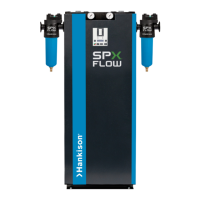
Desiccant Compressed Air Dryer
Models: HSHD-7, HSHD-13, HSHD-18, HSHD-21, HSHD-27, HSHD-40
FORM NO.: 7443487 REVISION: 10/2020 READ AND UNDERSTAND THIS MANUAL PRIOR TO OPERATING OR SERVICING THIS PRODUCT.
INSTRUCTION MANUAL

Table of Contents

Questions and Answers

  • W
    William DawsonAug 4, 2025
    Why is there water in my HANKISON Dehumidifier compressed-air system?
    • L
      Lisa HooperAug 4, 2025
      If there's water in your HANKISON Dehumidifier's compressed-air system, it could be due to several reasons. Condensate residues might have formed before starting the dryer. In this case, blow out the compressed-air system with dry air until no more moisture condenses out, opening the collection point at the most remote position if possible. Alternatively, the bypass may be open, so ensure it is closed. It's also possible that condensate from the prefilter is not being properly separated, requiring a check and repair by trained staff if necessary. Finally, if the operating parameters have changed since the dehumidifier was installed, correct them back to the original design specifications.
  • M
    Mark ChurchAug 8, 2025
    Why is there high pressure loss in my HANKISON SPXFLOW HSHD Dehumidifier?
    • D
      David LeeAug 8, 2025
      A high pressure loss through your HANKISON desiccant compressed air Dehumidifier may be caused by an overloaded pre- or after-filter cartridge. Replace the filter cartridge to resolve this. Also, verify that the operating parameters are consistent with the dryer's original design; if they've changed, restore them to the specified conditions.
  • A
    Alexandra CarpenterAug 14, 2025
    What to do if my HANKISON SPXFLOW HSHD Dehumidifier display shows 204 PDP Alarm?
    • K
      kpadillaAug 14, 2025
      If your HANKISON Dehumidifier displays error code 204 (LED Warning/ Service/ Alarm flashes red) indicating a PDP Alarm, it could be due to several reasons. The desiccant dryer may have only been switched on briefly; in this case, operate it for a while with a low load. Alternatively, the desiccant dryer might be overloaded, so adapt the operating conditions to the permitted parameters. It's also possible that the PDP sensor is defective, so check the PDP sensor and replace it if needed.
  • G
    gregory05Aug 23, 2025
    How to fix HANKISON SPXFLOW HSHD Dehumidifier error 210 PDP Sensor cable break?
    • J
      Jennifer MendozaAug 23, 2025
      If your HANKISON Dehumidifier displays error 210 (LED Warning/ Service/ Alarm glows red) indicating a PDP Sensor cable break, it could be due to a broken PDP sensor cable. Check the electrical connection and replace the cable if necessary. Another possibility is that the PDP sensor is not connected, in which case you should switch off the PDP control.
  • K
    Kristin CoxAug 28, 2025
    What does error 310 mean on my HANKISON Dehumidifier and how do I resolve it?
    • P
      Peter AdamsAug 28, 2025
      If your HANKISON Dehumidifier displays 310 (LED Warning/ Service/ Alarm glows yellow) indicating that the service time has expired, you need to carry out maintenance and then reset the service counter.
  • J
    John GilbertNov 17, 2025
    What to do if HANKISON SPXFLOW HSHD displays 202 drain warning?
    • K
      kjohnsonNov 18, 2025
      If your HANKISON Dehumidifier displays 202 (LED Warning/ Service/ Alarm flashes yellow) indicating a drain warning, it means condensate is not being separated. Press the TEST button on the condensate discharger. If condensate isn't discharged, check the power supply to the solenoid coil; if powered, replace the printed circuit board. Also, ensure the dryer and condensate discharger are pressurized (min. 0.8bar / 11.6psi). If pressurized, check for blockages in the outlet pipe behind the discharger and clean if necessary. If no blockages are found, disconnect power and ensure the device is pressure-less, then dismantle the solenoid diaphragm, remove any obstructions, and examine the diaphragm, replacing it if damaged. Clean the housing and sensors thoroughly. If condensate and air are disch...

Summary

General Safety Information

Receiving, Storing, and Moving

Procedure for inspecting the dryer upon arrival to identify any loss or damage during shipping.

Handling

Instructions on safe lifting and handling practices to prevent structural damage.

Description

Function

Explains the dual-tower regenerative desiccant dryer operation and dew point reduction.

Operation

Details the up-flow drying circuit and down-flow regeneration circuit of the desiccant dryer.

Installation and Mounting

Location of Installation

Specifies requirements for the dryer's installation location, including room type and clearance.

Service Clearance

Illustrates required clearance around the dryer for maintenance purposes.

Mounting

Provides warnings and cautions regarding the mounting of the dryer and associated valves.

Connection to the Compressed Air System

Details the connection of the dryer to the compressed air system, including shut-off valves and bypass.

Connection to the Dryer

Confirms the dryer is shipped complete and ready for connection after piping and electrical setup.

Pre- and After- Filter

Specifies the necessity of oil removal and dust filters for correct dryer functioning.

Piping

Recommends short and corrosion-resistant piping between the preliminary filter and the dryer.

Electrical Connection

Guides on connecting the dryer to the power supply, checking voltage, and adhering to electrical codes.

Potential Free Contacts

Explains how to fix externally connected cables using cable ties as shown.

Network Connection

Ambient Conditions

Specifies the recommended ambient air temperature range for dryer operation and notes on low-ambient protection.

Initial Start-Up

Preconditions

Lists all requirements that must be met before the dryer can be operated.

Switching ON the Dryer

Step-by-step instructions for powering on the desiccant dryer after all preconditions are met.

Operation

Refers to Chapter 7 for detailed information on operation, servicing, and maintenance.

Switching OFF the Dryer

Provides instructions on how to safely shut down the dryer, noting it remains pressurized.

Operation

Preconditions for Operation

Lists the necessary conditions to ensure the dryer is ready for operation.

Switching ON the Dryer

Details how to turn on the dryer, including remote control and Modbus options.

Operation

Refers to Chapter 7 for operation, servicing, and maintenance information.

Switching OFF the Dryer

Instructions for safely shutting down the dryer, including closing lines and depressurizing.

Controls (Panel)

Start Screen

Message History

Explains how to access and interpret message history, including warning and alarm codes.

Remote On;Off Settings

Setting Menu

Guides on setting the target pressure dewpoint and pressure dewpoint alarm.

Service Counter

Network Configuration

Procedures for setting IP address, subnet mask, and gateway for network connectivity.

Purge Air Consumption

Maximum Purge Flow

Defines maximum purge flow and how it's affected by valve operation and repressurization.

Average Purge Flow

Explains average purge flow, considering the entire cycle and repressurization air.

Minimum Outlet Flow

Describes how to determine minimum outlet flow by subtracting maximum purge flow from inlet flow.

Timer Board Setting & Remote Control

Details DIP switch settings for cycle time and remote control modes.

Servicing and Maintenance

Nameplate

Information on identifying the dryer using its nameplate and for ordering parts.

Ordering Consumable Parts and Operating Materials

Guidance on using genuine parts and the risks of using unauthorized spares.

Weekly Maintenance

Tasks to be performed weekly, including checking residual pressure and condensate drains.

Annual Maintenance

Tasks to be performed annually, including filter cartridge and condensate drain replacement.

Depressurize the Desiccant Dryer

Step-by-step procedure to safely depressurize the dryer before servicing.

Replacement of Desiccant

Details on when and how to replace the desiccant material in the dryer.

Replacement of Purge Solenoid Valves

Recommendation for replacing purge solenoid valves after a specific period of operation.

Prefilter;Afterfilter Maintenance

Troubleshooting Guide

Water in the compressed-air system

Identifies causes and remedies for water in the system and high pressure loss.

High pressure loss through the desiccant compressed air dryer

Lists potential causes for high pressure loss and their corresponding remedies.

Display: 310

Explains display code 310 and the required maintenance and reset actions.

Display: 202

Display: 204

Explains display code 204 (PDP Alarm) and lists causes related to operating conditions and sensor issues.

Display: 210

Details display code 210 (PDP Sensor cable break) and troubleshooting for sensor connectivity.

Technical Data

Maximum Purge Flow

Provides data on purge flow, inlet/outlet temperatures, and air flow rates.

Ambient Temperature

Lists the minimum, maximum, and standard ambient temperature specifications for the dryer.

Electrical Data

Provides electrical specifications including voltage, frequency, power, current, and noise levels.

Desiccant

Condensate

Provides information on condensate separator connection for pre-filters.

Measurements, Weights

Lists the physical dimensions (height, width, depth) and weights for various HSHD models.

Nominal Air Flow

Table showing nominal air flow rates (scfm) for different models at specified dew points.

Correction Factors

Provides correction factors for working pressure and compressed air inlet temperature.

Replacement Parts & Maintenance Kits

Replacement Parts

Lists part numbers for various replacement components for the HSHD series dryers.

Maintenance Kits

Details the contents and part numbers for annual maintenance kits for the HSHD series.

Drawings

General Arrangement: HSHD-7

Dimensional drawing showing the general arrangement and layout of the HSHD-7 model.

General Arrangement: HSHD-13

Dimensional drawing showing the general arrangement and layout of the HSHD-13 model.

General Arrangement: HSHD-18

Dimensional drawing showing the general arrangement and layout of the HSHD-18 model.

General Arrangement: HSHD-21

Dimensional drawing showing the general arrangement and layout of the HSHD-21 model.

General Arrangement: HSHD-27

Dimensional drawing showing the general arrangement and layout of the HSHD-27 model.

General Arrangement: HSHD-40

Dimensional drawing showing the general arrangement and layout of the HSHD-40 model.

P&I Diagram

Piping and Instrumentation diagram illustrating the dryer's system components and connections.

P&I Diagram Component Legend

Legend for symbols and components used in the P&I Diagram.

Electrical Schematic

Electrical schematic diagram illustrating the wiring and control system of the dryer.

Electrical Schematic With Electronic Drain Option

Electrical schematic for dryers equipped with the electronic drain option.

WARRANTY

Warranty Period

Details the standard and extended warranty periods for the manufactured product.

HANKISON SPXFLOW HSHD Series Specifications

General IconGeneral
ModelHSHD Series
CategoryDehumidifier
ManufacturerHANKISON SPXFLOW
TypeDesiccant Dehumidifier
Airflow CapacityVaries by model
Moisture Removal CapacityVaries by model
Reactivation Air TemperatureVaries by model
Desiccant TypeSilica Gel
ConfigurationModular
Operating PressureVaries by model
Power SupplyVaries by model
DimensionsVaries by model
WeightVaries by model
Dew PointAs low as -40°F

Related product manuals