EasyManua.ls Logo

Hannlomax HX-116CR - User Manual

Hannlomax HX-116CR
2 pages
Print Icon
To Next Page IconTo Next Page
Loading...
PLL ALARM CLOCK RADIO
Model : HX-116CR
INSTRUCTION MANUAL
CAUTION
RISK OF
ELECTRIC SHOCK
DO NOT OPEN
The lightning flash with
arrowhead symbol, within an
equilateral triangle, is
intended to alert the user to
the presence of uninsulated
“dangerous voltage” within
the products enclosure that
may be of sufficient
magnitude to constitute a
risk of electric shock to
persons.
Warning: To reduce the
rise of electric shock, do
not remove cover (or
back) no
user-serviceable parts
inside. Refer servicing
to qualified service
personnel.
The exclamation point
within an equilateral triangle
is intended to alert the user
to the presence of important
operating and maintenance
(servicing) instructions in
the literature accompanying
the appliance.
IMPORTANT SAFETY INSTRUCTIONS
1. Read these instructions.
2. Keep these instructions.
3. Heed all warnings.
4. Follow all instructions.
5. Do not use this apparatus near water.
6. Clean only with dry cloth.
7. Do not block any ventilation openings. Install in accordance with the manufacturer’s instructions.
8. Do not install near any heat sources such as radiators, heat registers, stoves, or other apparatus
(including amplifiers) that produce heat.
9. Protect the power cord from being walked on or pinched particularly at plugs, convenience
receptacles, and the point where they exit from the apparatus.
10. Only use attachments/accessories specified by the manufacturer.
11. Use only with the cart, stand, tripod, bracket, or table specified by the
manufacturer, or sold with the apparatus. When a cart is used, use caution when
moving the cart/apparatus combination to avoid injury from tip-over.
12) Unplug the apparatus during lightning storms or when unused for long
periods of time.
13) Refer all servicing to qualified service personnel. Servicing is required when the apparatus
has been damaged in any way, such as power-supply cord or plug is damaged, liquid has
been spilled or objects have fallen into the apparatus, the apparatus has been exposed to
rain or moisture, does not operate normally, or has been dropped.
FCC NOTICE
This device compiles with Part 15 of the FCC Rules. Operation is subject to the following two
conditions : (1) this device may not cause harmful interference, and (2) this device must accept any
interference received, including interference that may cause undesired operation.
PLL ALARM CLOCK RADIO
Model : HX-116CR
INSTRUCTION MANUAL
CAUTION
RISK OF
ELECTRIC SHOCK
DO NOT OPEN
The lightning flash with
arrowhead symbol, within an
equilateral triangle, is
intended to alert the user to
the presence of uninsulated
“dangerous voltage” within
the products enclosure that
may be of sufficient
magnitude to constitute a
risk of electric shock to
persons.
Warning: To reduce the
rise of electric shock, do
not remove cover (or
back) no
user-serviceable parts
inside. Refer servicing
to qualified service
personnel.
The exclamation point
within an equilateral triangle
is intended to alert the user
to the presence of important
operating and maintenance
(servicing) instructions in
the literature accompanying
the appliance.
IMPORTANT SAFETY INSTRUCTIONS
1. Read these instructions.
2. Keep these instructions.
3. Heed all warnings.
4. Follow all instructions.
5. Do not use this apparatus near water.
6. Clean only with dry cloth.
7. Do not block any ventilation openings. Install in accordance with the manufacturer’s instructions.
8. Do not install near any heat sources such as radiators, heat registers, stoves, or other apparatus
(including amplifiers) that produce heat.
9. Protect the power cord from being walked on or pinched particularly at plugs, convenience
receptacles, and the point where they exit from the apparatus.
10. Only use attachments/accessories specified by the manufacturer.
FCC NOTICE
This device compiles with Part 15 of the FCC Rules. Operation is subject to the following two
conditions : (1) this device may not cause harmful interference, and (2) this device must accept any
interference received, including interference that may cause undesired operation.
QUICK REFERENCE
1. SPEAKER
2. SOURCE / AL. OFF
Use this button to select AM or FM band.
Use this button to turn the ALARM off after Alarm activates.
3. TIME / M+ / MEM
In CLOCK mode, use this button to set the clock
In RADIO mode, use this button to store radio stations in the memory.
In RADIO mode, use this button to select the stored radio stations in the memory.
4. AL2 / VOL-
In CLOCK mode, use this button to set the alarm time in ALARM 2.
In RADIO mode, use this button to decrease the volume.
5. AL1 / VOL+
In CLOCK mode, use this button to set the alarm time in ALARM1.
In RADIO mode, use this button to increase the volume.
6. MIN /
In CLOCK mode, use this button to adjust the minute in CLOCK or ALARM time.
In RADIO mode, use this button to search the radio station in backward direction.
7. HR /
In CLOCK mode, use this button to adjust the hour in CLOCK or ALARM time.
In RADIO mode, use this button to search the radio station in forward direction.
8. SNOOZE / SLEEP
In ALARM mode, use this button to temporarily suspend the ALARM for a short period.
In RADIO mode, use this button to set the sleep time.
9. LED DISPLAY
10. PM INDICATOR
11. AL1-B INDICATOR (This indicator shows that the unit is in ALARM-1 buzzer mode.)
12. AL1-R INDICATOR (This indicator shows that the unit is in ALARM-1 radio mode.)
13. AL2-B INDICATOR (This indicator shows that the unit is in ALARM-2 buzzer mode.)
14. AL2-R INDICATOR (This indicator shows that the unit is in ALARM-2 radio mode. )
15. BATTERY COMPARTMENT (Compartment for the back-up battery.)
16. FM WIRE ANTENNA(Extent this wire antenna to obtain better FM broadcasting.)
17. DC JACK (Connect the unit to the AC/DC adaptor.)
QUICK REFERENCE
1. SPEAKER
2. SOURCE / AL. OFF
Use this button to select AM or FM band.
Use this button to turn the ALARM off after Alarm activates.
3. TIME / M+ / MEM
In CLOCK mode, use this button to set the clock
In RADIO mode, use this button to store radio stations in the memory.
In RADIO mode, use this button to select the stored radio stations in the memory.
4. AL2 / VOL-
In CLOCK mode, use this button to set the alarm time in ALARM 2.
In RADIO mode, use this button to decrease the volume.
5. AL1 / VOL+
In CLOCK mode, use this button to set the alarm time in ALARM1.
In RADIO mode, use this button to increase the volume.
6. MIN /
In CLOCK mode, use this button to adjust the minute in CLOCK or ALARM time.
In RADIO mode, use this button to search the radio station in backward direction.
7. HR /
In CLOCK mode, use this button to adjust the hour in CLOCK or ALARM time.
In RADIO mode, use this button to search the radio station in forward direction.
8. SNOOZE / SLEEP
In ALARM mode, use this button to temporarily suspend the ALARM for a short period.
In RADIO mode, use this button to set the sleep time.
9. LED DISPLAY
10. PM INDICATOR
11. AL1-B INDICATOR (This indicator shows that the unit is in ALARM-1 buzzer mode.)
12. AL1-R INDICATOR (This indicator shows that the unit is in ALARM-1 radio mode.)
13. AL2-B INDICATOR (This indicator shows that the unit is in ALARM-2 buzzer mode.)
14. AL2-R INDICATOR (This indicator shows that the unit is in ALARM-2 radio mode. )
15. BATTERY COMPARTMENT (Compartment for the back-up battery.)
16. FM WIRE ANTENNA(Extent this wire antenna to obtain better FM broadcasting.)
17. DC JACK (Connect the unit to the AC/DC adaptor.)
11. Use only with the cart, stand, tripod, bracket, or table specified by the
manufacturer, or sold with the apparatus. When a cart is used, use caution when
moving the cart/apparatus combination to avoid injury from tip-over.
12) Unplug the apparatus during lightning storms or when unused for long
periods of time.
el. Servicing is required when the apparatus
has been damaged in any way, such as power-supply cord or plug is damaged, liquid has
been spilled or objects have fallen into the apparatus, the apparatus has been exposed to
13) Refer all servicing to qualified service personn

Question and Answer IconNeed help?

Do you have a question about the Hannlomax HX-116CR and is the answer not in the manual?

Summary

Safety and Compliance

Caution and Electric Shock Warning

Alerts users to potential electric shock hazards and advises against opening the product enclosure.

Important Safety Instructions

Provides essential guidelines for safe operation, installation, and maintenance of the apparatus.

FCC Notice

States compliance with FCC rules regarding interference and operation of the device.

Quick Reference Controls and Indicators

Speaker

Identifies the speaker component of the alarm clock radio.

Source;AL. OFF Button

Controls band selection (AM/FM) and turns the alarm off after activation.

Time;M+; MEM Button

Used for setting the clock and storing/recalling radio stations in memory.

AL2; VOL- Button

Sets ALARM 2 time and decreases radio volume.

AL1; VOL+ Button

Sets ALARM 1 time and increases radio volume.

MIN; K Button

Adjusts minutes for clock/alarm and searches radio stations backward.

HR; Button

Adjusts hours for clock/alarm and searches radio stations forward.

Snooze; Sleep Button

Temporarily suspends alarm or sets sleep timer for radio playback.

LED Display

Indicates the current time, alarm status, and other operational information.

PM Indicator

Shows when the displayed time is in the PM period.

AL1-B Indicator

Indicates ALARM 1 is set to sound using the buzzer mode.

AL1-R Indicator

Indicates ALARM 1 is set to sound using the radio mode.

AL2-B Indicator

Indicates ALARM 2 is set to sound using the buzzer mode.

AL2-R Indicator

Indicates ALARM 2 is set to sound using the radio mode.

Battery Compartment

Location for installing backup batteries to retain settings during power outages.

FM Wire Antenna

Extensible antenna for improving FM radio reception quality.

DC Jack

Port for connecting the AC/DC adapter to power the unit.

Operation and Setup

Connecting to Power

Instructions for connecting the unit to a power source, including voltage verification.

Battery Backup

Details on installing backup batteries to preserve time and alarm settings during power interruptions.

Setting the Clock

Step-by-step guide to accurately set the current time on the alarm clock.

Setting the Alarms

Instructions for configuring alarm times, including selecting buzzer or radio sound modes.

Snooze Function

Explanation of how to temporarily suspend an active alarm for a short period.

Turning Off Alarms

Procedures for deactivating an active alarm or disabling all alarms.

Listening to AM;FM Radio

Guide on tuning into AM or FM radio stations and adjusting volume.

Saving Radio Stations

Instructions on how to store preferred radio stations into memory.

Listening to Saved Stations

How to recall and listen to previously stored radio stations.

Sleep to Music Function

Enables listening to the radio for a preset duration before automatic shut-off.

Turning Off the Radio

Procedure to power off the radio function.

Specifications

Overview

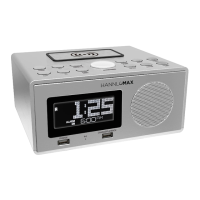
The HANNLOMAX PLL Alarm Clock Radio, model HX-116CR, is a versatile device designed to provide timekeeping, alarm, and radio functionalities. It features a compact design with an LED display and intuitive controls for ease of use.

Function Description:

The core functions of the HX-116CR include:

  • Clock: Displays the current time in a 12-hour format, with a PM indicator.
  • Alarm: Offers two independent alarms (ALARM 1 and ALARM 2) that can be set to either a buzzer sound or a radio station. Each alarm has its own indicator (AL1-B for Alarm 1 buzzer, AL1-R for Alarm 1 radio, AL2-B for Alarm 2 buzzer, AL2-R for Alarm 2 radio).
  • Radio: Features both AM and FM bands, allowing users to tune into various radio stations. It supports manual tuning, automatic station search, and the ability to store up to 10 AM and 10 FM radio stations in memory.
  • Snooze: Allows temporary suspension of an active alarm for a short period (9 minutes).
  • Sleep to Music: Enables users to listen to the radio for a set duration (up to 90 minutes) before automatically turning off, facilitating sleep.

Important Technical Specifications:

  • Frequency Range:
    • AM: 520-1710 KHz
    • FM: 87.5-108 MHz
  • Power Supply:
    • AC: 120V ~ 60 Hz (via DC Jack and AC/DC adaptor)
  • Rated Output: DC6V 100mA
  • Back-Up Battery: 2 pcs. UM4 AAA size (not included). This feature preserves time settings, alarm settings, and stored radio stations in case of power failure or interruption.
  • Display: LED Display for time, alarm settings, and radio frequency.

Usage Features:

The device is equipped with several buttons and indicators for user interaction:

  • SPEAKER: The audio output component.
  • SOURCE/AL. OFF Button:
    • Selects between AM and FM radio bands.
    • Turns off an active alarm.
    • Turns off the radio when pressed and held for approximately 1 second.
  • TIME/M+/MEM Button:
    • In CLOCK mode: Sets the clock time.
    • In RADIO mode: Stores radio stations in memory (press and hold).
    • In RADIO mode: Selects stored radio stations from memory.
  • AL2/VOL- Button:
    • In CLOCK mode: Sets the alarm time for ALARM 2.
    • In RADIO mode: Decreases the volume.
    • Turns off ALARM 2 when not needed (until indicators turn off).
  • AL1/VOL+ Button:
    • In CLOCK mode: Sets the alarm time for ALARM 1.
    • In RADIO mode: Increases the volume.
    • Turns off ALARM 1 when not needed (until indicators turn off).
  • MIN/◄◄ Button:
    • In CLOCK/ALARM mode: Adjusts the minute.
    • In RADIO mode: Searches for radio stations in backward direction.
  • HR/►► Button:
    • In CLOCK/ALARM mode: Adjusts the hour.
    • In RADIO mode: Searches for radio stations in forward direction.
  • SNOOZE/SLEEP Button:
    • In ALARM mode: Temporarily suspends the alarm for 9 minutes.
    • In RADIO mode: Sets the sleep timer (90-80-70-60-50-40-30-20-10 minutes or OFF).
  • LED DISPLAY (9): Shows time, frequency, and other relevant information.
  • PM INDICATOR (10): Lights up when the time is in the PM hours.
  • AL1-B INDICATOR (11): Indicates ALARM 1 is set to buzzer mode.
  • AL1-R INDICATOR (12): Indicates ALARM 1 is set to radio mode.
  • AL2-B INDICATOR (13): Indicates ALARM 2 is set to buzzer mode.
  • AL2-R INDICATOR (14): Indicates ALARM 2 is set to radio mode.
  • BATTERY COMPARTMENT (15): Located at the back for backup batteries.
  • FM WIRE ANTENNA (16): An external wire antenna to improve FM reception.
  • DC JACK (17): Connects to the AC/DC adaptor for main power.

Setting the Clock:

  1. In CLOCK mode, press and hold TIME for about 1 second until the time flashes.
  2. Use HR to adjust the hour.
  3. Use MIN to adjust the minute.
  4. Press TIME again to confirm.

Setting the Alarms:

  1. In CLOCK mode, press AL1 or AL2. The alarm time will flash.
  2. Use HR to adjust the alarm hour.
  3. Use MIN to adjust the alarm minute.
  4. Press AL1 or AL2 again to confirm.
  5. Press AL1 or AL2 to select buzzer or radio mode. The corresponding indicator will light up.

Snooze Function:

When an alarm activates, press SNOOZE once to suspend it for 9 minutes. The alarm will reactivate automatically after this period. This can be repeated for up to one hour.

Turning Off an Active Alarm:

Press SOURCE/AL.OFF when the alarm is sounding.

Turning Off an Alarm (when not active):

Press AL1/+ or AL2/- repeatedly until both the buzzer and radio indicators for that alarm turn off.

Listening to the AM/FM Radio:

  1. Press SOURCE/AL.OFF to select AM or FM band.
  2. Use HR/►► or MIN/◄◄ to manually tune to desired stations.
  3. Press and hold HR/►► or MIN/◄◄ for approximately 1 second to automatically search for the next strong station.
  4. To turn off the radio, press and hold SOURCE/AL.OFF for approximately 1 second.

Saving a Radio Station to Memory:

  1. Tune to the desired station.
  2. Press and hold CLK/MEM to store the station. The display will show "PXX" (XX being the memory slot from 01 to 10). Up to 10 AM and 10 FM stations can be stored.

Listening to a Saved Radio Station:

  1. Press SOURCE/AL.OFF to select AM/FM band.
  2. Press CLK/MEM to cycle through the stored stations.

Sleep to Music Function:

  1. Press SNOOZE. The default sleep time (90 minutes) will appear.
  2. Press SNOOZE repeatedly to select the desired sleep time (90, 80, 70, 60, 50, 40, 30, 20, 10 minutes, or OFF).
  3. The radio will turn off automatically after the set time elapses.

Maintenance Features:

  • Safety Instructions: The manual emphasizes reading and following all safety instructions, including avoiding water, cleaning with a dry cloth, ensuring proper ventilation, and keeping away from heat sources.
  • Power Cord Protection: Users are advised to protect the power cord from being walked on or pinched.
  • Accessory Use: Only manufacturer-specified attachments/accessories should be used.
  • Cart/Stand Usage: Caution is advised when moving the unit on a cart or stand to prevent tip-over.
  • Lightning Storms/Long Periods of Disuse: Unplug the apparatus during lightning storms or when unused for extended periods.
  • Servicing: All servicing should be referred to qualified service personnel, especially if the apparatus is damaged (e.g., power cord damage, liquid spills, exposure to rain/moisture, abnormal operation, or if dropped).
  • Battery Backup: Requires two UM-4 AAA batteries for backup, ensuring time and settings are retained during power outages. Proper polarity must be observed during battery installation.
  • FCC Compliance: The device complies with Part 15 of FCC Rules, meaning it will not cause harmful interference and must accept any interference received.

Hannlomax HX-116CR Specifications

General IconGeneral
BrandHannlomax
ModelHX-116CR
CategoryClock Radio
LanguageEnglish

Related product manuals