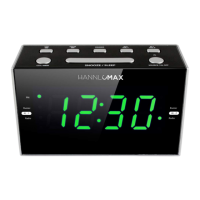
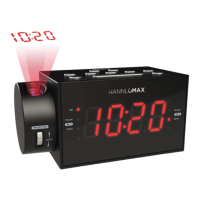
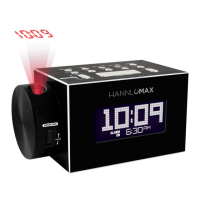
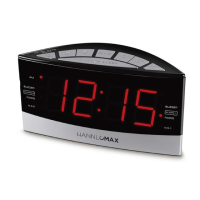
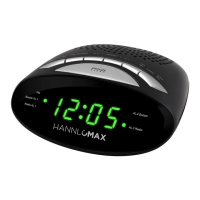
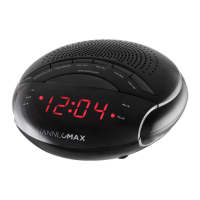
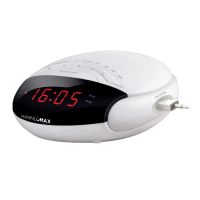
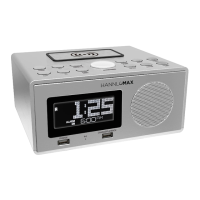
PLL ALARM CLOCK RADIO WITH USB MP3 PLAYBACK, BLUETOOTH
AND DUAL USB CHARGING (2.4A and 1A)
Model :HX-129CR
QUICK REFERENCE
1. SNOOZE BUTTON
Use this button to temporarily suspend the ALARM for a short period.
2. LED DISPLAY
3. PM INDICATOR (This indicator shows that the time display is PM )
4. AL1-B INDICATOR (This indicator shows that the unit is in ALARM-1 buzzer mode.)
5. AL1-R INDICATOR (This indicator shows that the unit is in ALARM-1 radio mode.)
6. AL2-B INDICATOR (This indicator shows that the unit is in ALARM-2 buzzer mode.)
7. AL2-R INDICATOR (This indicator shows that the unit is in ALARM-2 radio mode.)
8.
/FUNC./AL OFF BUTTON
Use this button to select different function modes (FM radio / Bluetooth /Aux-in/USB).
When alarm activates, press this button to turn off.
9. Bluetooth Pair/
/ FM SCAN BUTTON
In USB/Bluetooth mode, use this button to play or pause the music playing
In FM radio mode, use this button to scan the whole FM Band and store 20 presets station
10. MEM / +10 BUTTON
In USB/Bluetooth mode, use this button to skip 10 tracks.
In FM radio mode, use this button to store 20 presets station manually.
11.
/ HR BUTTON
In RADIO mode, use this button to search the radio station in forward direction.
In USB/Bluetooth mode, Use this button to skip to the next track.
In CLOCK mode, use this button to adjust the “hour” in CLOCK or ALARM time.
-1-
12. VOL+/AL1 BUTTON
In Radio/ USB/ Bluetooth mode, use this button to increase the volume.
In CLOCK mode, use this button to set the alarm time in ALARM 1
13. VOL-/AL2 BUTTON
In Radio/ USB/ Bluetooth mode, use this button to decrease the volume.
In CLOCK mode, use this button to set the alarm time in ALARM 2
14. SLEEP BUTTON
Use this button to set the SLEEP timer between 10 and 90 minutes
15.
BUTTON
In USB mode, Use this button to stop playing the MP3.
16. TIME/M+ BUTTON
Press and hold this button to set the time.
In Radio mode, use this button to listen the preset stations.
17.
/ MIN BUTTON
In Radio mode, use this button to search the radio station in backward direction.
In USB/Bluetooth mode, use this button to skip back to the previous track.
In CLOCK mode, use this button to adjust the minute in CLOCK or ALARM time.
18. USB Charging Port
• Connect a USB cable to charge your device. (Current: 2.4A )
19. USB Charging Port (1A) and MP3 playback
• Connect a USB cable to charge your device (Current : 1A)
• In USB Mode, plug the USB memory stick to play MP3.
20. Bluetooth Indicator (This indicator shows the BLUETOOTH status)
21. SPEAKERS
22. BATTERY COMPARTMENT (Compartment for the back-up battery.)
23. FM WIRE ANTENNA (Extent this wire antenna to obtain better FM broadcasting.)
24. DC JACK (Connect the unit to the AC/DC adaptor.)
25. LINE IN JACK (Connect the aux-in cable )
SPECIFICATIONS
Frequency Range: FM 87.5 – 108 MHz
Power Supply: AC 100-240V ~ 60/50 Hz
AC/DC adaptor 5V
3.5A
Back-Up Battery: 2 pc. UM4 ‘AAA’ size (not included)
CONNECTING THE UNIT TO POWER
Plug one end of the AC adaptor into the DC power Input, and then plug the other end into AC wall outlet.
Before switching on the unit, make sure that the voltage of your electricity supply is the same as that
indicated on the rating plate.
BATTERY BACKUP (for memory backup)
Insert two pieces UM-4 batteries into the battery compartment. Be sure to observe the proper polarity (the
"+" and "-" signs) as indicated inside the battery compartment.
In case of power failure or interrupted AC power, the current time and alarm time settings, the stored radio
stations are preserved in the memory of the unit by means of battery back-up function.
SETTING THE CLOCK
1. With the unit in CLOCK mode, press the and hold the TIME/M+ button, the time will begin to flash on
the LED display.
2. Press the
/HR button to adjust the hour.
3. Press the
/MIN button to adjust the minute.
4. When the correct time is selected, press the TIME/M+ button again to confirm.
-2-

 Need help?
 General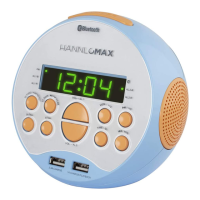

 To Next Page