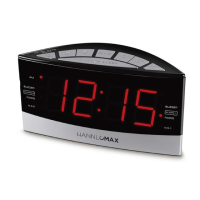
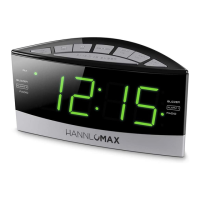
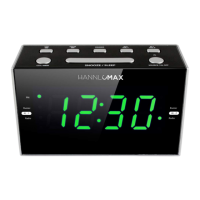
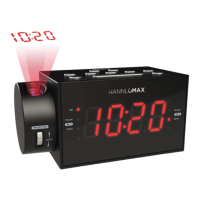
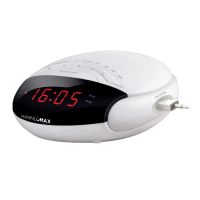
ALARM CLOCK RADIO
Model : HX-134CR
Note: Please read and follow these instructions before using your unit.
WARNING
TO PREVENT ELECTRIC SHOCK; DO NOT USE THIS PLUG WITH AN EXTENSION CORD RECEPTACLE OR
OTHER OUTLET UNLESS THE BLADES CAN BE FULLY INSERTED TO PREVENT BLADES EXPLOSURE.
TO PREVENT FIRE OR SHOCK HAZARD; DO NOT EXPOSE THIS APPLIANCE TO RAIN OR MOISTURE.
CAUTION
RISK OF ELECTRIC SHOCK
DO NOT OPEN
The lighting flash with
arrowhead symbol, with an
equilateral triangle is intended to
alert the user to the presence of
un-insulated dangerous voltage
within the products enclosure
that may be of sufficient
magnitude to constitute a risk of
electric shock to persons.
CAUTION: TO REDUCE THE
RISK OF ELECTRIC SHOCK, DO
NOT REMOVE COVER (OR
BACK). NO USER
SERVICEABLE PARTS INSIDE
REFER SERVICING TO
QUALIFIED SERVICE
PERSONNEL.
The exclamation point within an
equilateral triangle is intended to
alert the user to the presence of
important operating and
maintenance (servicing)
instruction in the literature
accompanying the appliance.
1. Keep these instructions.
2. Heed all warnings.
3. Follow all instructions.
4. Do not use this apparatus near water.
5. Clean only with dry cloth.
6. Do not block any ventilation openings. Install in accordance with the manufacturer’s instructions.
7. Do not install near any heat sources such as radiators, heat registers, stoves, or other apparatus (including
amplifiers) that produce heat.
8. Protect the power cord from being walked on or pinched particularly at plugs, convenience receptacles, and the
point where they exit from the apparatus.
9. Only use attachments/accessories specified by the manufacturer.
10. Use only with the cart, stand, tripod, bracket, or table specified by the manufacturer, or sold with
the apparatus. When a cart is used, use caution when moving the cart/apparatus combination
to avoid injury from tip-over.
2) Unplug the apparatus during lightning storms or when unused for long periods of time.
3) Refer all servicing to qualified service personnel. Servicing is required when the apparatus has been damaged
in any way, such as power-supply cord or plug is damaged, liquid has been spilled or objects have fallen into the
apparatus, the apparatus has been exposed to rain or moisture, does not operate normally, or has been
dropped.
FCC NOTICE
This device compiles with Part 15 of the FCC Rules. Operation is subject to the following two conditions : (1) this
device may not cause harmful interference, and (2) this device must accept any interference received, including
interference that may cause undesired operation.
-1-
LOCATION OF CONTROL
1. SOURCE
Use this button to select AM or FM band.
Use this button to turn the ALARM off after Alarm activates.
2. CLK / MEM
Use this button to set the clock
Use this button to store radio stations in the memory.
Use this button to select the stored radio stations in the memory.
3. VOL- / AL2
Use this button to decrease the volume.
Use this button to set the alarm time in ALARM 2.
4. VOL+/ AL1
Use this button to increase the volume.
Use this button to set the alarm time in ALARM 1
5. TUN < / MIN
Use this button to search the radio station in backward direction.
Use this button to adjust the minute in CLOCK or ALARM time.
6. TUN > / HR
Use this button to search the radio station in forward direction.
Use this button to adjust the hour in CLOCK or ALARM time.
7. SNOOZE
Use this button to temporarily suspend the ALARM for a short period.
Use this button to set the sleep time.
8. PM INDICATOR (This indicator shows that the time display is PM)
9. ALARM1-BUZZER INDICATOR(This indicator shows that the unit is in ALARM-1 buzzer mode.)
10. ALARM1-RADIO INDICATOR(This indicator shows that the unit is in ALARM-1 radio mode.)
11. ALARM2-BUZZER INDICATOR(This indicator shows that the unit is in ALARM-2 buzzer mode.)
12. ALARM2-RADIO INDICATOR (This indicator shows that the unit is in ALARM-2 radio mode.)
13. LED DISPLAY(Display for the Clock and the Radio frequency.)
14. SPEAKER(Sound output.)
15. FM WIRE ANTENNA(Extent this wire antenna to obtain better FM broadcasting.)
16. DC JACK(Connect the unit to the AC/DC adaptor.)
17. BATTERY COMPARTMENT (Compartment for the back-up battery.)
-2-

 Need help?
 General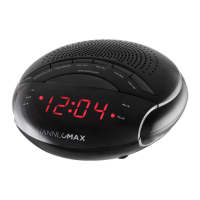

 To Next Page