using controller mode
32_ using controller mode
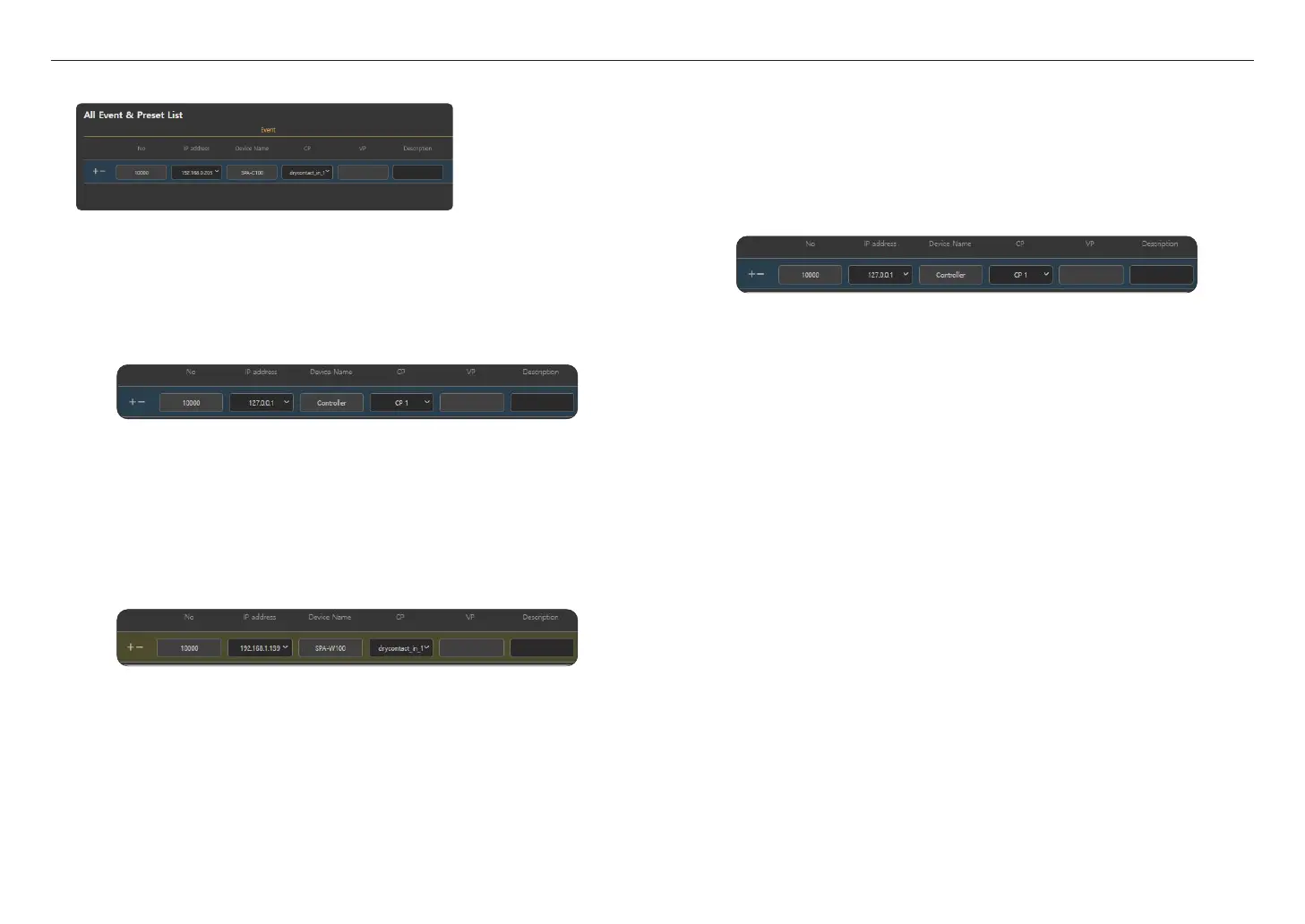
Event Registration Setting
~
NO: If you click the [+] icon, a list is created, and if you click the [-] icon, the list is removed.
~
IP Address: Select an IP address of the device to register.
You can register the following three event types.
- If you select [127.0.0.1] for the IP address, the device name will be displayed as <Controller>, and
the CP can be selected from CP 1-16.
If you press the contact Closure Number in the <Event & Preset> of <Operate>
;
<Button Mode>, an
audio source will be broadcast via the speaker set in <Broadcasting Routing> or <Local File Play>.
`
Clicking a Contact Closure Number will broadcast the sound source as many times as you set in <Broadcasting
Routing>, <Local File Play>
;
<Play count>.
`
If the device is registered in the <Contact Closure Output> setting, the Contact Closure Output signal is active
until the Contact Closure Number is turned off.
`
If the Contact Closure Number is turned off while a sound source is being broadcasted, both the broadcasting and
the Contact Closure Output signal will stop.
- If you select the IP address as the speaker, the model name of the <Device Name> will be displayed
while the CP is displayed as drycontact_in_1.
If an input signal is generated from the contact Closure device connected to the speaker, the audio
source will be broadcast from the speaker set in either <Broadcasting Routing> or <Local File Play>.
`
If the Contact Closure INPUT signal is "On", the sound source will be broadcasted as many times as you set in
<Play count>.
If the Contact Closure INPUT signal remains "On" after the sound source has been broadcasted for the number of
times you set, the sound source broadcasting will be restarted.
`
If the device is registered in the <Contact Closure Output> setting, the Contact Closure Output signal will be
active until the Contact Closure INPUT is "Off".
`
If Contact Closure INPUT is "Off" while a sound source is being broadcasted, the sound source will be
broadcasted for its full length and then stops with the Contact Closure Output signal.
- If you select the IP address as the microphone, the model name of the <Device Name> will be
displayed and the CP can be selected from button_1~5.
If you press the Contact Closure Number from among the five buttons on the left side of the
microphone and press the <TALK> button, the sound source will be broadcasted to the speaker you
set in <Broadcasting Routing> or <Local File Play>.
Microphones can use a VP, and if you enter a VP number, the Contact Closure Number will be
disabled.
Press a VP Number mapped to a combination of 10 buttons (0 - 9) on the middle of the microphone
and press the <TALK> button, and the sound source will be broadcasted to the speaker you set in
<Broadcasting Routing> or <Local File Play>.
`
If the microphone status display shows <Talking...>, the sound source will be broadcast as many times as you set
in <Play count>.
`
If the device is registered in the <Contact Closure Output> setting, the Contact Closure Output signal will be
active until the <TALK> button is turned off.
`
If the <TALK> button is turned off while a sound source is being broadcasted, both the broadcasting and the
Contact Closure Output signal will stop.
~
Device Name: Displays the name of the device automatically upon the selection of an IP address.
~
CP: Select a channel and a type of event that can occur to the device.
As a CP channel and its use are individually designed as per device, the selectable menu of each
device will automatically be displayed.
~
VP: If you select the IP address as the microphone, you can set either the CP or VP.
For the VP input value, you can directly enter a number between 1 & 9999.
~
Description: The user's description can be input.



 To Next Page