English _31
! USING CONTROLLER MODE
All Event & Preset List
STATUS
RESET
PoE+
ALARM
IN OUT
1
2
3
4
5
1 2 3
4 5 6
7 8 9
*
0 #
VOLUME
MONITOR
MIC
TALK
PUSH
MAXMIN
AUX
MAXMIN
CHIME
MENU
PRESET
PREV
NEXT
CHIME
POWER
-6dB 0dB
NETWORK
+3dB +6dB
MAXMIN
ALL
STATUS
RESET
PoE+
ALARM
IN OUT
1
2
3
4
5
1 2 3
4 5 6
7 8 9
*
0 #
VOLUME
MONITOR
MIC
TALK
PUSH
MAXMIN
AUX
MAXMIN
CHIME
MENU
PRESET
PREV
NEXT
CHIME
POWER
-6dB 0dB
NETWORK
+3dB +6dB
MAXMIN
ALL
<Event & Preset Button> <RM Microphone Button>
<Audio Module Contact Closure Input>
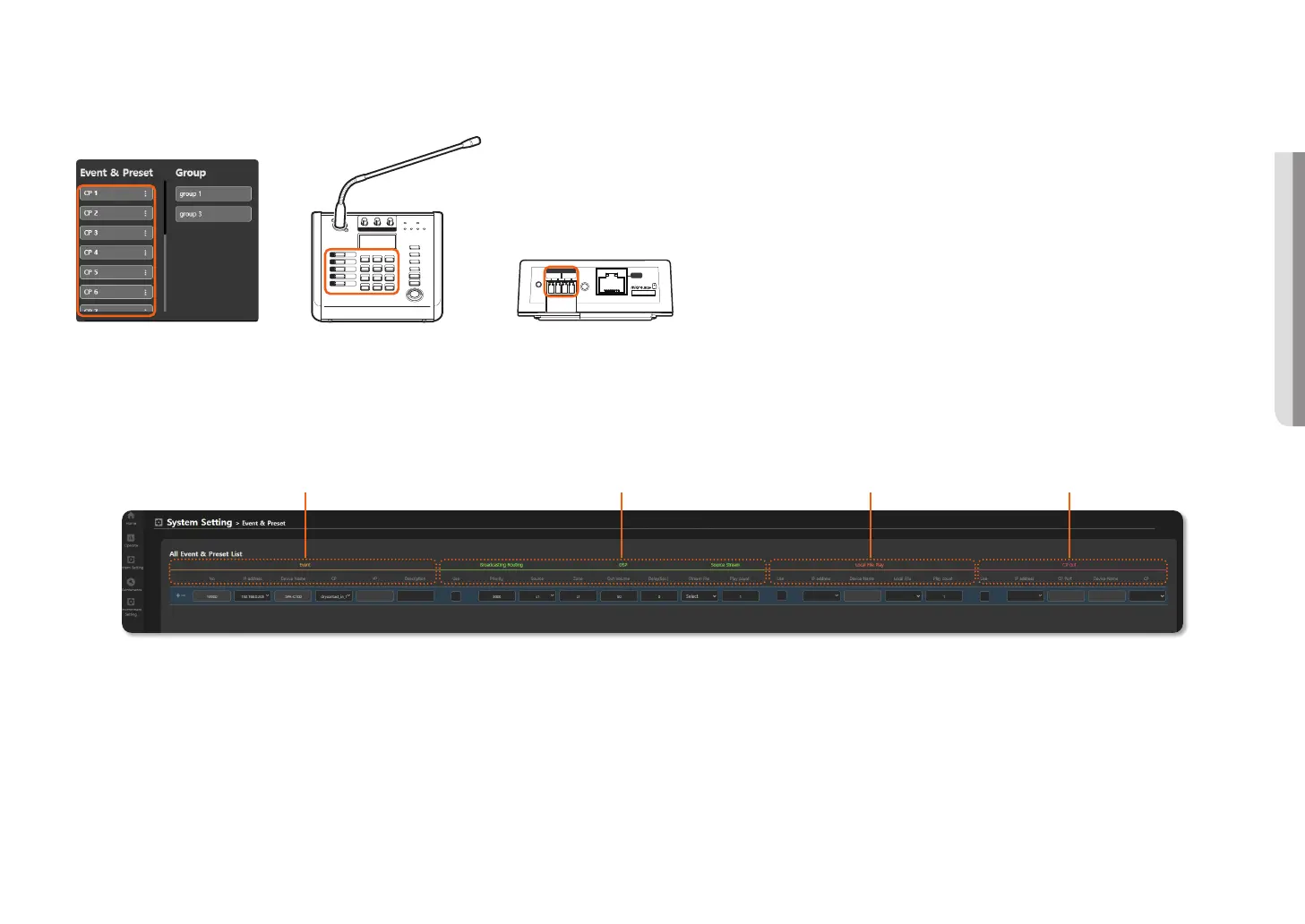
In the broadcast system, you can broadcast as per the scenario set in the <All Event & Preset List> if an event, such as the Event & Preset of the button mode, RM button of the microphone device, or an external signal (CP) of
the audio module, occurs.
There are too many menu properties to fit in a screen, so scroll to set all items.
EVENT
Broadcasting Routing/DSP/Source Stream Local File Play CP OUT
1. On the Home screen, click <System Setting>
;
<Event & Preset>.
2. Scroll down to set events, such as fire, contact point, external signals, etc. are detected, broadcasting routing, DSP, source stream, local file play, and contact point output (CP Out).
3. The scenario used when an event occurs can be configured as three operations, such as Broadcasting Routing, Local File Play, and Contact Closure Output.



 To Next Page