www.harbingerproaudio.com
Make certain loudspeakers are Powered
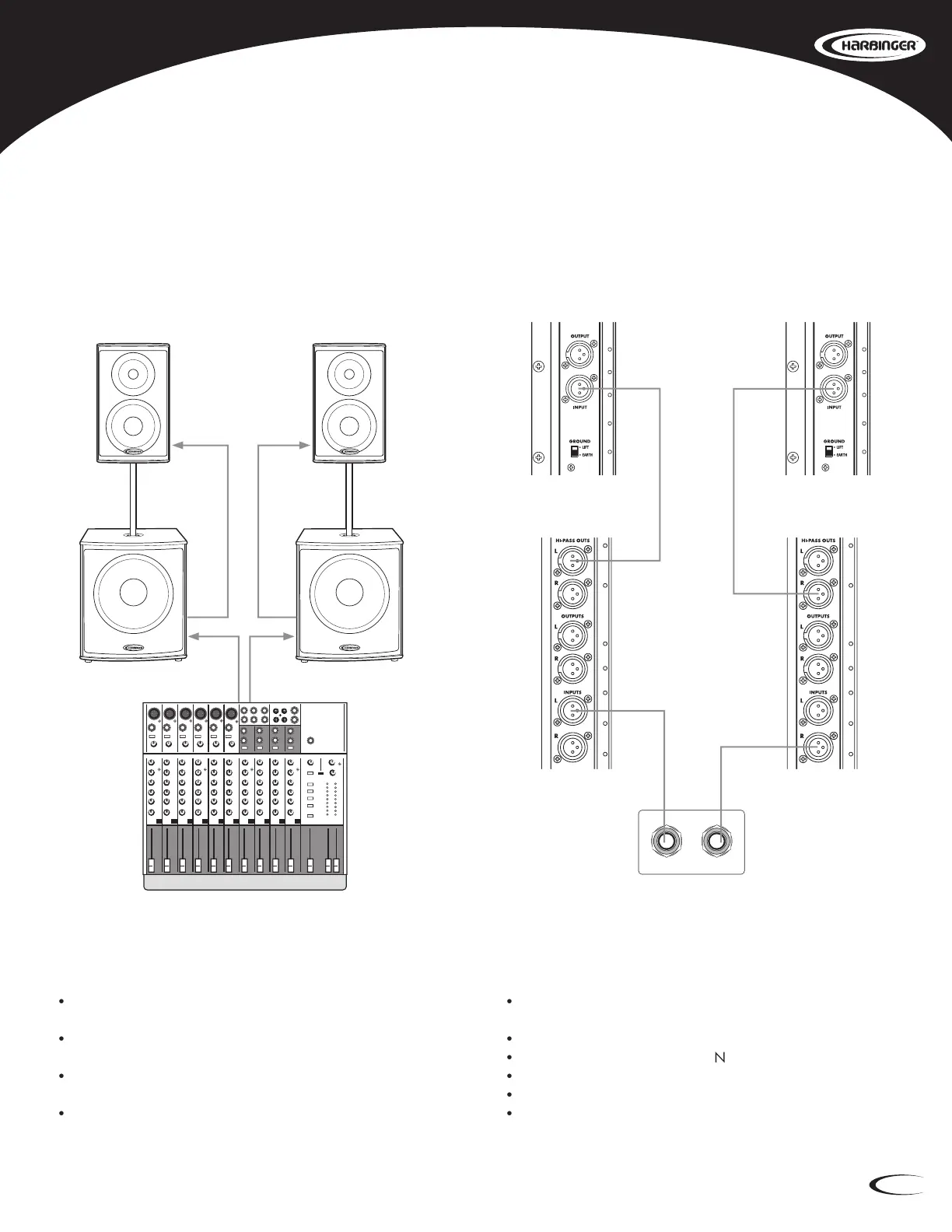
Connect the Mixer’s Main Left Output to the Left Input of the
Connect the Mixer’s Main Right Output to the Right Input of the
Connect the Left HP118S HP Output L to the Input of the Left
Connect the Right HP118S HP Output R to the Input of the Right
Set the Low Cut switch on the Main Speakers to OFF.
Bring the Mixer’s volume up to normal operating level.
Adjust the Level controls on the HP series loudspeakers.
Do not adjust the Level so high that the Red LIMIT LED is
Stereo HP Main Speakers (HP112, HP115, HP215) with Two HP118S Subwoofers






 To Next Page