www.harbingerproaudio.com
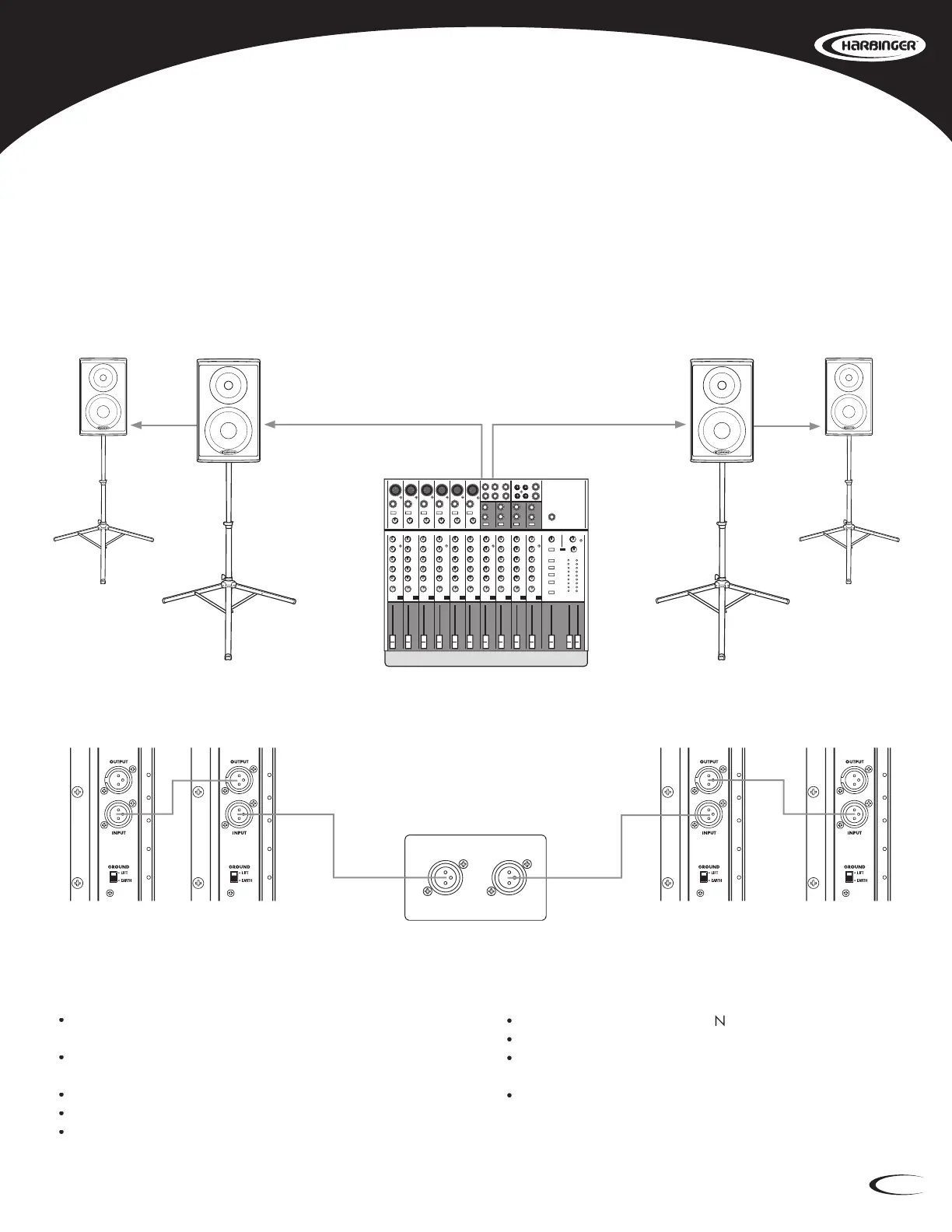
Also known as Daisy-Chaining, linking multiple speakers will
send the exact same input signal from one speaker to the next.
Make certain loudspeakers are Powered
Connect the Mixer’s Output to the Input of Speaker 1.
Connect the Output of Speaker 1 to the input of Speaker 2.
Turn down the Mixer’s volume.
Bring the Mixer’s volume up to normal operating level.
Adjust the Level controls on the loudspeakers. Do not adjust the
Level so high that the Red LIMIT LED is constantly lit.
Set the Low Cut switch to ON if you want less bass response
and greater vocal clarity.
Linking Multiple HP Main Speakers (HP112, HP115, HP215)








 To Next Page