EasyManua.ls Logo

Harbor Breeze BELLEVUE E-BE44AN5C - User Manual

Harbor Breeze BELLEVUE E-BE44AN5C
42 pages
Print Icon
To Next Page IconTo Next Page
Loading...
E124404
1
ITEM #0096879
0096950
0096982
0205233
SOS ITEM #0018035
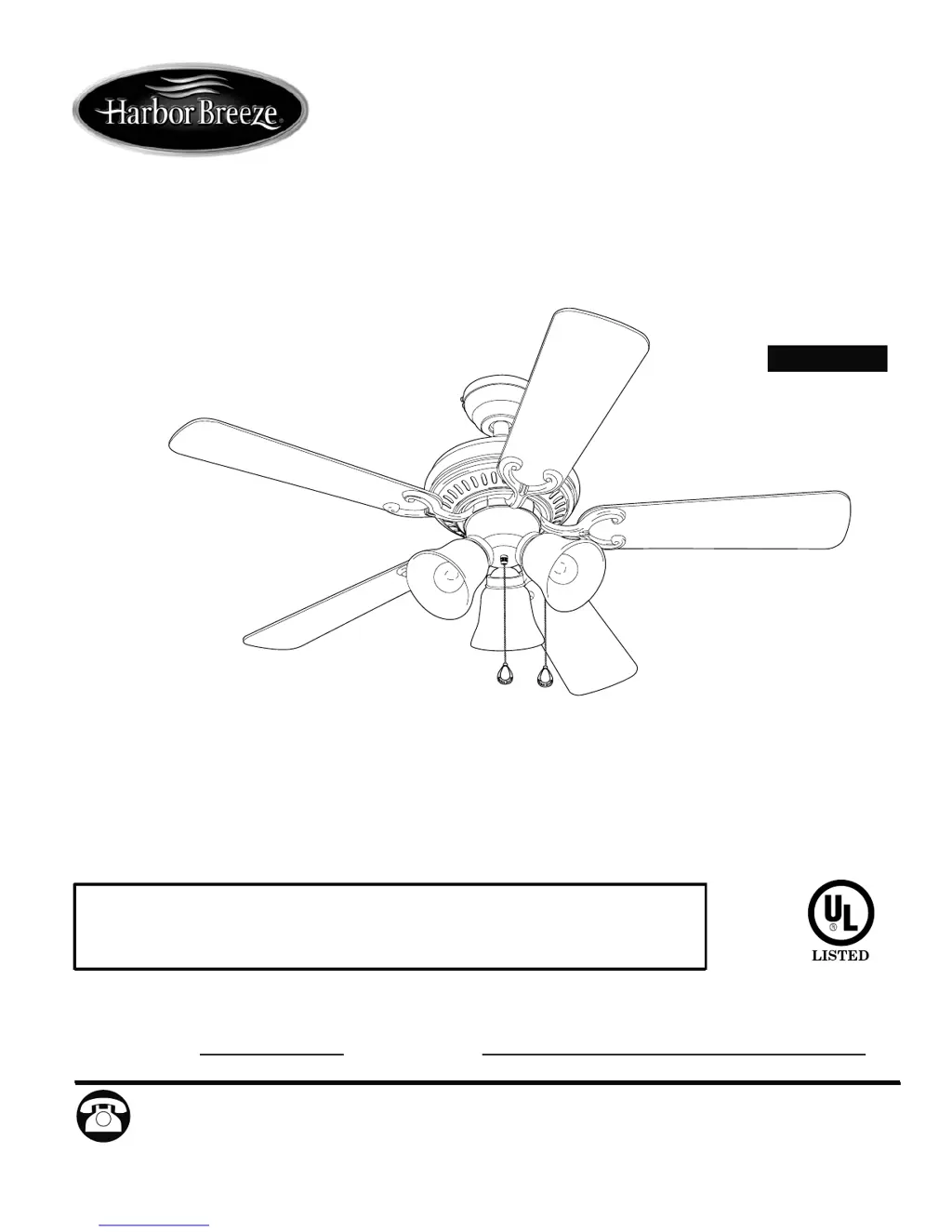
BELLEVUE CEILING FAN
Harbor Breeze® is a registered trademark
of LF, LLC. All Rights Reserved.
Español p. 22
MODEL #E-BE44ABZ5C
E-BE44AN5C
E-BE44MWW5C
E-BE44PPW5C
E-BE44AB5CS
Federal regulations require ceiling fans with light kits manufactured or imported after
January 1, 2009, to limit total wattage consumed by the light kit to 190W. Therefore,
this fan is equipped with a wattage limiting device.
Questions, problems, missing parts? Before returning to your retailer, call or contact our
customer service department at 1-800-527-1292, 8:30 a.m. - 5:00 p.m., CST, Monday - Friday.
ATTACH YOUR RECEIPT HERE
Serial Number
Purchase Date

Questions and Answers

  • S
    Sandy AdkinsAug 6, 2025
    How to fix a Harbor Breeze Fan that is wobbling?
    • R
      Rachel GentryAug 6, 2025
      If your Harbor Breeze Fan is wobbling excessively, several factors could be the cause. First, ensure all blade screws are tightened. If the issue persists, check if the blade arms are incorrectly attached and re-install them if needed. Try switching one blade with a blade from the opposite side to address unbalanced blades. Also, verify that the mounting bracket is secure by carefully loosening the canopy. Ensure the fan isn't too close to a vaulted ceiling; if it is, use a longer downrod or relocate the fan. Finally, make sure the set screws on the motor housing yoke and the hanging ball are tightened properly.
  • M
    Mark WallaceAug 19, 2025
    What to do if the lights on my Harbor Breeze BELLEVUE E-BE44AN5C Fan are not working?
    • B
      barronsonyaAug 19, 2025
      If your Harbor Breeze Fan is operating but the lights are not working, start by re-installing the bulbs to ensure they are correctly placed. Check the wiring in the canopy and re-wire if necessary. Make sure the wall switch to the fan is turned on. Verify that the male and female plugs in the light kit fitter are properly connected. Lastly, ensure that the total wattage of the bulbs in the light kit does not exceed 190W.

Summary

Safety Information

Product Overview

Package Contents

Hardware Contents

Preparation

Initial Installation

Downrod Style Fan Mounting

Instructions for attaching the fan using a downrod for high ceilings.

Closemount Style Fan Mounting

Instructions for mounting the fan directly to the ceiling for low ceilings.

Wiring

Fan and Light Controlled by Pull Chains

Connect fan and light using pull chains for simultaneous control.

Fan Controlled by Pull Chain, Light by Wall Switch

Control fan via pull chain and light via wall switch.

Fan and Light Controlled by Two Wall Switches

Wire fan and light to separate wall switches for independent control.

Final Installation

Operation Instructions

Fan Speed Control

Use pull chain to select fan speed: High, Medium, Low, Off.

Light Control

Use pull chain to turn lights ON or OFF.

Fan Reverse Switch Operation

Use reverse switch for summer (wind chill) and winter (air circulation).

Troubleshooting

Warranty

Replacement Parts List

Harbor Breeze BELLEVUE E-BE44AN5C Specifications

General IconGeneral
BrandHarbor Breeze
ModelBELLEVUE E-BE44AN5C
TypeCeiling Fan
Blade Span44 inches
Number of Blades5
Motor TypeAC Motor
Control TypeRemote Control
Mounting OptionsDownrod
Reversible MotorYes
Blade ColorWalnut
Housing ColorBronze
FinishOil-Rubbed Bronze
Mounting TypeDownrod Mount

Related product manuals