EasyManua.ls Logo

Harbor Breeze C-BTH44ABZC5L - User Manual

Harbor Breeze C-BTH44ABZC5L
37 pages
Print Icon
To Next Page IconTo Next Page
Loading...
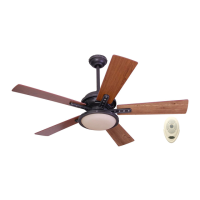
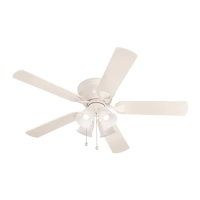
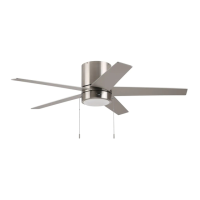
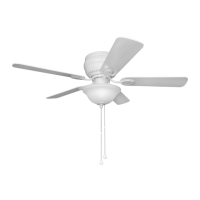
MAYFIELD CEILING FAN
Harbor Breeze® is a registered trademark
of LF, LLC. All Rights Reserved.
MODEL #C-BTH44ABZC5L
C-BTH44BNK5L
C-BTH44WW5L
Questions, problems, missing parts? Before returning to your retailer, call our customer
service department at 1-800-643-0067, 8 a.m. - 8 p.m., EST, Monday - Sunday.
Purchase Date
PH19437
1
ITEM #0888716/61035000
0888715/61035001
0888714
Français p. 19
4009654
ATTACH YOUR RECEIPT HERE
JOIGNEZ VOTRE REÇU ICI

Questions and Answers

  • D
    dawn46Aug 11, 2025
    What to do if my Harbor Breeze Fan operates but the light fails?
    • P
      Preston BakerAug 12, 2025
      If your Harbor Breeze fan is running, but the light isn't working, check these potential issues: * Bulb installation: Re-install the bulb(s) correctly. * Wall switch: Ensure the wall switch to the fan is on.
  • C
    Carla MeyerAug 27, 2025
    How to fix a Harbor Breeze C-BTH44ABZC5L Fan that does not move?
    • N
      norrismichaelAug 27, 2025
      If your Harbor Breeze fan isn't moving, here are a few things to check: * Reverse switch: Ensure the reverse switch is fully engaged by pushing it firmly either up or down. * Power: Make sure the power is on and the fuse is not blown. * Wiring: Turn the power off, loosen the motor housing, and check all wire connections.
  • T
    Tamara SteinSep 3, 2025
    Why is my Harbor Breeze C-BTH44ABZC5L so noisy?
    • J
      James GreeneSep 3, 2025
      Your Harbor Breeze fan might be noisy due to several reasons: * Loose blades: Tighten all blade screws. * Cracked blade: Replace the blade. * Full range dimmer switch: Replace it with an approved speed control device. * New fan: Allow the fan a “break in” period of a few days, especially when running the fan at Medium and High speeds. * Loose motor housing: Turn the power off, carefully loosen the motor housing, and verify the mounting bracket is secure.
  • A
    Angela HallSep 10, 2025
    What to do if my Harbor Breeze C-BTH44ABZC5L is wobbling excessively?
    • L
      Loretta HarrisSep 12, 2025
      If your Harbor Breeze fan is wobbling, consider the following: * Loose blades: Tighten all blade screws. * Blade arms incorrectly attached: Re-install the blade arms. * Unbalanced blades: Switch one blade with a blade from the opposite side. * Fan not securely mounted: Turn the power off, carefully loosen the motor housing, and verify the mounting bracket is secure.

Harbor Breeze C-BTH44ABZC5L Specifications

General IconGeneral
BrandHarbor Breeze
ModelC-BTH44ABZC5L
CategoryFan
LanguageEnglish

Related product manuals