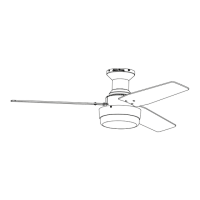
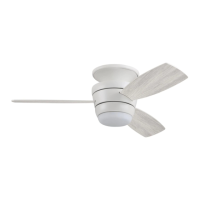
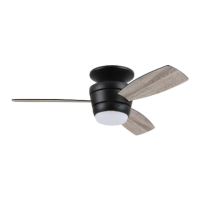
This document describes the Harbor Breeze Mazon Ceiling Fan, available in models #MZ44BNK3LR, MZ44ORB3LR, MZ44WW3LR, and MZ44MBK3LR. It is a flushmount ceiling fan designed for regular (no-slope) ceilings.
Function Description
The Mazon Ceiling Fan provides air circulation and illumination. It features a motor assembly, three blades, and an integrated LED light kit. The fan's operation, including speed control and light functions, is managed via a remote control transmitter. The fan also includes a reverse switch on the fitter plate to optimize airflow for seasonal performance, allowing for downward airflow in warmer weather (LEFT position) and upward airflow in cooler weather (RIGHT position). The LED light kit is dimmable to 10%.
Important Technical Specifications
- Net Weight (including light kit): 14.77 lbs.
- Minimum Clearance (Blades to Floor): 7 ft.
- Minimum Clearance (Blades to Obstruction): 30 in. from the end of the blades.
- Outlet Box Support: Must be marked "ACCEPTABLE FOR FAN SUPPORT OF 35 LBS. (15.9 KG) OR LESS" and use a METAL octagonal outlet box.
- Electrical Connections: Must comply with local codes, ordinances, the National Electrical Code and ANSI/NFPA 70-1999. Wire connectors provided are designed for one 12-gauge house wire and two lead wires from the fan.
- Power Supply: 120 V.
- Light Kit Wattage: 18 watts (LEDs are not replaceable by the user).
- Dimmability: Dimmable to 10%.
- Speed Control: Controlled by remote; not compatible with solid state speed control devices or full range dimmer switches to avoid humming noise and risk of fire/electrical shock.
- Battery for Remote: Inserted with positive (+) end toward the top. Non-rechargeable.
Usage Features
- Remote Control Operation:
- Fan Speed: "3" button for HIGH, "2" button for MEDIUM, "1" button for LOW.
- Fan OFF: "0" button.
- Light ON/OFF/Dimming: "Ω" button. A quick tap turns lights on/off. Holding the button down increases or decreases light intensity, acting as a dimmer. The light varies cyclically in 8 seconds and has an auto-resume function, returning to the last brightness setting.
- Seasonal Reverse Switch: Located on the fitter plate (D).
- Warmer Weather (LEFT position): Creates downward airflow for a wind chill effect.
- Cooler Weather (RIGHT position): Creates upward airflow to move stagnant, hot air off the ceiling.
- Important: The reverse switch must be set completely LEFT or completely RIGHT for the fan to function; a middle position will prevent operation. Turn the fan off at the wall switch and let blades stop before manually activating the reverse switch.
- Installation: Designed for flushmount installation on regular (no-slope) ceilings.
- Safety: Requires proper grounding of the outlet box and adherence to specific wiring instructions. Use of power tools for blade assembly is discouraged to prevent damage.
Maintenance Features
- Regular Checks: At least twice a year, check and tighten all mounting plate screws (J) and other screws on the fan.
- Cleaning:
- Motor Assembly (C): Clean with a soft brush or lint-free cloth to avoid scratching the finish.
- Blades (G): Clean with a lint-free cloth.
- Power Disconnection: Always shut off the main power supply before beginning any maintenance.
- Cleaning Agents: Do not use water or a damp cloth to clean the ceiling fan.
- LED Light Kit: The total wattage is 18 watts. Do not attempt to replace the LEDs, as the light source is designed for this specific application and should not be serviced by untrained personnel.
- Remote Control Battery: Remove the battery if the remote control transmitter is not used for long periods to prevent damage. Store the remote away from excess heat or humidity. Dispose of batteries properly according to local regulations.
Warranty
The fan comes with a Limited Lifetime Warranty from the date of purchase for the original purchaser, covering defects in workmanship and materials. The distributor will correct defects or replace the fan at no charge. The warranty does not cover damage from accident, misuse, improper installation, or use of non-manufacturer parts. It also excludes changes in brass finish, rusting, pitting, tarnishing, corroding, or peeling, and glass parts. Replacement of defective parts within the first year should be reported to customer service. For the remainder of the warranty, contact customer service for return authorization and shipping instructions.


 To Next Page
 General