Page 24 <&(%$*4.8"4,7%H'*#$"&8#I%/7*,#*%4,77%JKLLLKLMMKNOPO1 Item 56825
?@<6AQ D@CEA6E@ER6S@?CR%T6GUCEV T6GUCEV%ACW?SETUP
D,"8$*8,84*%,89%?*(Z"4*
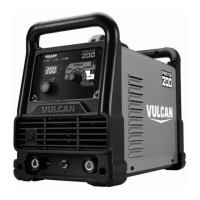
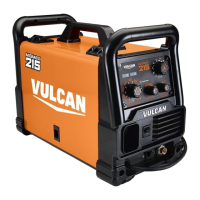
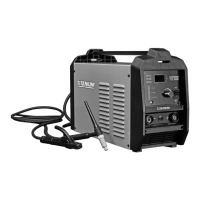
AX%W;6!6EA%?6;CXF?%CE`F;QI%<C;6%@EU%SF;E?-%
F8/7'3%$.*%T*79*(I%(*#$%$.*%ACV%A&(4.%&8%,%.*,$K/(&&2I%*7*4$("4,77>%8&8K4&89'4$"Z*%#'(2,4*I%,89%
,77&)%,77%/,($#%&2%$.*%T*79*(%$&%4&&7%$.&(&'3.7>%+*2&(*%#*(Z"4*1%
1. S6<X;6%6@RB%F?6I inspect the general
condition of the welder. Check for:
• loose hardware
• misalignment or binding of moving parts
• damaged cord/electrical wiring
• frayed or damaged cables
• cracked or broken parts
• any other condition that may
affect its safe operation.
2. W6;CXUCR@GGQI have a qualified technician unplug
the Welder, remove the Back Housing, and using
compressed air, blow out all dust from the interior.
3. @<A6;%6!6;Q%F?6I store in a
clean and dry location.
A(&'+7*#.&&$"83%
CDWX;A@EAc
S*%R6;A@CE%$&%#.'$%&22%$.*%T*79*(I%9"#4&88*4$%"$%2(&5%/&)*(I%,89%9"#4.,(3*%$.*%
*7*4$(&9*%$&%3(&'89%+*2&(*%,9='#$"83I%47*,8"83I%&(%(*/,"("83%$.*%'8"$1
W(&+7*5 W&##"+7*%R,'#*# G"Y*7>%?&7'$"&8#
When Switched On
Power Indicator
Lights, But Welder
Does Not Function
1. Tripped thermal protection device.
2. Ground Clamp not
attached to workpiece.
3. Machine is in low- or
over-voltage protection.
4. Shielding Gas not connected.
1. Reduce duration or frequency of welding periods
to help reduce wear on the welder. Refer to
Duty Cycle (Duration of Use) on page 15.
2. Attach Ground Clamp to workpiece.
3. If Voltage Input/Thermal Overload Indicator is
illuminated, check input voltage and ensure it
falls within the specified range. If input voltage is
correct, press Reset Button on back of machine.
4. Connect shielding gas to Welder.
When Switched On
Power Indicator
Does Not Light
1. Unit is not connected
to outlet properly.
2. Outlet is unpowered.
3. Circuit supplies insufficient
input voltage or amperage.
1. Verify the voltage at the outlet and
the connection to the outlet.
2. Check circuit breaker/GFCI devices; if any are tripped,
determine and remedy cause before resetting.
3. Verify that the circuit is designed to supply
the required input amperage as detailed
in Specifications on page 7.
% <&77&)%,77%?,2*$>%/(*4,'$"&8#%).*8*Z*(%9",38&#"83%&(%#*(Z"4"83%$.*%$&&71%%%
U"#4&88*4$%/&)*(%#'//7>%+*2&(*%#*(Z"4*1


 To Next Page