EasyManua.ls Logo

Harman Kardon OMNI 20 - User Manual

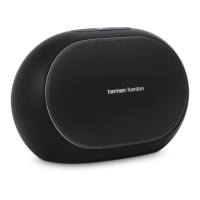
Harman Kardon OMNI 20
66 pages
Print Icon
To Next Page IconTo Next Page
Loading...
EN/ OWNERS MANUAL
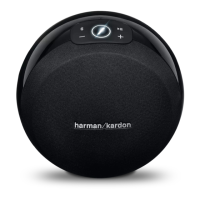
OMNI 10
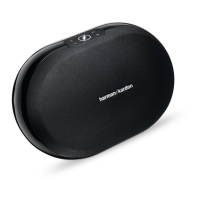
OMNI 20
ADAPT

Other manuals for Harman Kardon OMNI 20

Questions and Answers

  • D
    Debbie GriffinAug 16, 2025
    What to do if my Harman Kardon Speaker System is connected but no sound is heard?
    • B
      Beth ThorntonAug 16, 2025
      If your Harman Kardon Speaker System is connected but you're not hearing any sound, consider the following: * Check the volume level on your speaker and increase it if it's too low. * Make sure the volume on your Bluetooth or Aux-in source is also turned up. * Ensure that the speaker is not muted.
  • J
    Jeffrey KellyAug 18, 2025
    How to fix no sound from Bluetooth on Harman Kardon Speaker System?
    • E
      Emily KingAug 19, 2025
      If you're not getting any sound from the Bluetooth source on your Harman Kardon Speaker System, here's what you can do: * Make sure that Bluetooth is turned on for the source device. * Ensure that the device has been paired with the speaker. * Move the Bluetooth device closer to the speaker.
  • B
    brandi03Aug 22, 2025
    Why can't I see Omni or Adapt network in Wi-Fi settings when setting up my Harman Kardon Speaker System?
    • B
      burnsheatherAug 22, 2025
      If you don't see the Omni or Adapt network in the Wi-Fi settings page when setting up your Harman Kardon Speaker System, it could be because: * You are too far away from the unit. * The unit is not in setup mode. Move closer to the unit you are setting up. Also, press and hold the ‘Reset’ button on your unit for at least 5 seconds until the white circle flashes.
  • P
    Paula BrownAug 25, 2025
    How to troubleshoot a Harman Kardon Speaker System that does not function?
    • M
      mcphersonthomasAug 26, 2025
      If your Harman Kardon Speaker System is not functioning, check the following: * Ensure that the power cord is properly connected to a live power outlet. * Verify if the power outlet is switch-controlled.
  • C
    connie33Aug 27, 2025
    Why Harman Kardon Speaker System doesn't show on the app?
    • F
      floresjeffreyAug 28, 2025
      If your Harman Kardon Speaker System isn't showing up on the app, it could be due to these reasons: * Your device might not be connected to your home network. * Your phone and your device might not be connected to the same network. To resolve this, connect your device to your home network and ensure both your phone and the device are on the same network.
  • K
    Kevin CastroAug 30, 2025
    What to do if Harman Kardon Speaker System doesn't respond to the app?
    • K
      Kayla AllenAug 31, 2025
      If your Harman Kardon Speaker System isn't responding to the Harman Kardon Controller app, it might be due to: * Heavy network interference. * The unit being frozen. Try reducing downloading or video streaming on your network. You can also power cycle your unit or restart the app.
  • G
    Gregory ShawSep 3, 2025
    Why does WPS button not work on Harman Kardon Speaker System?
    • J
      jenny85Sep 3, 2025
      If the WPS button isn't working on your Harman Kardon Speaker System, it could be due to these reasons: * Too much time has passed between pressing the WPS buttons on the router and the unit. * The unit is too far away from your home router. * Your home router does not support WPS. Press the WPS buttons within 1 minute of each other. You can also try moving the unit closer to your home router or using manual setup.
  • H
    hamiltongregorySep 6, 2025
    Why play/pause button doesn't work on Harman Kardon Speaker System?
    • M
      mhillSep 6, 2025
      If the play/pause button isn't working on your Harman Kardon Speaker System, it could be because: * No playlist is queued. * There is heavy interference on the network. Add songs to the queue on the Harman Kardon Controller app. You might also try moving the speaker to a new place with fewer electronics around.
  • W
    William SaundersSep 8, 2025
    Why does only one speaker have audio output in a ‘Stereo pair’ on Harman Kardon Speaker System?
    • J
      Jessica GraySep 8, 2025
      If only one speaker in a 'Stereo pair' has audio output on your Harman Kardon Speaker System, it could be because: * The other speaker is not connected to AC power. * The speakers are not set up as a stereo pair room. Make sure both speakers are connected to AC power and that the speakers are set up as one room.
  • B
    Brittany RogersSep 12, 2025
    Why does Aux input only play on one speaker in a stereo pair on Harman Kardon Speaker System?
    • C
      Charles BrownSep 12, 2025
      If the Aux input only plays on one speaker in a stereo pair on your Harman Kardon Speaker System, it's likely because the Aux input is not connected to the master speaker. Connect the Aux input to the master speaker, and the audio will play back on both.

Summary

Introduction

Supplied Accessories

Important Safety Information

Electrical Safety Precautions

Guidelines for line voltage, power cords, and extension cords.

Cabinet Safety Instructions

Do Not Open the Cabinet Warning

Avoid opening the unit to prevent shock hazard and voiding warranty.

Device Controls Overview

Omni 10 & Omni 20 Control Diagrams

Visual layout of top and bottom controls for Omni 10 and Omni 20.

Adapt Device Control Diagrams

Visual layout of top and bottom controls for the Adapt device.

Top Panel Controls Explained

Link, Bluetooth, Play;Pause, Volume Functions

Detailed functions of top panel buttons like Link, Bluetooth, Play/Pause, and Volume.

Bottom Panel Controls Explained

WPS and Reset Button Functions

Explains the purpose and operation of WPS and Reset buttons.

Connections Explained

Omni 10 & Omni 20 Power and Audio Input

Diagram showing power and audio-in ports for Omni 10 and Omni 20.

Adapt Power and Audio Connections

Diagram showing power, audio-in, and audio-out ports for the Adapt.

Setting Up Wi-Fi - iOS

Using the Harman Kardon Controller App

Guide to downloading and using the app for Wi-Fi setup.

Setting Up Wi-Fi - Android

Using the Harman Kardon Controller App

Guide to downloading and using the app for Wi-Fi setup.

WPS Network Connection

Room Setup and Management

Grouping Products into Rooms

Grouping speakers into playback zones or naming rooms.

Choosing Room Type: Stand Alone or Stereo Pair

Differentiates between 'Stand alone' and 'Stereo pair' rooms.

Setting Up Stereo Pairs

Configuring Stereo Pair Channels

Steps to select products for left and right stereo channels.

Master Selection and Balance Adjustment

Choosing the master speaker and adjusting stereo balance.

Speaker Placement Guide

Operating Your System

Wi-Fi Streaming via Controller App

Using the app to stream music wirelessly to rooms or speakers.

Volume and Mute Controls

Adjusting volume and muting the speaker via app or device buttons.

Linking Rooms and Speakers

Combining multiple products or rooms for synchronized playback.

Party Mode for Whole-Home Audio

Enabling Party Mode to play the same music on all speakers simultaneously.

Bluetooth and Third-Party Apps

Streaming audio from any app using Bluetooth connectivity.

Aux-in and Audio Restreaming

Connecting analog sources and re-streaming audio over the network.

Link Button Functions and LED Indicators

Understanding the Link button's functions and LED status signals.

Firmware Upgrades and System Reset

Procedures for updating firmware and resetting the device to factory defaults.

Troubleshooting Common Issues

Product Specifications

Harman Kardon OMNI 20 Specifications

General IconGeneral
Equalizer-
Recommended usageUniversal
TweeterYes
Woofer diameter75 mm
Tweeter diameter19 mm
Number of drivers2
Number of speakers1
Audio output channels2.0 channels
Impedance- Ω
Frequency range53 - 20000 Hz
RMS rated power60 W
Signal-to-Noise Ratio (SNR)80 dB
Product typeStereo portable speaker
Product colorWhite
Connectivity technologyWired & Wireless
Power source typeAC
AC adapter frequency50 - 60 Hz
AC adapter input voltage100 - 240 V
Weight and Dimensions IconWeight and Dimensions
Depth164 mm
Width260 mm
Height166 mm
Weight2130 g

Related product manuals