4
ZonePRO
TM
Section 2 - ZonePRO Designer GUI
2.1 ZonePRO Designer Overview
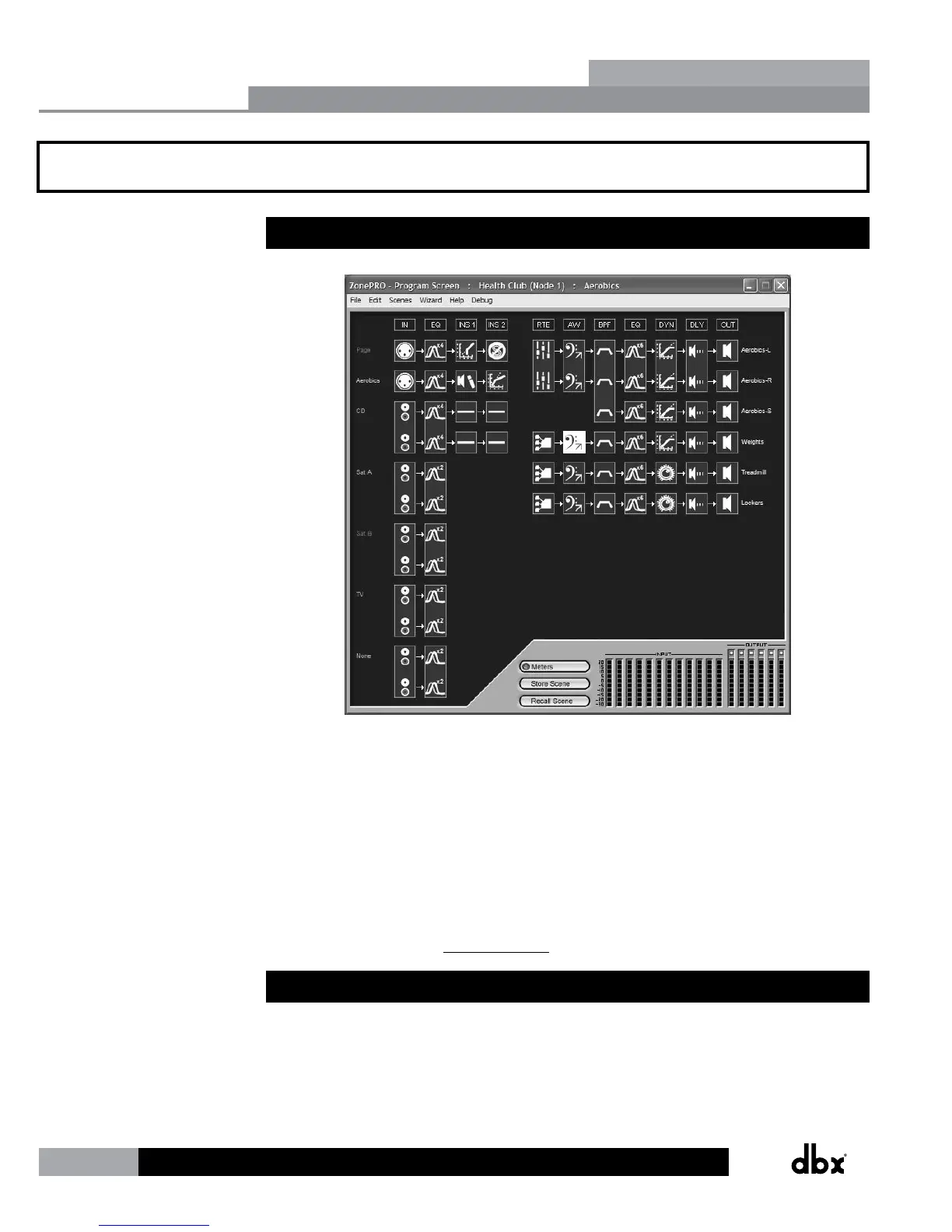
The ZonePRO Designer Graphic User Interface (GUI) is the software application which is used
for programming the ZonePRO products. The GUI provides network tools for configuring your
control network as well as multiple “Wizard” functions for configuring the system routing and
in-wall dbx Zone Controllers. The GUI also allows you to adjust DSP effect parameters and
even create automatic system changes (referred to as “Scene Changes”).
Understanding the ZonePRO Designer GUI is essential for getting the most out of the ZonePRO
processors. After installing the ZonePRO Designer GUI, please see the software application’s
help section for detailed information and assistance with the ZonePRO Designer GUI. Training
videos are also available at www.dbxpro.com.
2.2 GUI System Requirements
1 GHz or faster processor
Windows 2000/XP/Vista (32 bit)/7 (32 bit)
256 MB RAM (512 MB Recommended)
Recommended screen resolution: 1024 x 768 pixels or higher
ZonePRO Designer GUI
Section 2


 To Next Page