Need help?
Do you have a question about the Harman JBL-R4500 and is the answer not in the manual?
The JBL-R4500 is a marine source unit designed for audio entertainment, featuring a waterproof faceplate and a range of connectivity options. It incorporates state-of-the-art Bluetooth technology, allowing users to wirelessly stream music from an audio source to the receiver. This feature enables the music device to be placed in a dry location, such as a glove box or overhead console, without the need for a separate docking station. Bluetooth audio streaming is compatible with any Bluetooth-enabled device, offering control of the media device through the receiver and vice versa. The Bluetooth range is approximately 30 feet, depending on conditions.
In addition to Bluetooth, the JBL-R4500 includes AM/FM/WB/RBDS radio functionality, a USB input for media playback and charging, and an auxiliary input for connecting portable music devices via a headphone jack. The unit also supports RCA outputs for connecting an amplifier or subwoofer, with each RCA output featuring a unique color O-ring to distinguish between Left, Right, and Subwoofer channels. The subwoofer channel is set with an 80Hz low pass filter, and its gain level can be adjusted for each zone in the Audio Settings.
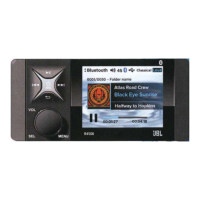
The device's front panel features a power on/off button, a mode function button to switch between FM, AM, WB, BT MUSIC, USB, and AUX modes, and play/pause buttons that also serve as mute functions in radio and AUX modes. Track up/down buttons are used for tuning in radio mode and selecting tracks in BT MUSIC or USB mode, with long presses enabling fast forward/rewind or manual tuning. A return button allows navigation back to the Home Screen or previous displays, and a menu button provides access to sub-menus and settings. The volume is controlled by a rotary knob, which also functions as a select knob for confirming selections in menu mode.
For general operation, the unit powers on with a short press of the power button and off with a press and hold for more than 3 seconds. Mode switching is done by repeatedly pressing the mode button. Volume adjustment is universal across all modes, ranging from 0 to 45. The unit also allows for separate volume control for three zones (ZONE1, ZONE2, ZONE3) through the SEL knob in volume display status.
The JBL-R4500 offers comprehensive setup options accessible either from the Home Screen or by pressing and holding the MENU knob for 3 seconds. These settings include Audio, System, Bluetooth, and About. Audio settings allow adjustment of Bass, Midrange, Treble, Balance (L10 to R10), Loudness (OFF/ON), and Preset EQ (OFF, FLAT, JAZZ, POP, CLASSICAL, ROCK, VOCAL, TECHNO). Sub Level for each zone can also be adjusted from 0 to 15.
System settings cover Brightness (0-7), Initial Volume (I-VOL) which sets the power-on volume level, Beep sound control (ON, 2ND, OFF), and Tuner Region selection (EURO, USA, JAPAN). Incorrect region selection may affect tuner reception.
Bluetooth settings include an "Auto Connect" feature, which defaults to ON, allowing the unit to automatically connect to the last paired phone. This can be turned OFF if desired. The device name for Bluetooth connection is "R4500."
The "About" section displays firmware information. A Factory Reset option is available by pressing and holding the VOL knob for more than 5 seconds while firmware information is displayed, which initializes the unit and clears prior presets.
Radio operation involves selecting FM, AM, or WB mode. The radio screen displays the selected region, EQ/LOUD status, current frequency, and whether the station is a stereo channel or a preset station. Auto tuning stops at the next station with sufficient signal strength, while manual tuning is activated by a long press of the tune up/down button, allowing step-by-step frequency adjustment. Stations can be saved as presets and recalled from a Global Preset list. RDS functions, if enabled, display station information like name and title for compatible stations.
Bluetooth music playback begins automatically once a paired device is successfully connected. The play/pause button controls playback. Disconnecting a Bluetooth device is done through the Bluetooth Settings menu. The unit will attempt to re-establish a Bluetooth connection automatically when powered on in Bluetooth mode, or manually through the "Connect" option in the Bluetooth Settings.
USB section operation allows for media playback from a USB stick. The USB screen displays track information, album cover (if supported by the Bluetooth source), and play status (Repeat, Random, Intro). Playback can be paused and resumed using the play/pause button. Tracks can be skipped using the tune up/down buttons, which also support fast forward and rewind with a long press. The USB settings menu provides options for file list navigation, repeat modes (One, Folder, All), random play (Off, Folder, All), and intro play (Off, Folder, All) which plays the first 10 seconds of tracks. The JBL-R4500 supports a maximum of 9999 files and 256 directories on USB flash drives.
For auxiliary input, the unit plays audio from portable music devices connected via the headphone jack. An additional accessory/adaptor (SEAMINI2 or SEAUSBMINI36) is required for this functionality.
Maintenance features include troubleshooting steps for common issues such as no power, no sound, no radio reception, and USB stick reading problems. For Bluetooth connectivity issues, solutions include ensuring the correct device is selected, bringing the media device closer to the receiver, and ensuring no other device is currently connected. The manual also provides wiring identification for installation, detailing connections for ground, auto antenna, speakers, illumination, remote, USB, AUX in, and RCA outputs. An installation bulletin advises routing the wire harness downward to prevent water ingress.
The JBL-R4500 is designed for marine environments, emphasizing durability and ease of use with its waterproof faceplate and robust connectivity options. The device also offers a soft silicone rubber cover accessory for additional protection, available for purchase from the manufacturer's website.
 General
| Type | Stereo receiver |
|---|---|
| Tuning range | FM, MW |
| Power output | 35 watts per channel into 8Ω (stereo) |
| Dimensions | 448 x 103 x 360mm |
| Weight | 8.6kg |
| Frequency response | 20Hz to 20kHz |
| Input sensitivity (line) | 150mV |
| Signal-to-Noise Ratio | 80dB |

 To Next Page