© 2014 Harmonic Inc. All rights reserved. 6 ProView 7000 Release 3.4, Rev A
Chapter 1
ProView™ 7000 Installation Guide
Topic s:
InventoryCheck
Earthing
PowerSupplytotheUnit
InstallingtheUnitinaRack
ElectricalPowerConnection
ConnectingtheCables
SwitchingOn
Inventory Check
Beforeinstallation,ensurethatalltheequipmentandtheattachedpartsareavailableand
undamaged,accordingtothefollowinglist:
Table 1: Inventory
Item Quantity
ProView 7000/7100 Unit 1
Power cable 1
CAUTION: If anything is missing or damaged, do not continue with the installation and report to your
Harmonic support representative.
Earthing
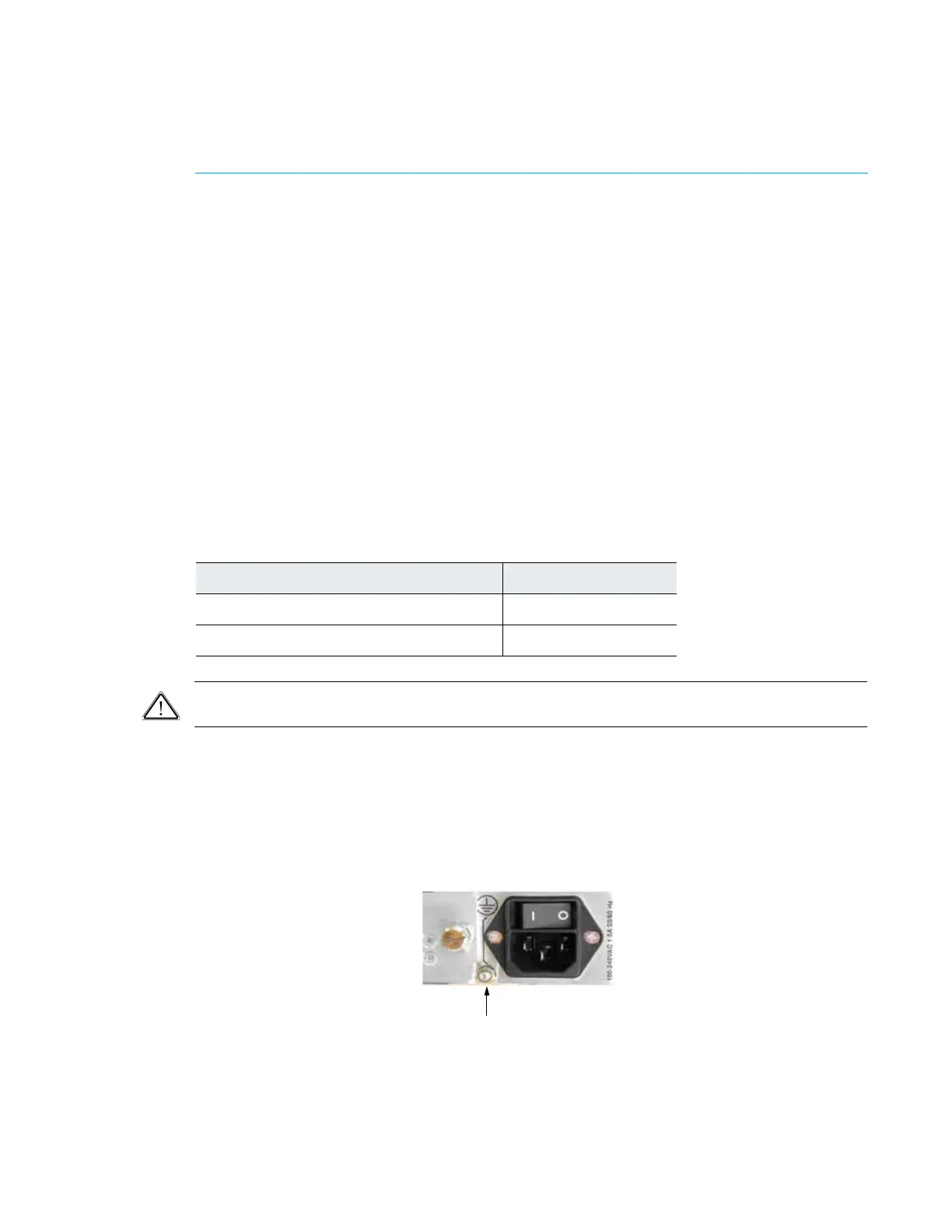
Theunitmustbeconnectedtoearthbeforeanyothercablesareconnectedanditshouldremain
permanentlyconnectedtoprotectedearth.Cable18AWGshouldbeused.Whentheunitisrack ‐
mounted,thedevice’searthstudmustbeconnectedtotherackhousing,whichmustbecorrectly
earthed.Whenremovingca
blestheearthmustberemove dlast.
Figure 2: AC Connector



 To Next Page