Chipper/Shredder
R
SAFETY WARNING!
• The cutting rotor is heavy and will
continue to turn even though the
operator has shut off the power
source. Do not attempt to service or
inspect the machine until you see
that the shafts have stopped turn-
ing and that there is no noise com-
ing from the machine.
• If the operator wants to slow the
machine faster, he can do so by
inserting a limb into the chipper
chute so that it contacts the knives
and slows the machine down.
• Never operate Chipper/Shredder
without ALL GUARDS in place.
Belt Tension
• On initial operation of the Chipper/
Shredder, the belts may shrink and
need readjustment after the rst hour
of use.
• Check the condition of drive belts be-
fore each use or after every 25 hours
of operation.
• Use only industrial V-belts. Do not use
automotive belts.
• Do not over tighten belts. Excessive
tension can cause premature bearing
and belt failure.
• Use a straightedge to check alignment
across the faces of pulleys after ad-
justing belt tension to ensure that the
belts will run true.
Belt Adjustment
CS-5400 PTO Powered Model
1. Make certain that PTO shaft is removed
from power source and un-mounted from
3-point hitch of tractor.
2. Disconnect PTO shaft from Chipper/
Shredder and remove belt guards.
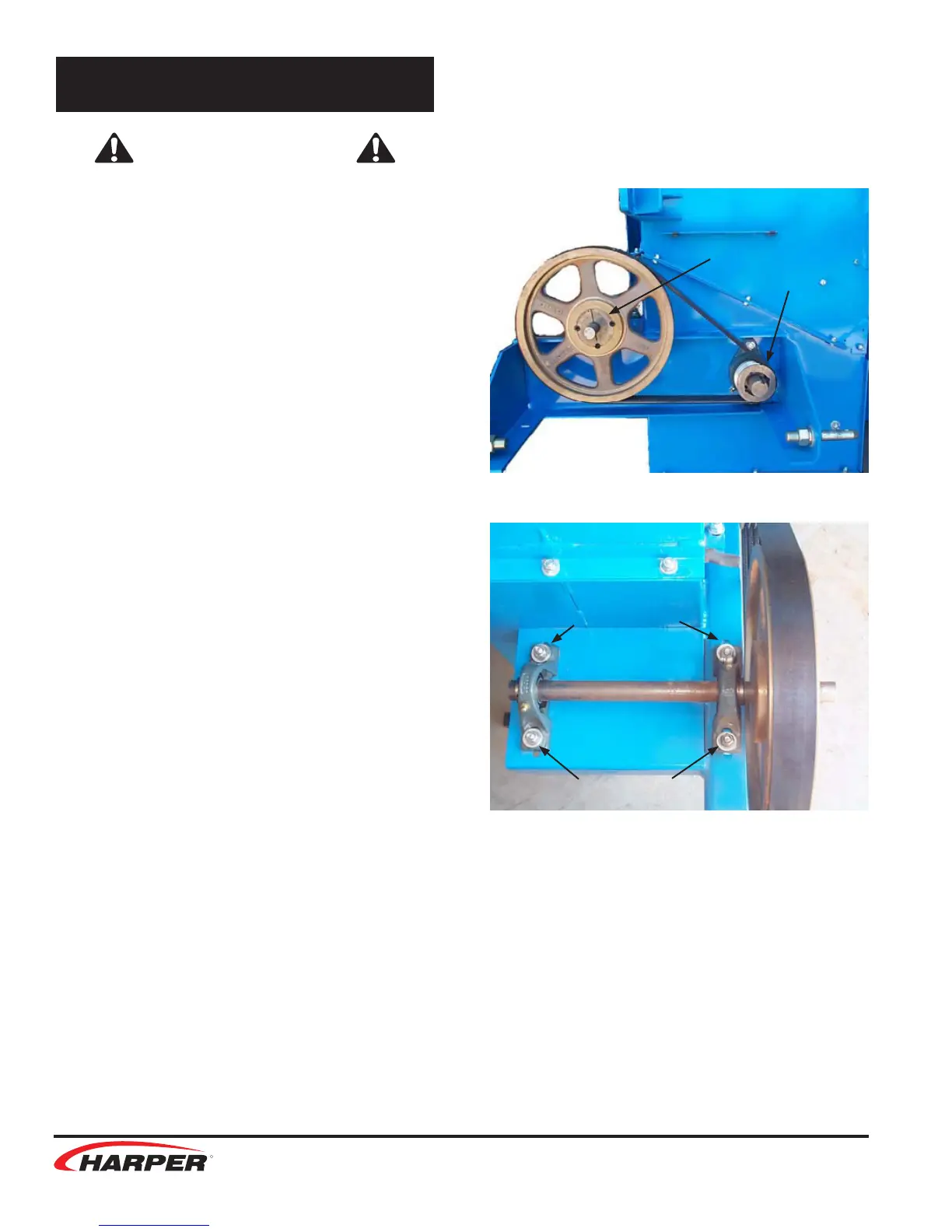
3. Loosen bolts that mount the jackshaft
pillow block bearings and move the shaft
towards the frame.
4. Remove the belt. Inspect or replace with a
new belt.
5. Move shaft away from frame to tighten
belt and check to see that there is no
more than 1/4” up and down play in the
belt.
6. Snug two bolts and check pulley alignment
with a straightedge. If not aligned, loosen
one bolt and adjust. Tighten all bolts on
bearings when alignment is achieved.
Adjustments
Jackshaft
Loosen &
Adjust Here
Loosen &
Adjust Here
Rotor Shaft
14


 To Next Page