260-668066-001 Rev 024 February 2009 Vol. II-2-25
Eclipse User Manual
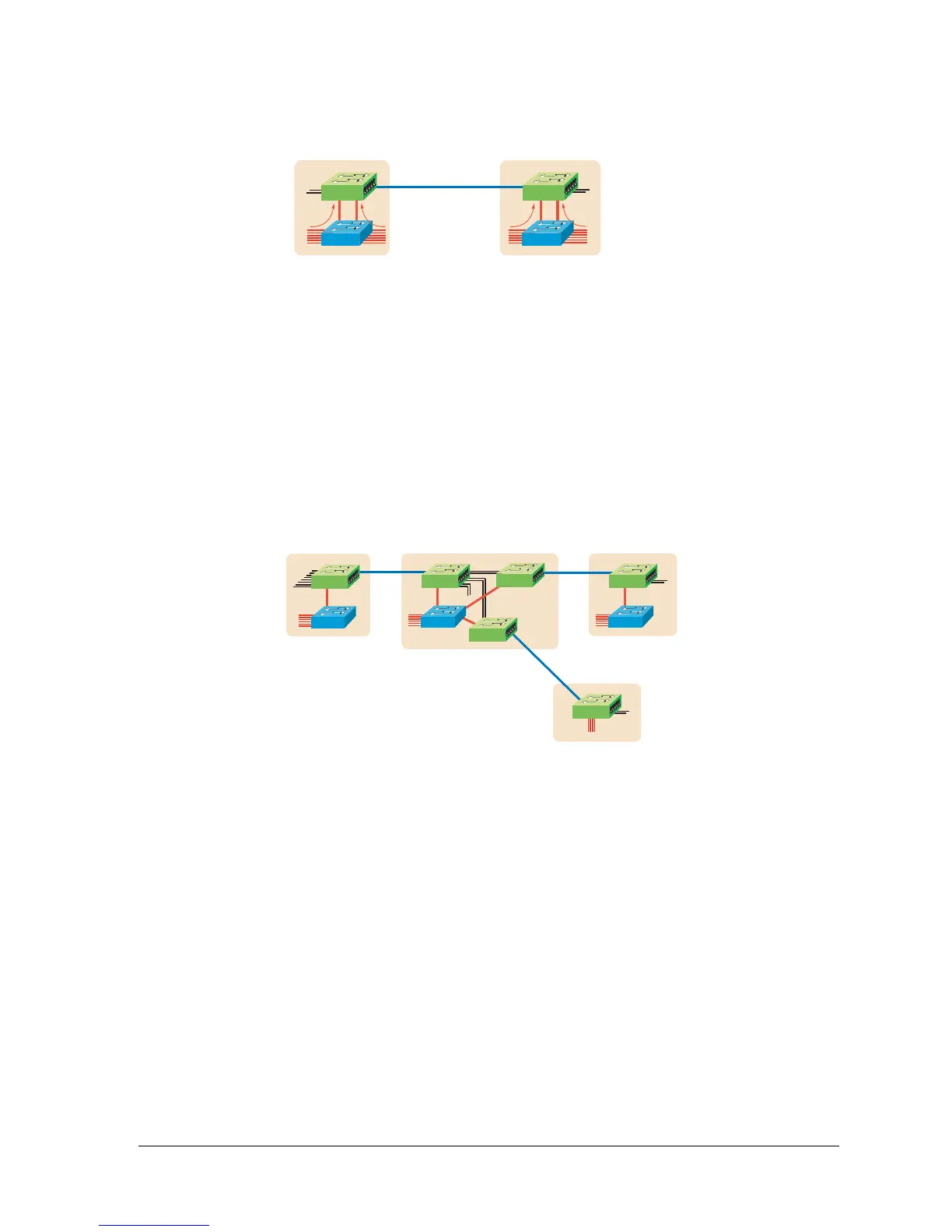
Figure 2-13.
IDU ES Link with External Switch: Both Channels
Where IDU ES links are to be networked, they must be physically interconnected at
intermediate sites. Figure 2-14 shows a typical small network with back-to-back IDU
ES installations at site B.
• External layer 2 multi-port switches are used where more than four host devices are
locally connected on the LAN: sites A, B and C.
• Site D shows no external switch. For a small office where no more than four host
devices are connected, the IDU ES provides a complete solution.
• Interconnecting trib circuits are cabled as for standard back-to-back E1/DS1 links.
• NMS visibility between all IDU ES terminals requires linking of the Ethernet NMS
ports at each site. As the IDU ES has a single Ethernet NMS port, where three or
more are grouped at a site, as at Site B, a simple external hub or switch must be used
to provide the required porting capacity.
Figure 2-14. Network-connected IDU ES Links
Ring Applications
IDU ES is a 1+0 platform; it does not offer hot-standby or diversity options. However,
IDU ES links can be installed in a ring network to support alternate-path protection of
Ethernet traffic using external RSTP switches.
• Using one channel, as illustrated in Figure 2-15, ring capacities to 98/100 Mbps are
supported.
• Using both channels, C1 and C2, two concentric rings are supported, each up to 98/
100 Mbps.
• Where concentric rings are used, link aggregation may be used in the external switch
to provide a single LAN interface.
• For NMS visibility around ring, IDU ES terminals are interconnected at each site via
their Ethernet NMS ports. Dynamic routing (OSPF or RIP) is required.
• E1/DS1 circuits can also be configured on each link as pt-to-pt connections (not ring
protected).
P1
P2
P1
P2
IDU ES
IDU ES
E1/DS1
trib options
E1/DS1
trib options
Switch Switch
Nx VLAN1
10/100Base-T
ports
Nx VLAN1
10/100Base-T
ports
Nx VLAN2
10/100Base-T
ports
Nx VLAN2
10/100Base-T
ports
C1 & C2
C1 & C2
L2 L2
P1 P1
P1
P1
E1/DS1 trib
options
Switch
Switch
Nx LAN
10/100Base-T
ports
C1
C1
P1
Switch
C1
P1 P4
C1
C1
C1
IDU ES
IDU ES
IDU ES
IDU ES
IDU ES
IDU ES
AB
C
D
L2
L2 L2



 To Next Page