EasyManua.ls Logo

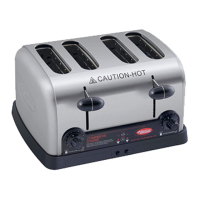
Hatco TPT Series - User Manual

Hatco TPT Series
12 pages
Print Icon
To Next Page IconTo Next Page
Loading...
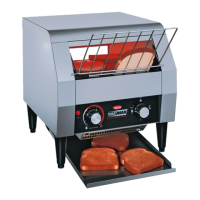
POP-UP TOASTERS
TPT Series
Installation &
Operating Manual
I&W #07.05.173.00
This manual contains important safety information
concerning the maintenance, use and operation of
this product. Failure to follow the instructions
contained in this manual may result in serious
injury. If you’re unable to understand the contents of
this manual, please bring it to the attention of your
supervisor. Do not operate this equipment unless
you have read and understood the contents of this
manual. Keep this manual in a safe location for
future reference.
Este manual contiene importante información
sobre seguridad concerniente al
mantenimiento, uso y operación de este
producto. Cualquier falla en el seguimiento de
las instrucciones contenidas en este manual
puede resultar en un serio daño. Si usted no
puede entender el contenido de este manual
por favor pregunte a su supervisor. No opere
este equipo al menos que haya ldo y
comprendido el contenido de este manual.
Almacenar este manual en una localización
segura para la referencia futura.
© 2007 Hatco Corporation

Other manuals for Hatco TPT Series

Questions and Answers

  • S
    Stephanie BrownAug 18, 2025
    What to do if my Hatco Toaster trips the circuit breaker?
    • S
      Steven BrayAug 18, 2025
      If your Hatco Toaster trips the circuit breaker or GFCI, first check that the circuit breaker is properly sized for the toaster. Note that TPT Series toasters require a dedicated circuit. If the breaker is correctly sized and the issue persists, there may be a wiring fault inside the toaster, and you should contact Hatco for assistance.
  • K
    Karen SmithAug 21, 2025
    Why is my Hatco TPT Toaster toast too light?
    • G
      Gary FriedmanAug 21, 2025
      If your Hatco Toaster is producing toast that is too light, there are a couple of potential causes. First, check the COLOR CONTROL knob and turn it to a darker setting if it is set too light. Also, verify that the supply voltage to the toaster matches the unit specifications.
  • T
    Tina GonzalezAug 23, 2025
    Why is my Hatco TPT burning my toast?
    • G
      Grace AnthonyAug 23, 2025
      If your Hatco Toaster is producing toast that is too dark, it could be due to the COLOR CONTROL knob being set too high. Try turning the COLOR CONTROL knob to a lighter setting. Also, check that the supply voltage to the toaster matches the unit's specifications, as a high voltage could also cause this issue.
  • A
    Angel RamirezAug 26, 2025
    How to fix a Hatco TPT Toaster that only toasts on one side?
    • J
      johnsonmarcoAug 26, 2025
      If your Hatco Toaster is only toasting on one side, ensure that the TOaST/BaGEL button is set to the TOaST position for two-sided toasting. If it is already in the TOaST position, visually inspect the heating element inside the toaster while the operating lever is engaged. If the element does not glow red, contact an authorized service agent or Hatco for assistance.
  • S
    Stacy BlanchardAug 27, 2025
    Why does my Hatco TPT Toaster take so long to toast?
    • P
      Phillip HernandezAug 27, 2025
      If your Hatco Toaster is taking too long to toast, remember that the first few batches can take longer as the toaster heats up. Try pushing down the operation lever(s) for a toasting cycle before inserting bread to allow the toaster to heat up. Also, verify the supply voltage to the toaster matches the unit specifications.
  • A
    Angelica LopezAug 30, 2025
    Why does my Hatco Toaster trip the circuit breaker?
    • C
      Cindy VaughnAug 30, 2025
      Your Hatco Toaster might be tripping the circuit breaker because the circuit breaker isn't properly sized for the toaster. Check the circuit breaker to ensure it's the correct size. Note: The TPT-120 model draws 15 amps and needs its own dedicated circuit.
  • R
    Reginald ReeseSep 1, 2025
    How to fix Hatco Toaster when the toast is too dark?
    • A
      Anthony McdowellSep 1, 2025
      If your toast is coming out too dark in your Hatco Toaster, the COLOR CONTROL knob might be set too high. Adjust the COLOR CONTROL knob to a lighter setting. Also, verify that the supply voltage to the toaster matches the unit's specifications, as a high voltage supply can also cause this issue.
  • K
    Kayla MorrisSep 3, 2025
    How to fix Hatco Toaster when the toast is too light?
    • T
      Theresa SweeneySep 3, 2025
      If your toast is too light when using the Hatco Toaster, it might be because the COLOR CONTROL knob is set too low. Adjust the COLOR CONTROL knob to a darker setting. Also, check that the supply voltage to the toaster matches the unit specifications, as a low voltage supply can cause this.
  • J
    Jacqueline KelleySep 6, 2025
    What to do if my Hatco Toaster toasts on one side only?
    • M
      Meghan GouldSep 6, 2025
      If your Hatco Toaster is only toasting on one side, the heating element may be defective. Visually inspect the heating elements inside the toaster while the latch is engaged. When the handle is pushed down, the heating element should glow red. If it doesn't glow, contact Hatco Service for assistance.
  • R
    Rachel BryanSep 8, 2025
    Why is my Hatco TPT Toaster taking so long to toast?
    • A
      Amanda KingSep 8, 2025
      The first few batches can take longer because the Hatco Toaster needs time to heat up when initially turned on. Push down the operation lever(s) for a toasting cycle before inserting bread product to allow the toaster to heat up. Also, verify the supply voltage to the toaster matches the unit specifications, as a low voltage can cause it to take longer.

Summary

Important Owner Information

Introduction

Product Overview

Describes the Hatco Pop-Up Toaster's suitability for buffet areas and its features like stainless steel housing and extra-wide slots.

Safety Information Overview

Highlights the importance of safety instructions, defining WARNING, CAUTION, and NOTICE terms for potential hazards.

Important Safety Information

General Safety Precautions

Covers unplugging before maintenance, proper grounding, avoiding water, not pulling by cord, and immediate disconnection in case of fire.

Electrical and Hot Surface Warnings

Warns about liquids, hot surfaces, cleaning energized units, safe placement, and using qualified service personnel and genuine parts.

Model Description

All Model Features

Describes the general features of TPT series toasters, including self-centering slots and a removable crumb tray.

TPT-120 Model Details

Details the TPT-120's capacity and includes cord wrap clips for cable management.

TPT-208 & TPT-240 Model Details

Details the TPT-208 and TPT-240's toasting capacity per hour.

Specifications

Plug Configurations

Illustrates common plug types (NEMA 5-15P, 6-15P, 5-20P, 6-20P, Schuko, BS-1363) used with the toasters.

Electrical Rating Chart

Provides detailed electrical specifications including Voltage, Watts, Amps, Plug Configuration, and Shipping Weight for different models.

Unit Dimensions

Lists the Width (A), Depth (B), and Height (C) dimensions for TPT-120, TPT-208, and TPT-240 models.

Installation

Unpacking Instructions

Instructions for safely removing the toaster from its packaging, including checking for an information packet and removing protective materials.

Location Guidelines

Guidelines for selecting a suitable location, emphasizing constant ambient temperature, avoiding air currents, and maintaining safe distances from combustibles.

Operation

Operational Safety and Guidelines

Provides critical safety warnings for operation, including avoiding water submersion, hot surfaces, and using the unit correctly.

Operating Procedures

Step-by-step guide on plugging in, setting darkness controls, toasting product, and managing the crumb tray.

Maintenance

Cleaning Procedures

Detailed instructions for cleaning the toaster, including unplugging, cooling, using non-abrasive cleaners, and wiping exterior surfaces.

Service and Parts Information

Information on contacting Hatco Service for repairs, emphasizing the use of authorized agents and genuine replacement parts for safety.

Service Information

Warranty Service Contact

Details the warranty period and provides contact information for warranty service, requesting specific owner information.

Non-Warranty Service Assistance

Guidance on obtaining assistance for non-warranty issues, including locating authorized service agencies via the website.

Troubleshooting Guide

Troubleshooting Common Issues

Lists common toaster symptoms, probable causes, and corrective actions for issues like toast darkness, heating element problems, and circuit tripping.

Hatco Limited Warranty

Product Warranty Terms

Covers warranty against defects in materials and workmanship for one year from purchase or 18 months from shipment.

Limitation of Remedies and Damages

Defines Hatco's liability and the buyer's exclusive remedy, limiting it to repair or replacement and excluding consequential damages.

Authorized Parts Distributors

United States Distributors

Lists authorized parts distributors for Hatco products across various states in the USA.

Canada Distributors

Lists authorized parts distributors for Hatco products across various provinces in Canada.

Hatco TPT Series Specifications

General IconGeneral
BrandHatco
ModelTPT Series
CategoryToaster
LanguageEnglish

Related product manuals