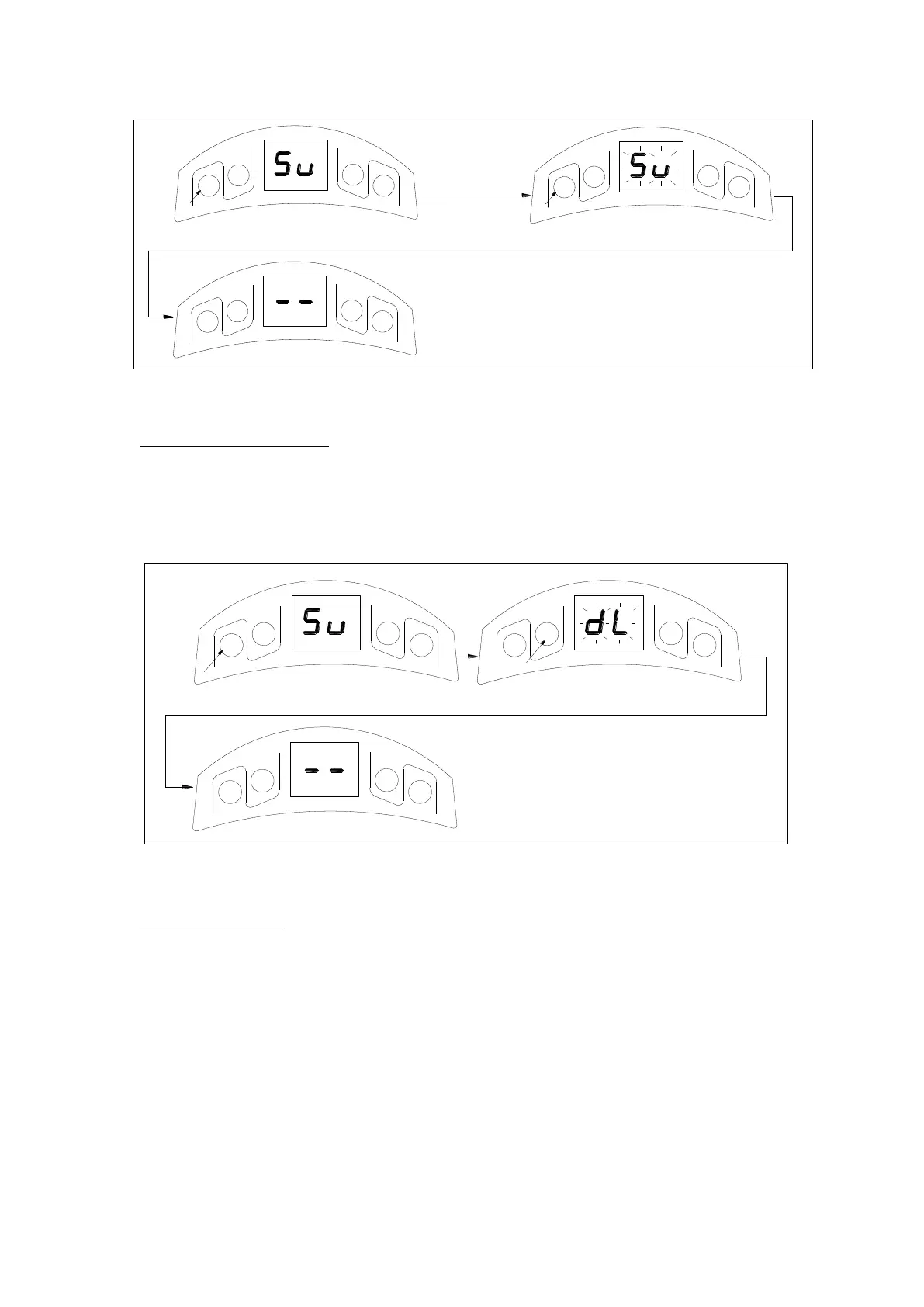
Fig.14
Deleting stored transmitters
1. Press and hold CODE, ‘Su’ is indicated on the LED display.
2. Do not release the button until ‘dL’ flashes.
3. ‘▬ ▬’ is indicated on the LED display, this indicates that all stored transmitters have been
deleted completely.
Fig.15
Open and Close limit
1. Press and hold SET four seconds until ‘P1’ is indicated on the LED display. The operator is
now in programming mode.
2. Press SET again, ‘OP’ is indicated on the LED display.
3. Press and hold UP to set the open limit, ‘OP’ on the LED display will flash, release the
button until the door has reached desired position.
4. Press SET to confirm the open limit position, the LED will now indicated the ‘CL’.
5. Press and hold DOWN to set the close limit, ‘CL’ on the LED display will flash, release the
button until the door has reached desired position.
6. Press SET to confirm the close limit position.



 To Next Page