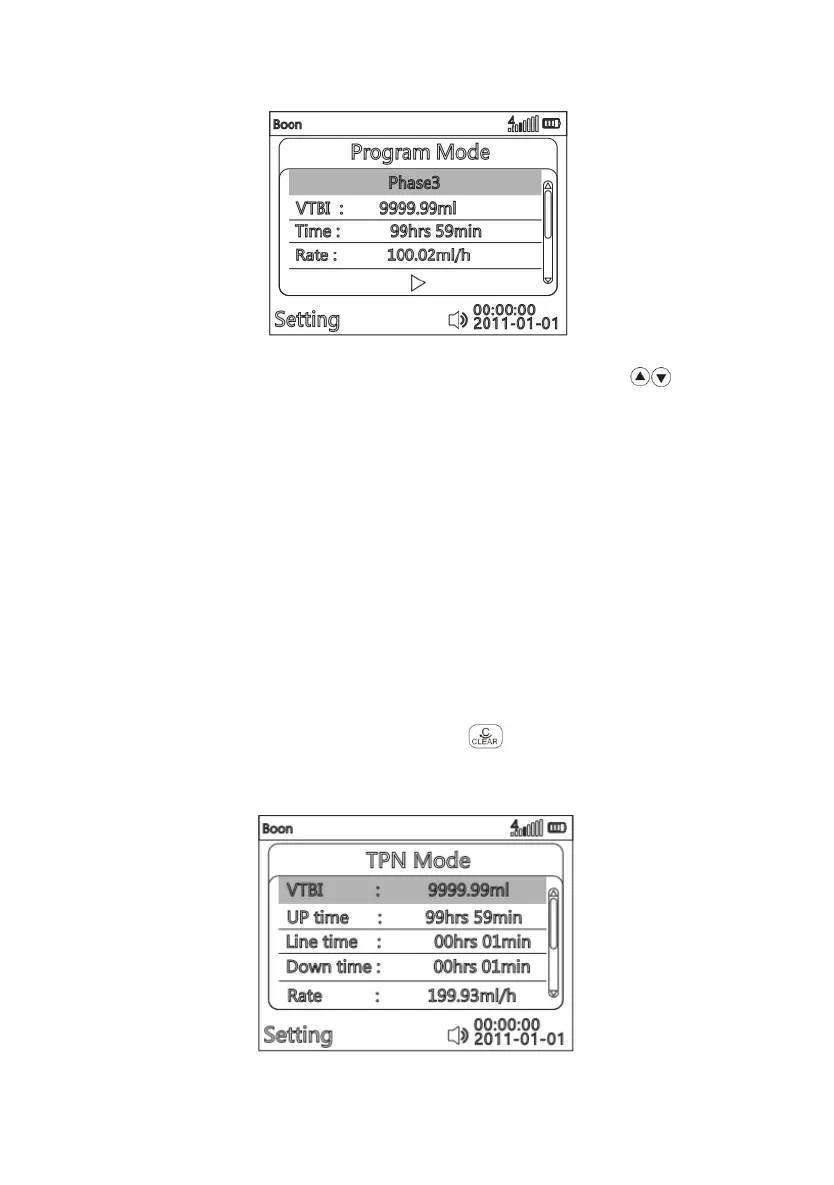
(Fig. 13 Program Mode)
After entering parameter setting interface of Program mode, press to choose
parameter to be edited, it will be marked with blue rectangle background. Press OK key,
the blue rectangle disappears, then the current editable position will be marked white
rectangle background, input the value according to ( Fig. 9 ), VTBI and Time are
adjustable, after confirming, press OK to save.
There are maximum three stages in this mode. Set VTBI and Time in each stage, then
Rate will be automatically calculated by system in this stage. The pump will continue to
run the second stage after VTBI of first stage is completed, and then complete the third
stage. The user can also select one to two stages to set the parameters and then run
the pump, the pump will automatically identify which stage(s) has parameters and run
that stage(s) in order.
Return:If want to reselect infusion mode, press to return main menu ( Fig. 9 ).
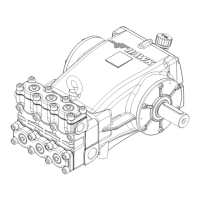
(6)TPN Mode


 To Next Page