yellow but not flash.
* Please refer to Annex I Table 1 for priority of alarm classification.
This indicator light on means the battery is recharging.
This indicator light off means the battery is not charging.
1. When selecting the parameters, press the keys to previous or next
parameter.
2. When setting the value, press this keys to increase or decrease the value.
1. When selecting the parameters, press the keys to left/right parameter, or
previous/next page.
2. When setting the parameters, press the keys to move left/right
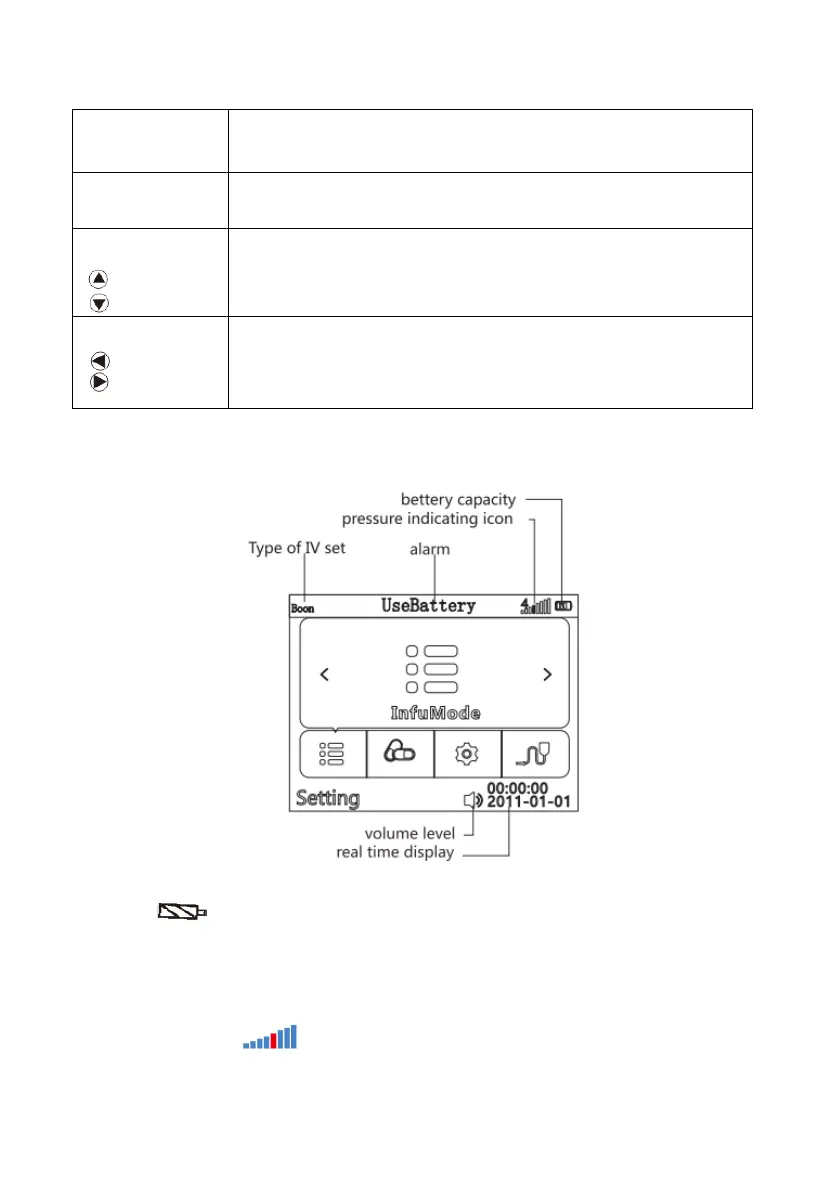
6.3 Screen Display
(Diagram 2: Screen Display)
Battery icon :
1).Green wave appearing indicates the battery is charging
2).The battery icon indicates status of battery remaining capacity.
3) If the icon of battery is in red, then the battery is damaged or not connected with battery
Pressure indicating icon :



 To Next Page