Ignore Call
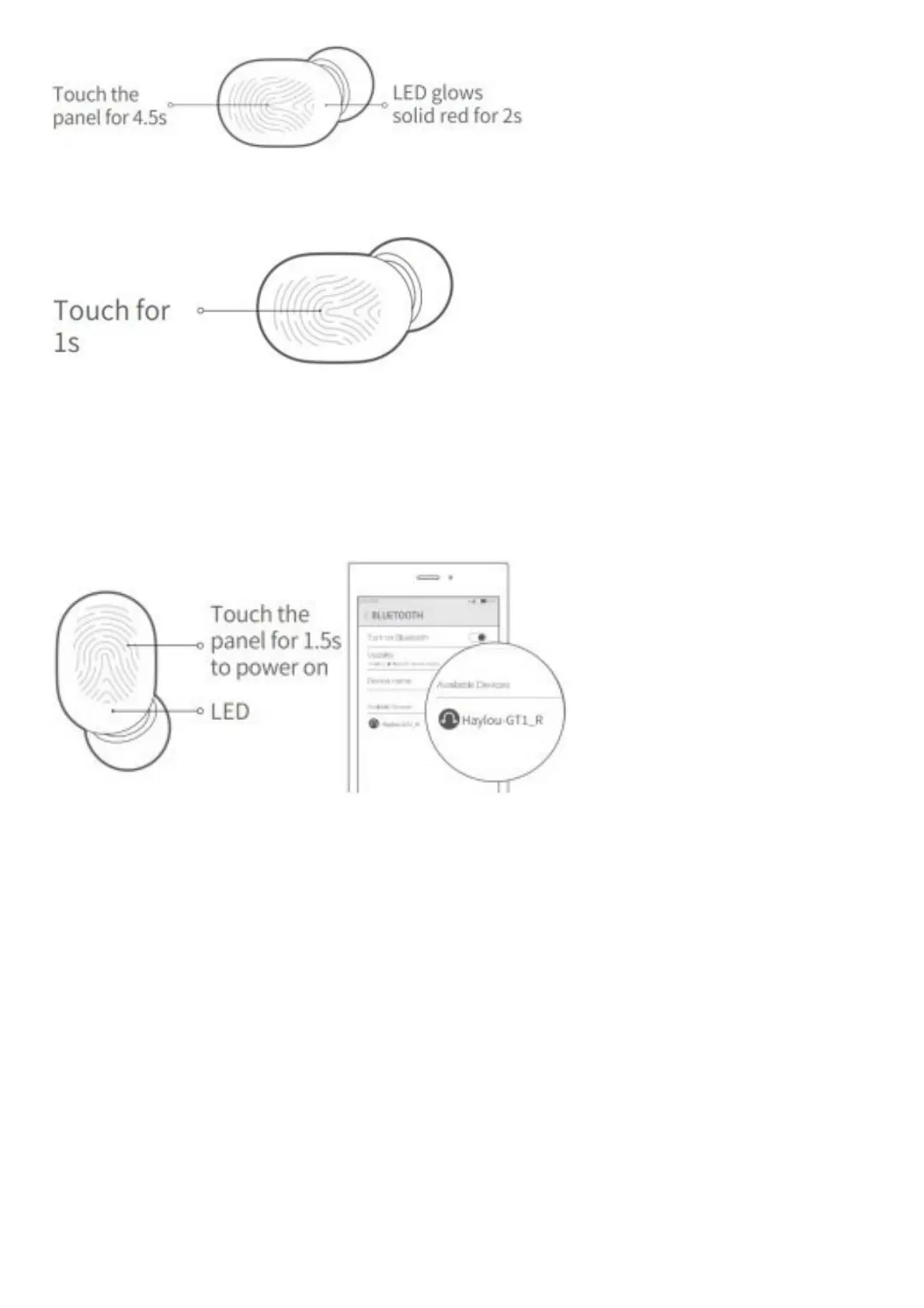
Touch the panel for 1s to ignore incoming call.
Stereo Mode
Auto pairing: take out both EarBuds from the case and they will auto pair with each other in 2 or 3s. Earphones will be
connectable to cellphone when white slowly. On cellphone, LED on right EarBud blinks search for “Haylou-GT1_R” and
tap to connect.
If earphones fail to be connected to cellphone, please put EarBuds back to the case and repeat the above steps.
Earphones will auto reconnect to the last device in connectivity records, if any.
Note: earphones have been setted to factory when shipping out.
Manual pairing: manually power on two EarBuds and they will auto pair with each other when LED blinks white
promptly. Then LED on the right EarBud will blink white slowly and now you can tap it on cellphone to connect.
Mono Mode
Auto pairing: take out one EarBud from the case to power on it. Its LED will soon blink slowly then search for Haylou-GT1
R/L on cellphone and tap to connect. EarBud will auto reconnect to last device in connectivity records, if any.
Note: it may take more times for the left EarBud to reconnect.
Manual pairing: manually power on one EarBud. Its LED will soon blink white slowly then search for it on cellphone and
tap to connect.
How to Charge
Prior to using, please peel off sticker on the pogo pins and top up the earphones.



 To Next Page