13
4. USER INTERFACE
4.1 General presentation
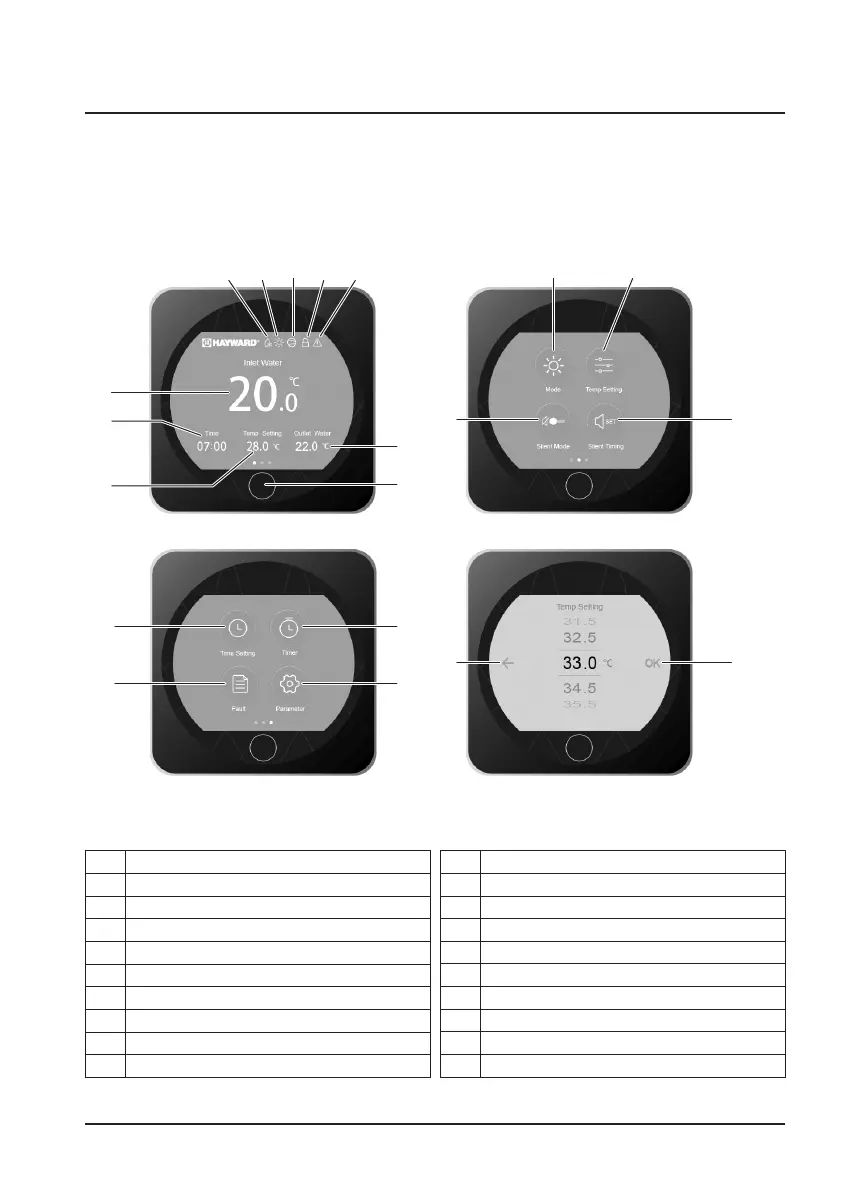
The heat pump is equipped with a digital control panel with a touch screen,
electronically connected and pre-set at the factory in heating mode.
1
4 52 63 11 12
13
20
14
19
1615
10
9
8
7
1718
1 Water Input temperature
2 Defrost mode
3 Operating mode
4 Compressor's ON indicator
5 Lock screen
6 Alarm
7 Water Output temperature
8 On/Off/Back
9 Setpoint temperature
10 Hour
Legend
11 Operating mode selection
12 Adjust setpoint
13 Setting silence mode timer
14 Activate silent mode
15 Set date and time
16 Set On/Off timers
17 Access Advanced Settings
18 Access list of faults
19 Back (changes not confirmed)
20 Confirm


 To Next Page