Page 8
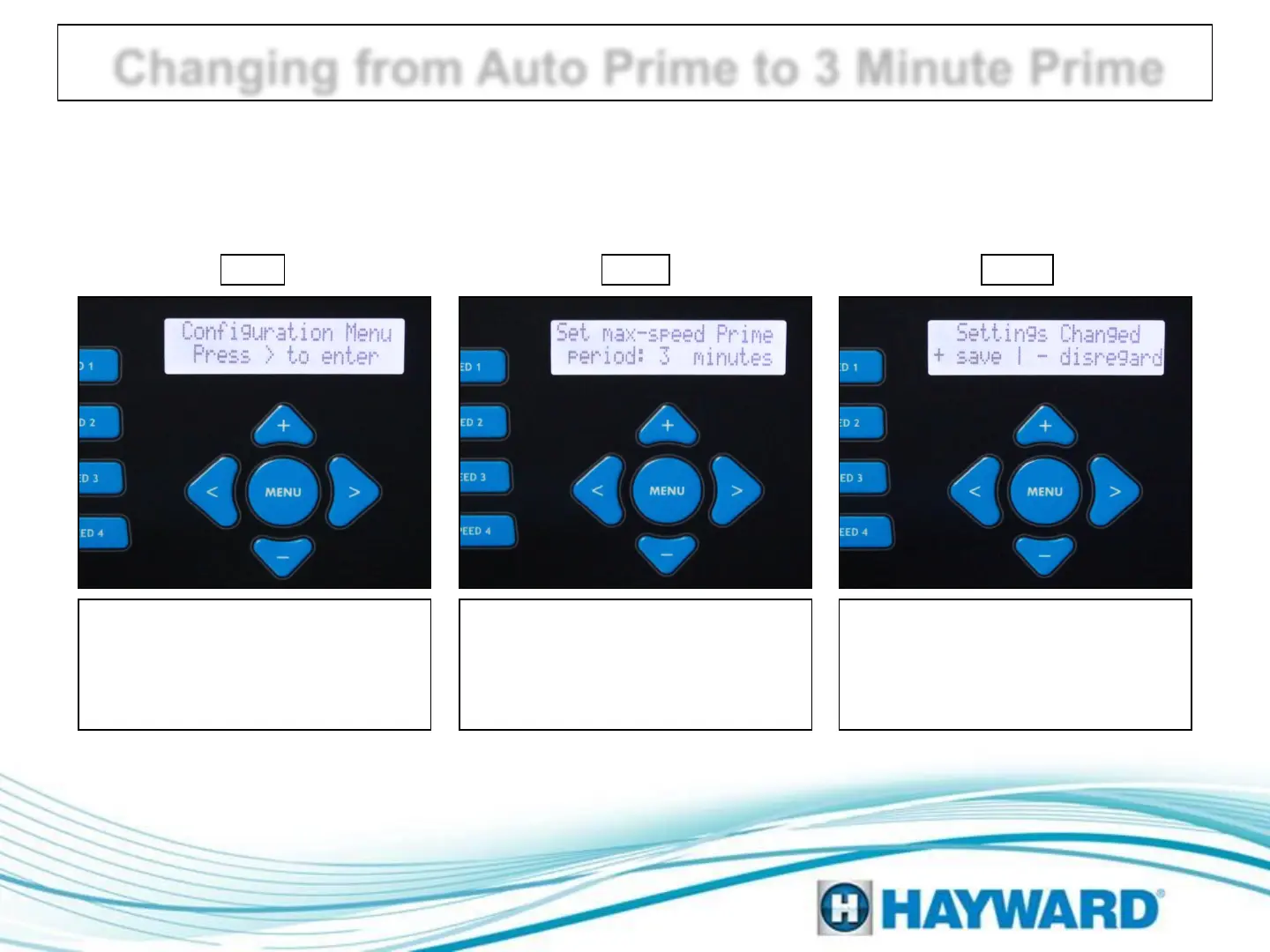
Use the steps provided below to change the EcoStar Prime cycle from ‘Auto
Sense’ to ‘3 Minute’:
Changing from Auto Prime to 3 Minute Prime
Once configuration is complete
press the ‘Menu’ button. To save
changes, press the ‘plus’ button.
To disregard changes press the
‘minus’ button.
Step III Step II
Press the right arrow button until
‘Set max-speed Prime period:’
appears. Use the plus or minus
button to toggle between ‘Auto
Sense’ and ‘3 minutes’.
Press the Menu button until
‘Configuration Menu – Locked’
appears. Then press and hold the
left and right arrow buttons for
about 5 seconds until unlocked.
Step I




 To Next Page