9: Check System
‘Warning No Comm’
Generally this error indicates that the display and drive are not communicating
with each other.
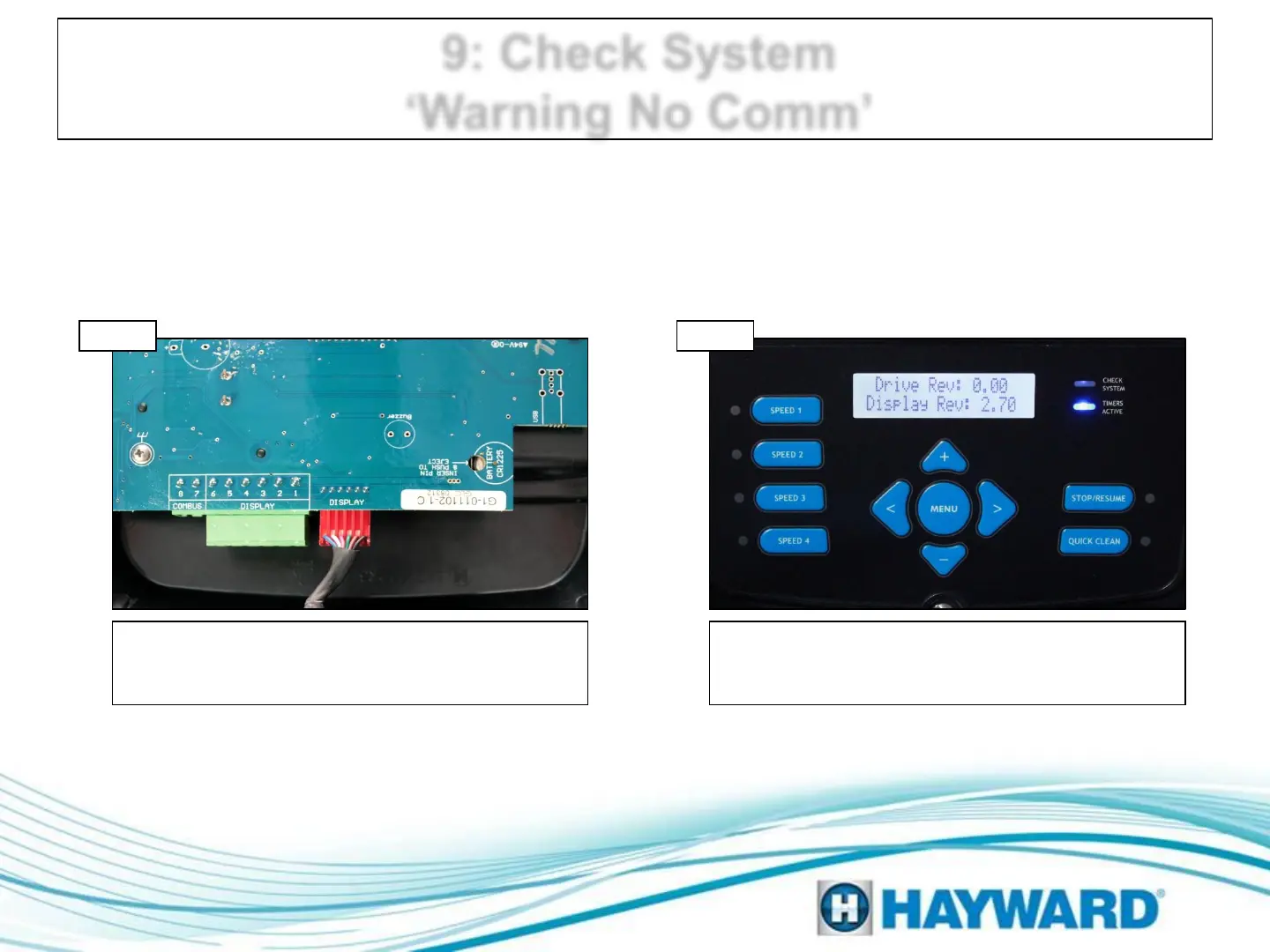
Inspect data wire between display and drive.
Snugly reconnect. If display is mounted on the
pump, go to step 9B; if off pump go to 9C.
Check diagnostics
Press menu until ‘Diagnostics Menu’ appears,
scroll to right until ‘Drive Rev:’ appears, if 0.00
replace drive.
Inspect data wire
Step 9A Step 9B
Page 18




 To Next Page