11
VI. Operation instruction
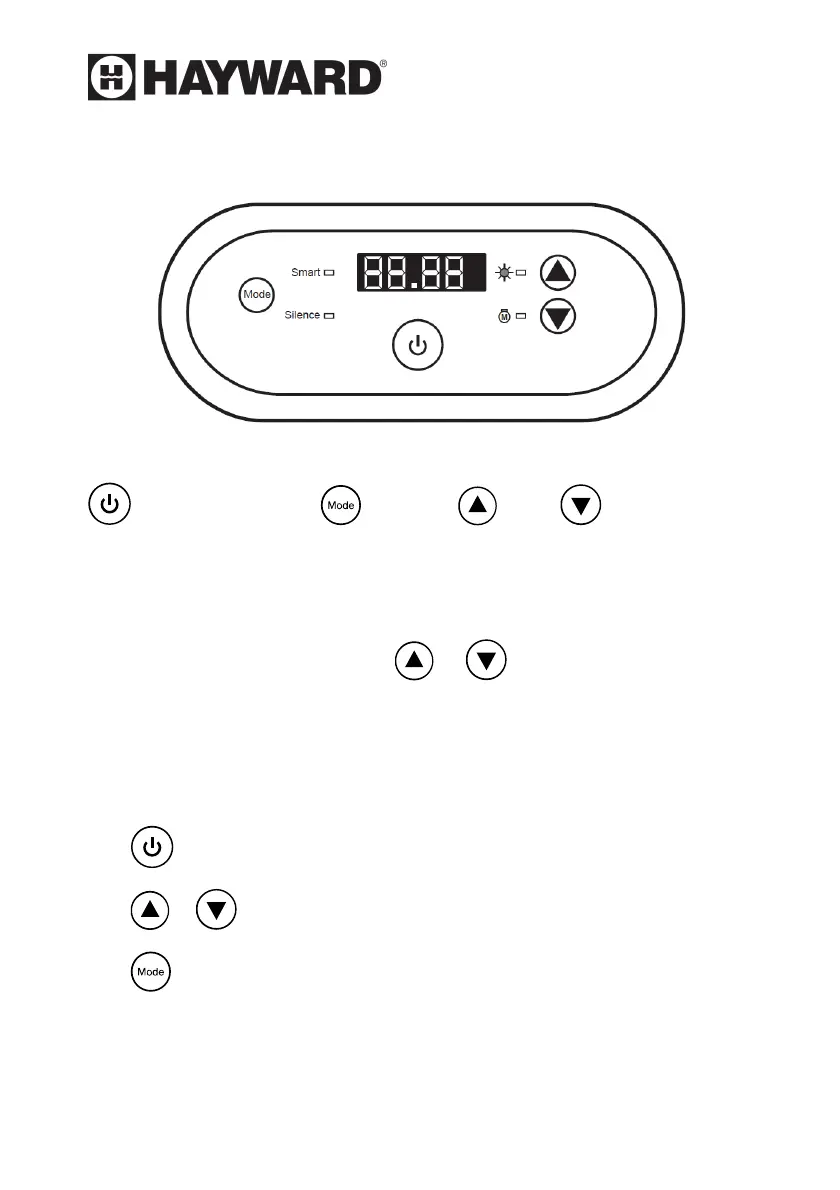
Picture for keys
1. Key Notes :
Power ON/OFF Mode UP DOWN
a. When the heat pump is on, “Smart” mode will be selected
automatically, the “Smart” mode light will be on.
b. The LED screen shows the inlet water temperature, it will show the
set temperature by pressing or button.
c. When the heat pump is turned on, the screen will display barcode for
10 seconds.
2. Operation
A. -- Power On/Off
B. an -- Display and Adjust Water Temperature
C. -- Mode Selection (Smart, Silence modes)
3. Mode Selection
A. There are 2 modes: “Smart” mode, “Silence” mode. “Smart” mode




 To Next Page