USE ONLY HAYWARD GENUINE REPLACEMENT PARTS
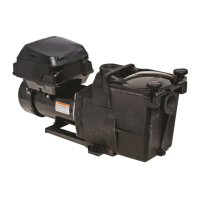
2. Advance through the Configuration Wizard. When you get to “Filter Pumps”, add the VSP but skip over blank HUA screen.
3. Continue through the Configuration Wizard. When you get to “Accessories”, determine which HV relay is wired to the VSP GPO and
configure it as an accessory named “VSP Power”.
4. Finish the configuration, save and exit the Configuration Wizard.
5. From the Home Screen, go to the “VSP Power” accessory and set a schedule to run from 12:00am to 11:59pm (this is the longest
daily timer possible). This schedule controls the input power to the pump only, not the actual run time of the pump (see Step 12).
Be aware that the pump will receive power immediately after this schedule is set. If this is the first time that the VSP has been pow-
ered, it will start in prime mode. If so, go to the pump and press the RUN/STOP button once to put it in Standby mode.
6. On the VSP, enter the CONFIG Menu by holding down the DISP/FUNC button until CONFIG is displayed and then scroll through by
repeatedly pressing DISP/FUNC button until “485” is displayed.
7. Use the UP or DOWN arrow button to toggle between “y” & “n” so the display reads “485 y”.
8. Press the DISP/FUNC button to save the selection. The VSP is now in RS485 Controlled Mode and will allow the OmniLogic to dis-
cover the HUA of the pump.
9. On the OmniLogic go to System Info and write down your MSP ID (this is the password when you enter the Configuration Wizard).
10. Enter the Configuration Wizard and edit the existing configuration. Go back to the VSP configuration and there should now be an
HUA for the pump.
11. Select the VSP’s HUA, save and exit the Configuration Wizard.
12. You can now set a schedule for the VSP (refer to the OmniLogic Operation Manual).





 To Previous Page