EasyManua.ls Logo

HazeBase base hazer pro - User Manual

HazeBase base hazer pro
9 pages
Print Icon
To Next Page IconTo Next Page
Loading...
Manual
base*hazer*pro
hazebase, Uta Raabe
Stargarder Strasse 2, 30900 Wedemark, Germany
Phone: +49-5130-37 10 05 Fax: +49-5130-37 10 06
info@hazebase.com www.hazebase.com
Question and Answer IconNeed help?

Do you have a question about the HazeBase base hazer pro and is the answer not in the manual?

Summary

Introduction

Safety Instructions

Risk of Getting Burnt and General Safety

Details risks of hot steam, fluid droplets, and nozzle burns. Advises on safe distances and handling.

Operating the base*hazer*pro

Location Selection

Specifies requirements for dry, non-flammable, well-ventilated locations with specific temperature and humidity.

Changing Fluid Bottle and Liquid Consumption

Instructions for replacing the fluid bottle and details on liquid consumption rates.

Advanced Operation

Ducting Warning

Important warning against connecting ducting directly to the haze nozzle to prevent machine damage.

Putting into Operation

Dimmer;Switchpack Warning

Attention: Never connect the base*hazer*pro to a dimmer or switchpack as it may destroy the machine.

Initial Setup Steps

Instructions for connecting the power plug and starting the haze process after heating.

Switching Off the Device

Procedure for safely shutting down the device, including post-run mode and cooling.

Control Choices Overview

Overview of external control methods (DMX, analog) and adjustable pump/fan settings.

Control Methods

Operating via DMX 512

Instructions for connecting and controlling the device using DMX 512, including start address.

Adjusting DMX Start Address

Step-by-step guide to setting the DMX start address for proper communication.

Adjusting Pump and Fan Output (DMX)

How to adjust pump and fan output levels (1-99%) when using DMX control.

0-10 V DC Control

Guide for connecting and controlling the device using 0-10V analog signals.

Adjusting Pump and Fan Output (Analog)

Steps to adjust pump and fan output levels via analog input or cable remote.

Stand Alone Use

Instructions for operating the device directly from the machine's controls.

Advanced Operation Modes

Adjusting Pump and Fan Output (Stand Alone)

Steps to set pump and fan output levels when operating the device in standalone mode.

Internal Programmable Timer

Guide to programming custom haze profiles with timed pump, fan, and pause settings.

Programming and Running Timer Profiles

Detailed steps for setting up, saving, and running custom timer profiles.

Timer and Connectivity

Internal Timer Functionality

Adjusting haze time, wait time, pump, and fan output using the internal timer.

Auto Start Feature

Behavior of the device when power is interrupted and reconnected during timer operation.

Socket Wiring Details

Pinout details for XLR sockets used for DMX and analog control.

Cleaning and Care

Maintenance Procedures

Instructions for routine cleaning of fan grill and nozzle, and fluid filter checks.

Troubleshooting

Common Issues and Solutions

Common issues, causes, and solutions for the base*hazer*pro, including error codes.

Technical Data

Device Specifications

Key technical specifications including power, warm-up time, tank capacity, dimensions, and control options.

Warranty Conditions

Guarantee Terms and Conditions

Details warranty coverage, service procedures, exclusions, and customer responsibilities.

Overview

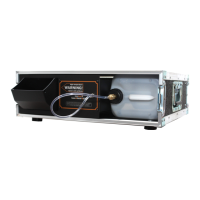
The hazebase basehazerpro is a powerful hazer designed to produce fine mist to thick haze effects, providing excellent support for lighting effects in various fields of operation. It operates on the vaporizer principle, which is considered a harmless method for producing artificial fog.

Function Description:

The basehazerpro generates haze by heating a special fluid (basehazerH liquid) to create a vapor that is then dispersed by an integrated fan. The machine allows for precise control over the haze output, ranging from the finest mist to a thick, fog-like effect. This is achieved by independently adjusting the pump and fan output in 99 steps (1% to 99%). The haze effects form slowly, suggesting the device should be switched on some time before lighting or laser operations begin to allow the haze to build up.

Important Technical Specifications:

  • Procedure: Haze machine without compressor
  • Power Requirement: 1500 Watt
  • Voltage: 230 V/ 50 Hz
  • Warm-up Time: Approximately 60 seconds
  • Fluid Tank Capacity: 5 liters
  • Integrated Fan: > 6000 l/min.
  • Haze Density: Variable
  • Control: DMX 512, 0-10 V analogue, cable remote (option)
  • Dimensions (L x W x H):
    • Closed flightcase: 59.4 x 54 x 18.5 cm
    • Open flightcase: 41.4 x 54 x 18.5 cm

Usage Features:

The basehazerpro offers flexible control options:

  • DMX 512 Control: The machine can be connected to a DMX desk using the DMX socket. It utilizes two DMX channels: the first for pump control and the second for fan control. The DMX start address can be adjusted and saved directly on the machine. DMX control takes priority over other control methods.
  • 0-10 Volt (+) DC Control: An analogue desk or an optional cable remote can be connected via the 3-pol-XLR-socket. With analogue control, the pump output can be regulated from the desk or remote, while the fan output must be adjusted directly on the machine.
  • Stand-Alone Mode: The machine can be operated independently, with all pump and fan settings adjusted directly on the unit.
  • Internal Programmable Timer: An internal timer allows for programming an individual show profile with two levels (Level A and B), each with different pump and fan values and run-times. A pre-runtime (pause) can also be set. These settings are stored in non-volatile memory.
  • Auto Start: If the timer is in operation and the machine is disconnected from the mains, it will automatically restart in Timer-Mode when reconnected.

Operation Steps:

  1. Power Connection: Connect the power plug to the mains supply, ensuring correct voltage. The LED display will show "P" and two figures.
  2. Warm-up: After approximately 60 seconds, the machine heats up.
  3. Haze Process Start: Press the Enter button once to start hazing. The green Active-LED will illuminate. After a short delay, the machine will start producing haze.
  4. Display Deactivation: The display goes dark after 30 seconds. Press any button to reactivate it.
  5. Switching Off: Press the Mode button until "OFF" appears on the display. After 15 seconds, the machine enters post-run-mode to cool down. Lines will move across the LED display, and a red decimal point will appear when cooling is complete. If DMX signal is switched off, the machine will cool down automatically after 15 seconds. It is crucial not to disconnect power prematurely to allow the fan to run and prevent liquid from remaining in the vaporizer, which could lead to droplets on the next startup.

Fluid Management:

  • Fluid Type: Only the supplied basehazerH liquid should be used. Other fluids can damage the fog generator and void the warranty.
  • Fluid Availability: basehazerH liquid is available in 5-liter, 25-liter bottles, and 200-liter barrels. Material Safety Data Sheets and Documents of Compliance are available on www.hazebase.com.
  • Fluid Consumption: At 99% pump output, consumption is 0.6 liters/hour. At 5% output, consumption is 0.04 liters/hour.
  • Changing Fluid Bottle: Disconnect the fluid tube, remove the container, unscrew the lid from the empty container, and screw it onto the new one. Place the full container back into the flightcase, keeping the lid slightly open to allow air to escape. Reconnect the brass coupling until a click is heard.

Maintenance Features:

  • Cleaning:
    • Clean the fan grill in the flightcase periodically to remove dust and dirt.
    • The vaporizer does not require cleaning with market-available cleaners, as these can damage it and void the warranty.
  • Fluid Filter: Check and clean or replace the fluid filter periodically.
  • Nozzle: Remove fluid droplets from the nozzle only when the machine has completely cooled off, as the nozzle gets very hot during operation.
  • Dry Running: Do not let the machine run without fluid, as this will cause the pump to run dry.

Safety Instructions:

  • Burn Hazard: Very hot steam and occasionally hot droplets escape from the nozzle. Maintain a minimum distance of 3 meters from persons and never touch the nozzle during operation.
  • Flammability: The machine's location must be non-flammable, non-combustible, and not sensitive to heat, with a clearance of 60 cm from all flammable objects. Glycol is flammable; never point the haze at strong ignition sources.
  • Supervision: Never open the machine or leave it unattended when connected to power.
  • Visibility: In rooms where people walk, visibility must be more than 2 meters.
  • Fluid Ingestion/Contact: Do not swallow fog fluid. Keep away from children. In case of eye contact, rinse with water and consult a doctor if swallowed. Spilled fluid can cause slip hazards; mop up and dispose of according to regulations. The fluid is water-soluble and biodegradable.
  • Smoke Detectors: Haze may activate smoke detectors.
  • Health Concerns: People with respiratory problems or allergies should avoid contact with artificial fog.
  • Ducting: Do not connect ducting to the nozzle, as this can damage the machine.
  • Power Connection: Never connect the machine to a dimmer or switchpack, as this can destroy the machine.
  • Troubleshooting: The manual provides solutions for common issues such as no haze production (empty canister, clogged filter, defective tube), DMX signal not lighting up (faulty connection, cable, address), machine failing to work (overtemperature, clogged fan), and error codes E-4 (overheating), E-8 (clogged vaporizer), and E-1 (general error). For E-1 and E-8, the machine should be sent for service.

Warranty Conditions:

The hazebase basehazerpro comes with a 24-month warranty from the date of delivery, covering defects caused by proven factory faults. Warranty service involves repairing or replacing faulty parts. The customer is responsible for shipping costs. The warranty is void if repairs are done by unauthorized personnel, non-approved spare parts are used, fluids other than basehazerliquid are used, or if the machine is sent with full fluid bottles. Non-compliance with manual instructions or incorrect handling also voids the warranty. Consumable parts like the pump and heat exchanger are not covered. Warranty services do not extend the original warranty period. If a defect cannot be repaired within 6 months, hazebase will, at the customer's choice, replace the unit, refund the lesser value, or refund the purchase price (not exceeding market price). Other claims, especially for damages or losses outside the unit, are excluded. When sending the unit for service, all liquid must be removed from the fluid bottle.

HazeBase base hazer pro Specifications

General IconGeneral
BrandHazeBase
Modelbase hazer pro
CategoryFog Machine
LanguageEnglish