19"W LCD Color Monitor HCL HCM9LWAN21
6
3. Operation Instructions
3.1 General Instructions
Press the power button to turn the monitor on or off. The other control buttons are located at front panel of the
monitor. By changing these settings, the picture can be adjusted to your personal preferences.
• The power cord should be connected.
• Connect the video cable from the monitor to the video card.
• Press the power button to turn on the monitor position. The power indicator will light up.
3.2 Control Buttons
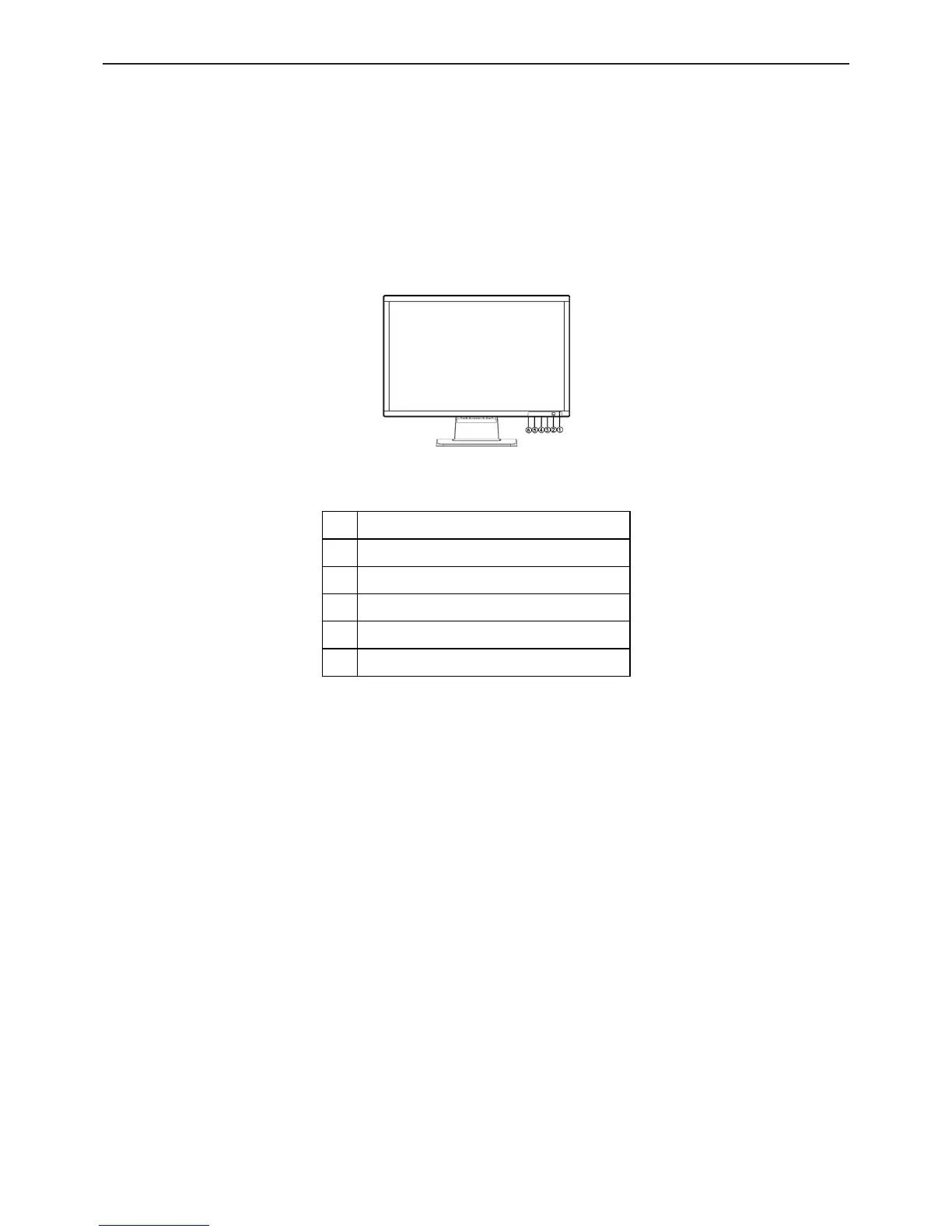
External Control Button
1. Power Key
2. LED
3. MENU/ENTER
4. Contrast
5. Brightness
6. Auto Adjust Key/Exit
Front Panel Control
• Power Button:
Press this button to switch ON/OFF of monitor’s power.
• MENU / ENTER:
Activate OSD menu when OSD is OFF or activate/de-activate adjustment function when OSD is ON or Exit OSD
menu when in Brightness/ Contrast Adjust OSD status.
• Contrast:
Adjust contrast or function adjust.
• Brightness:
Adjust brightness or function adjust.
• Auto Adjust button / Exit:
1. When OSD menu is in active status, this button will act as EXIT-KEY (EXIT OSD menu).
2. When OSD menu is in off status, press this button over 2 seconds to activate the Auto Adjustment function.
The Auto Adjustment function is used to set the HPos, VPos, Clock and Focus.
• Power Indicator:
Green — Power On mode.
Red — Off mode.
OSD Lock Function: To lock the OSD, press and hold the MENU button while the monitor is off and then press



 To Next Page