EasyManua.ls Logo

Healthstream T650 - User Manual

Healthstream T650
24 pages
Print Icon
To Next Page IconTo Next Page
Loading...
T630 Heart rate control
T650 Voice option
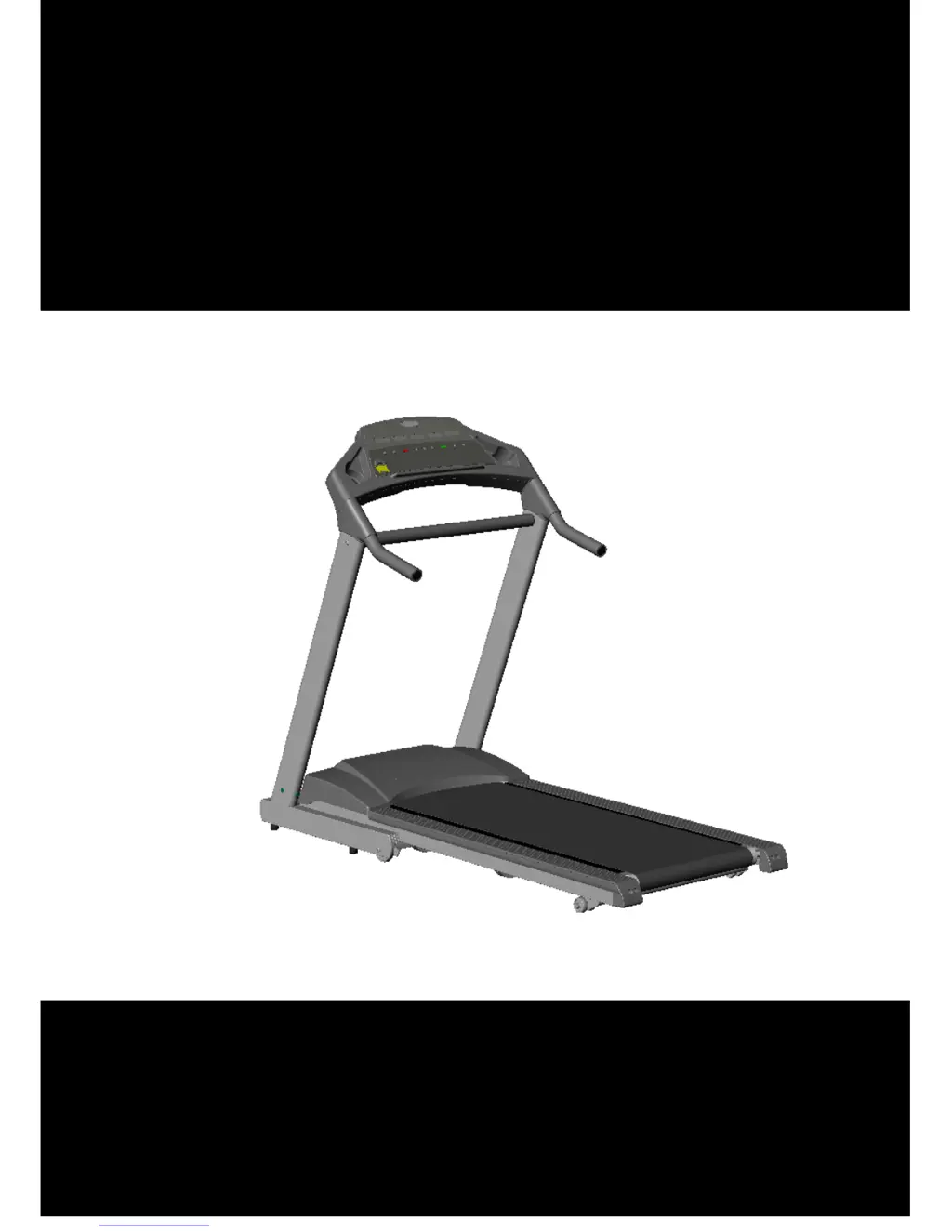
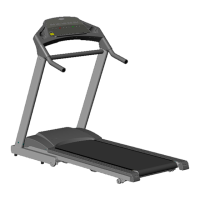
FOLDABLE READMILL
OWNER’S MANUAL
Retain this owner’s manual for future reference.
Read and follow all instructions in this owners manual.

Questions and Answers

  • C
    Caitlyn PorterAug 15, 2025
    How to fix Healthstream T650 Treadmill that will not start?
    • L
      lunaanthonyAug 15, 2025
      If your Healthstream Treadmill won't start, try these steps: * Ensure the treadmill is plugged into a grounded outlet. * Insert the safety tether key into the console. * Check and reset the house circuit breaker or replace the fuse if necessary. * Lubricate the treadmill deck and reset the treadmill circuit breaker. * Make sure the On/Off switch is in the ON position.
  • R
    richardharrisonAug 18, 2025
    What to do if Healthstream Treadmill shows Error 11?
    • Z
      ztaylorAug 18, 2025
      If you are getting Error 11 on your Healthstream Treadmill, it indicates a communication error between the console and controller. First, check the communication line connections to ensure they are not loose or pinched. If the cable is damaged, replace it.
  • M
    Madison CraigAug 21, 2025
    How to stop running belt from slipping on Healthstream T650?
    • E
      Edwin HuffAug 21, 2025
      If the running belt slips on your Healthstream Treadmill, it's likely due to the belt being too loose or the drive belt not being tight enough. Try adjusting the running belt tension and then the drive belt tension.
  • H
    Heather HerreraAug 25, 2025
    What to do if Healthstream T650 Treadmill shows Error 2?
    • S
      Shawn JohnsonAug 25, 2025
      If your Healthstream Treadmill displays ERROR 2, it means the actual belt speed is faster than what's shown on the console, or you're pushing too hard on the belt, or the controller is damaged. To resolve this, turn the power off and on again to reset it. If the problem persists, call your dealer for service, as the controller may be damaged.
  • N
    Natalie HolmesAug 27, 2025
    Why does my Healthstream T650 Treadmill running belt hesitate when stepped on?
    • P
      parkermariaAug 27, 2025
      If your Healthstream Treadmill running belt hesitates when you step on it, it's likely due to insufficient lubrication or the running belt being too loose. Try applying silicone lubricant or adjusting the running belt tension.
  • B
    Brandy HicksAug 30, 2025
    What to do if Healthstream Treadmill shows Error 3?
    • M
      Misty TaylorAug 30, 2025
      If your Healthstream Treadmill displays ERROR 3, it means the safety tether key is not making proper contact with the console. Ensure the safety key is correctly attached to the console.
  • J
    Justin DavisSep 2, 2025
    How to fix Healthstream T650 Treadmill running belt that is off centered?
    • J
      joshualynchSep 3, 2025
      To fix a Healthstream Treadmill with an off-centered running belt, it is likely that the running belt tension is not even across the rear roller. You should center the running belt.
  • Z
    Zachary FrankSep 5, 2025
    What to do if Healthstream T650 shows Error 1?
    • C
      Caroline Wade DVMSep 5, 2025
      If your Healthstream Treadmill displays ERROR 1, the console isn't detecting the motor speed signal. Make sure you are not standing on the running belt.
  • M
    Melissa RosalesSep 8, 2025
    How to fix Healthstream T650 with no signal on the console LCD windows?
    • J
      juliecoffeySep 8, 2025
      If your Healthstream Treadmill console LCD windows show no signal, check the communication cable between the console and motor controller. Ensure the connections are secure and the cable isn't pinched or damaged. If necessary, request a replacement cable from your dealer.
  • M
    Michael RoseSep 12, 2025
    What to do if Healthstream T650 shows Error 5?
    • J
      Justin CarrollSep 12, 2025
      If your Healthstream Treadmill displays ERROR 5, the incline motor may be overloaded or overheated. Allow the incline motor to cool down and return to normal temperature before trying again. Other potential causes, such as sensor connection cable issues, a defective sensor (Potentiometer), or a damaged incline motor, are not covered in this extract.

Summary

Important Safety Precautions

Grounding Instructions

Proper grounding reduces the risk of electrical shock.

Electrical Safety

Precautions to reduce the risk of burns, fire, electrical shock, or injury.

Setting Up Your Treadmill

Assembly Instructions

Instructions for assembling upright posts, horizontal handlebar, and monitor.

Placement in Your Home

Guidelines for treadmill placement, avoiding outdoors, water, high moisture, and ensuring adequate clearance.

Levelling the Base

Importance of placing the treadmill on a firm level surface for optimal function.

Use Dedicated Circuit

Recommendation to use a dedicated electrical circuit for the treadmill.

Handling Your Treadmill

Moving the Treadmill

Steps to safely move the treadmill, including turning off power, unplugging, and rolling on wheels.

Folding the Treadmill

Instructions for folding the treadmill using the gas cylinder mechanism.

Unfolding the Treadmill

Steps to safely unfold the treadmill using the release mechanism.

Getting Started

Turn Power On

Location and operation of the treadmill's power switch.

Safety Tether Key and Clip

Function and importance of the safety key for stopping the treadmill.

Getting On and Off the Treadmill

Safe procedures for mounting and dismounting the treadmill.

At the End of Workout

Steps to safely shut down the treadmill after use.

Operating the Monitor

Display Values

Table listing display metrics like Elevation, Time, Calories, Pulse, Distance, Speed.

Voice Feature Operation

How to turn the audible voice feature on/off using console buttons.

Metric to Miles Conversion

How to change units between Metric (Km) and Miles.

Wireless Heart Rate Monitor

Instructions on using the wireless heart rate monitor and chest strap.

% of Max Heart Rate

Explanation of how maximum heart rate is calculated and displayed.

View Workout Data

How to view different workout data metrics on the display.

Cool Down Program

Instructions on using the cool down program after a workout.

Speed Adjustments

How to adjust treadmill speed using console buttons or numeric keys.

Elevation Adjustments

How to adjust treadmill elevation using console buttons or numeric keys.

Pause Functionality

How the pause function works and how to resume or end the workout.

End of Workout Summary

What happens when the workout ends, including congratulations message and stats.

Quick Start Operation

How to initiate a workout using the Quick Start function.

Custom Programs A & B

How to program and reset custom workout routines (Program A/B).

Speed Programs

How to select and set up Speed Interval and Aerobic programs.

Elevation Programs

How to select and set up Elevation programs like Weight Loss or Hill Climb.

Heart Rate Control Program

How to set up and use the Heart Rate Control program.

Target by Time

How to set and perform workouts targeting a specific duration.

Target by Distance

How to set and perform workouts targeting a specific distance.

Target by Calories

How to set and perform workouts targeting a specific calorie burn.

Exercise Tips and Guidelines

Stretching Techniques

Recommendations for stretching before and after workouts to improve flexibility.

Warm Up Procedures

Importance and method of warming up before strenuous exercise.

Cool Down Procedures

Importance and method of cooling down after exercise.

Exercise Frequency

Guidance on exercise frequency for maintaining fitness and achieving goals.

Workout Duration

Recommendations for workout duration for aerobic benefits and weight loss.

Exercise Intensity

How to gauge exercise intensity and avoid overexertion.

Target Heart Rate Zones

Explanation of target heart rate zones and calculation methods.

Maintenance

Cleaning Procedures

Instructions for cleaning the treadmill and the floor.

Running Mat Centering

Procedure for adjusting the running mat to keep it centered on the deck.

Mat Tension Adjustment

How to adjust the mat tension if the belt is slipping.

Drive Belt Tensioning

When to call a dealer for drive belt tensioning issues.

Lubricating the Deck

Instructions on how to check and lubricate the treadmill deck.

Trouble Shooting

When to Call for Help

When to contact a dealer for assistance with treadmill issues.

Console No Signal

Troubleshooting steps for a blank console display.

Error 1: Speed Sensor Error

Explanation of Error 1 and how to report it.

Error 2: Over Speed Error

Explanation of Error 2 and potential causes.

Error 3: Safety Tether Key

Explanation of Error 3 related to the safety tether key.

Error 5: Incline Motor

Explanation of Error 5 concerning the incline motor.

Error 11: Communication Error

Explanation of Error 11 related to console communication.

Warranty

Warranty Terms and Conditions

Warranty validity conditions, including proof of purchase and no misuse.

Warranty Exclusions and Limitations

Limitations of the warranty, excluding commercial use, wear and tear, and consequential damages.

Warranty Registration Process

Instructions for completing and submitting warranty registration.

Healthstream T650 Specifications

General IconGeneral
Incline15 Levels
Running Area140 x 50 cm
Programs12 preset programs
Heart Rate MonitoringHand pulse sensors
DisplayLCD display

Related product manuals