EasyManua.ls Logo

Heathkit IO-4205 - Page 85

Heathkit IO-4205
208 pages
Print Icon
To Next Page IconTo Next Page
To Previous Page IconTo Previous Page
Loading...
=
=
::
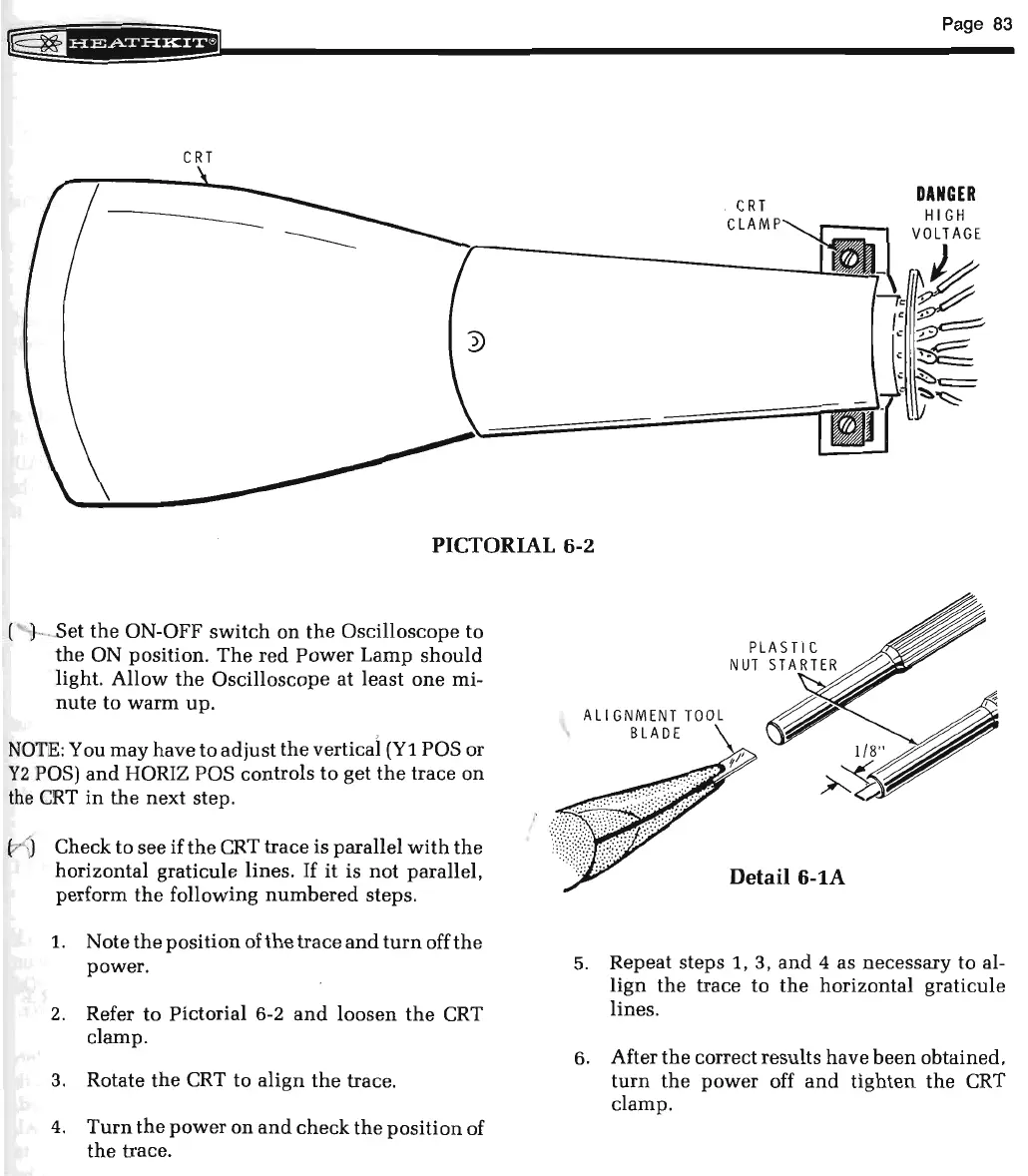
CRT
CRT
CLAMP
Page
83
DANGER
PICTORIAL
6-2
~
-
Set
the
ON-OFF
switch
on
the
Oscilloscope
to
the
ON position.
The
red
Power
Lamp
should
light
.
Allow
the
Oscilloscope
at
least
one
mi-
nute
to
warm
up.
NOTE:
You
may
have
to
adjust
the
vertical
(Y1
POS or
Y2
POS)
and
HORIZ POS controls
to
get
the
trace
on
the
CRT
in
the
next
step.
Check
to
see
if
the
CRT
trace
is parallel
with
the
horizontal
graticule lines.
If
it
is
not
parallel,
perform
the
following
numbered
steps.
1.
Note
the
position
ofthe
trace
and
turn
off
the
power
.
2.
Refer
to
Pictorial 6-2
and
loosen
the
CRT
clamp
.
3. Rotate
the
CRT
to
align
the
trace.
4.
Turn
the
power
on
and
check
the
position
of
the
trace
.
All
GNMENT
TOOL
BLADE
Detail
6-lA
5.
Repeat steps 1, 3,
and
4 as necessary
to
al-
lign
the
trace
to
the
horizontal
graticule
lines.
6. After
the
correct
results
have
been
obtained,
turn
the
power
off
and
tighten
the
CRT
clamp
.

Related product manuals