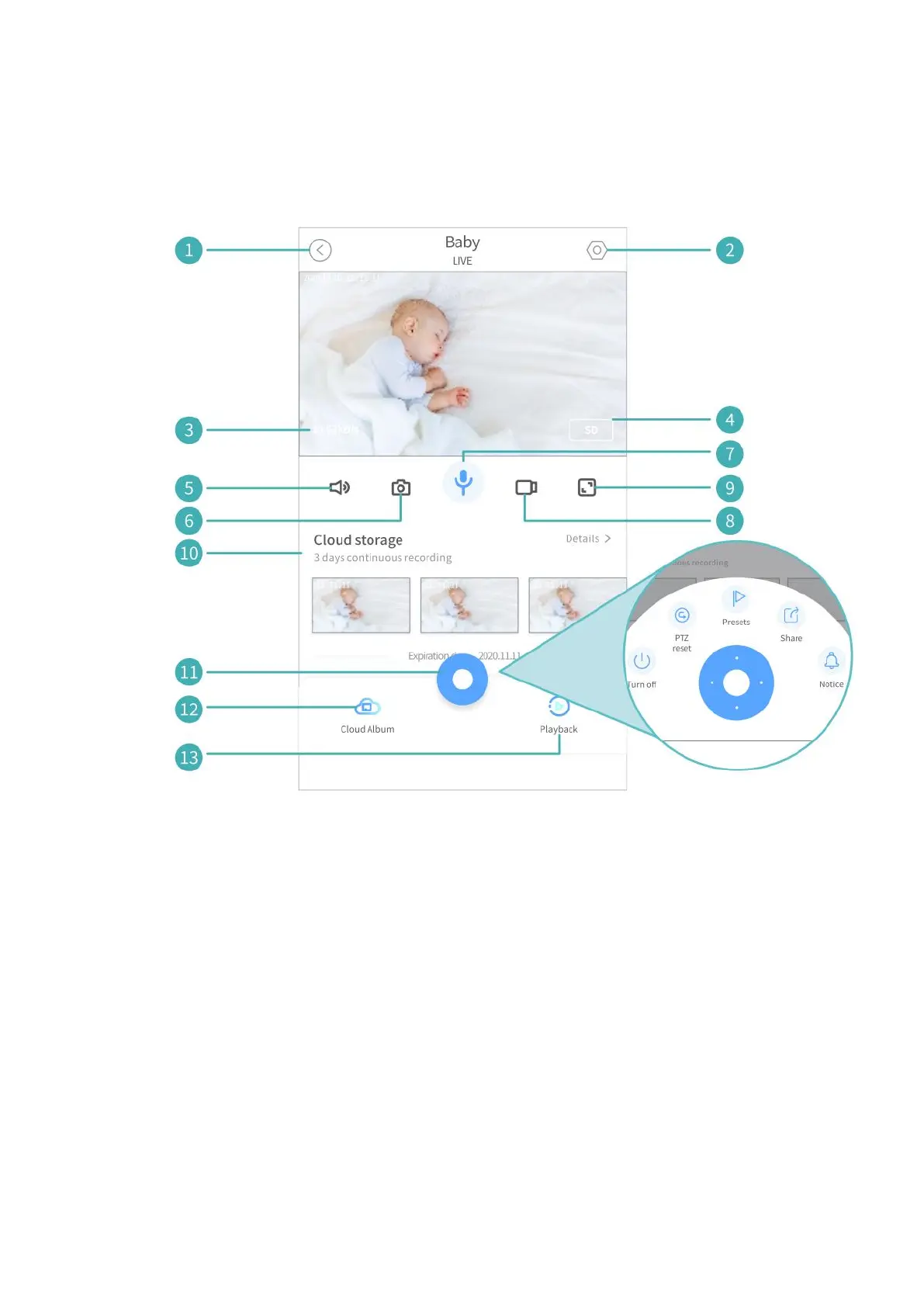
1. Back to the home page.
2. Detailed Settings.
3. Real-time bit rate of the live video.
4. Change the resolution of the image; SD is recommended for smoother
streaming.
5. Turn on/off the live audio from the camera.
6. Tap to capture a photo and save it to local album.
7. Tap and hold to talk with people near the camera.
8. Tap to start recording the live video; tap again to end and save it to local
album.
9. Full screen.
10. The thumbnails of the latest videos stored in cloud if you have
subscribed to cloud service.



 To Next Page