Change the cloud plan to a new camera
If you’d like to change the cloud plan to a new camera connected, please refer
to the steps below.
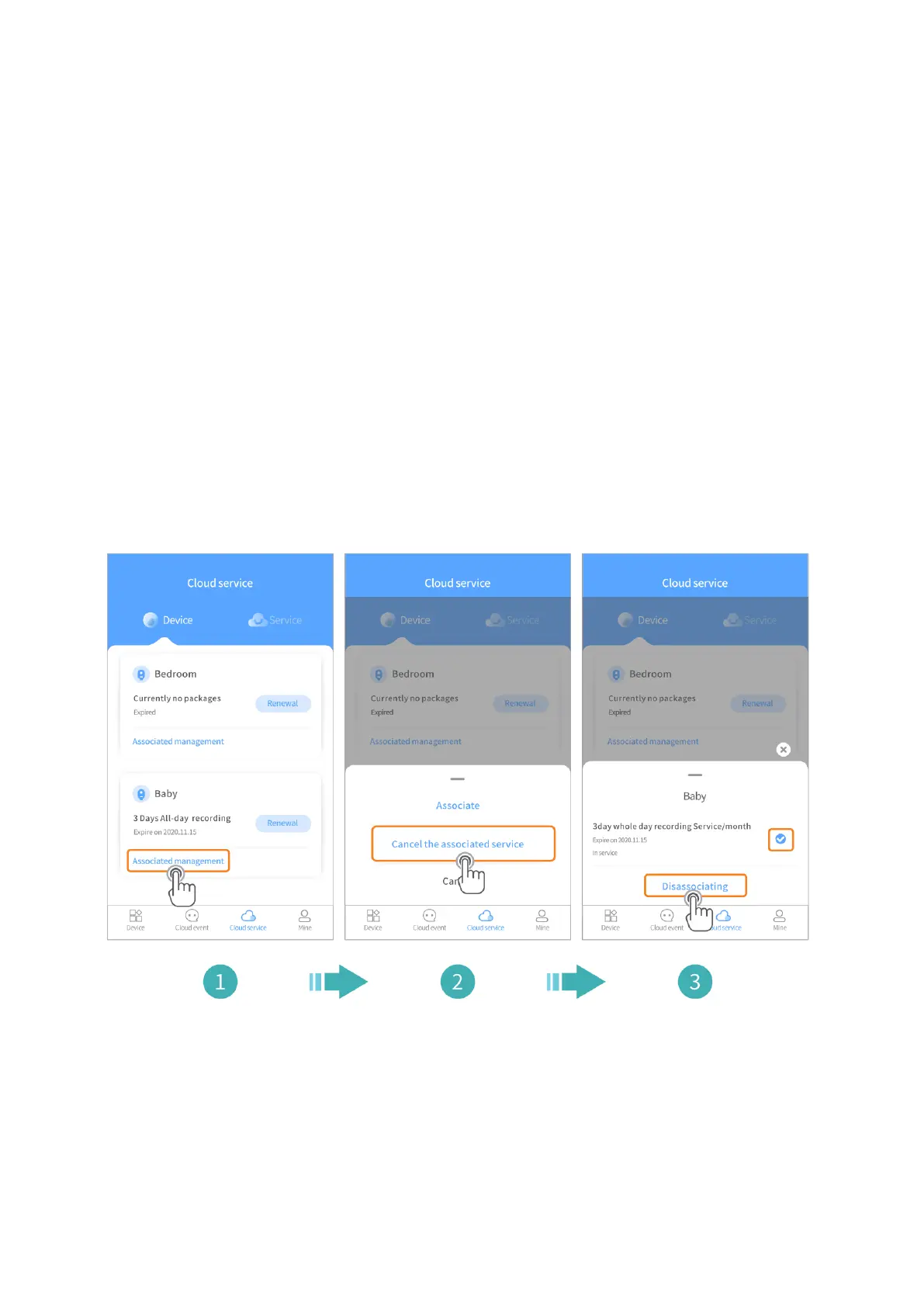
1. Tap Cloud service on the bottom bar of the home page to check your cloud
service.
2. Tap Associated management under the old camera, and tap Cancel the
associated service. Then select the cloud service package and tap
Dissasociating.
3. Tap Associated management under the new camera, and tap Associate.
Then select the cloud service package and tap Associate in the pop-up
window to finish.



 To Next Page