EasyManua.ls Logo

HeimVision HM202A - Advanced Camera Features; Intelligent Tracking and Device Sharing

HeimVision HM202A
168 pages
Print Icon
To Next Page IconTo Next Page
To Previous Page IconTo Previous Page
Loading...
25
Intelligent Tracking
Go to Settings > Device settings to enable Intelligent Tracking, and the camera will
automatically track a moving object.
Device Sharing
Notes:
Please make sure your family members have registered a HeimLink account before
sharing.
You can share the camera with as many accounts as possible. However, we
recommend 3 accounts at most for a better experience.
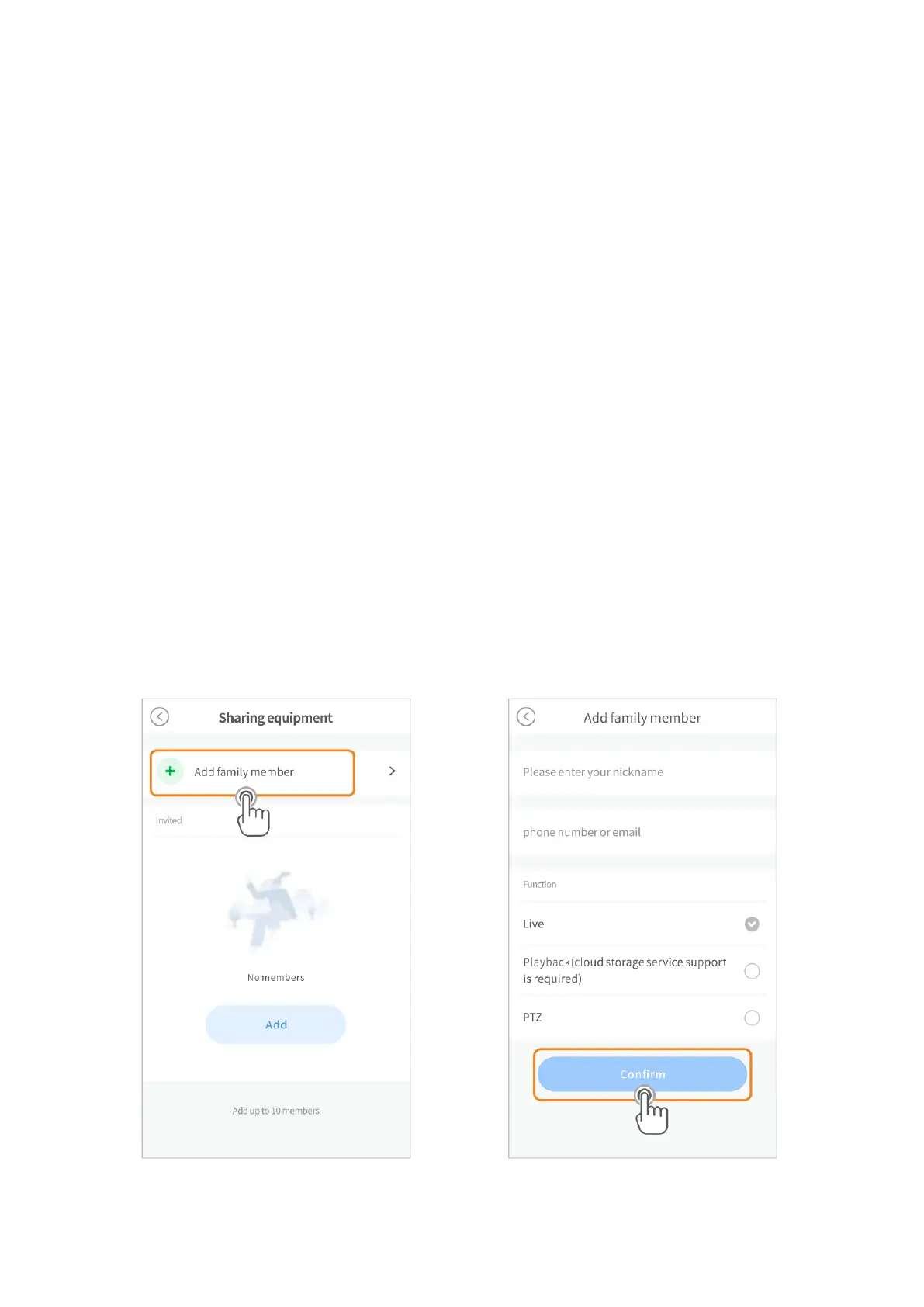
Step 1:
Go to Settings > Sharing equipment > Add family member, then enter your family
member’s account.
Step 2:
Select the function you’d like to share with your family member,
then tap Confirm.

Related product manuals