73
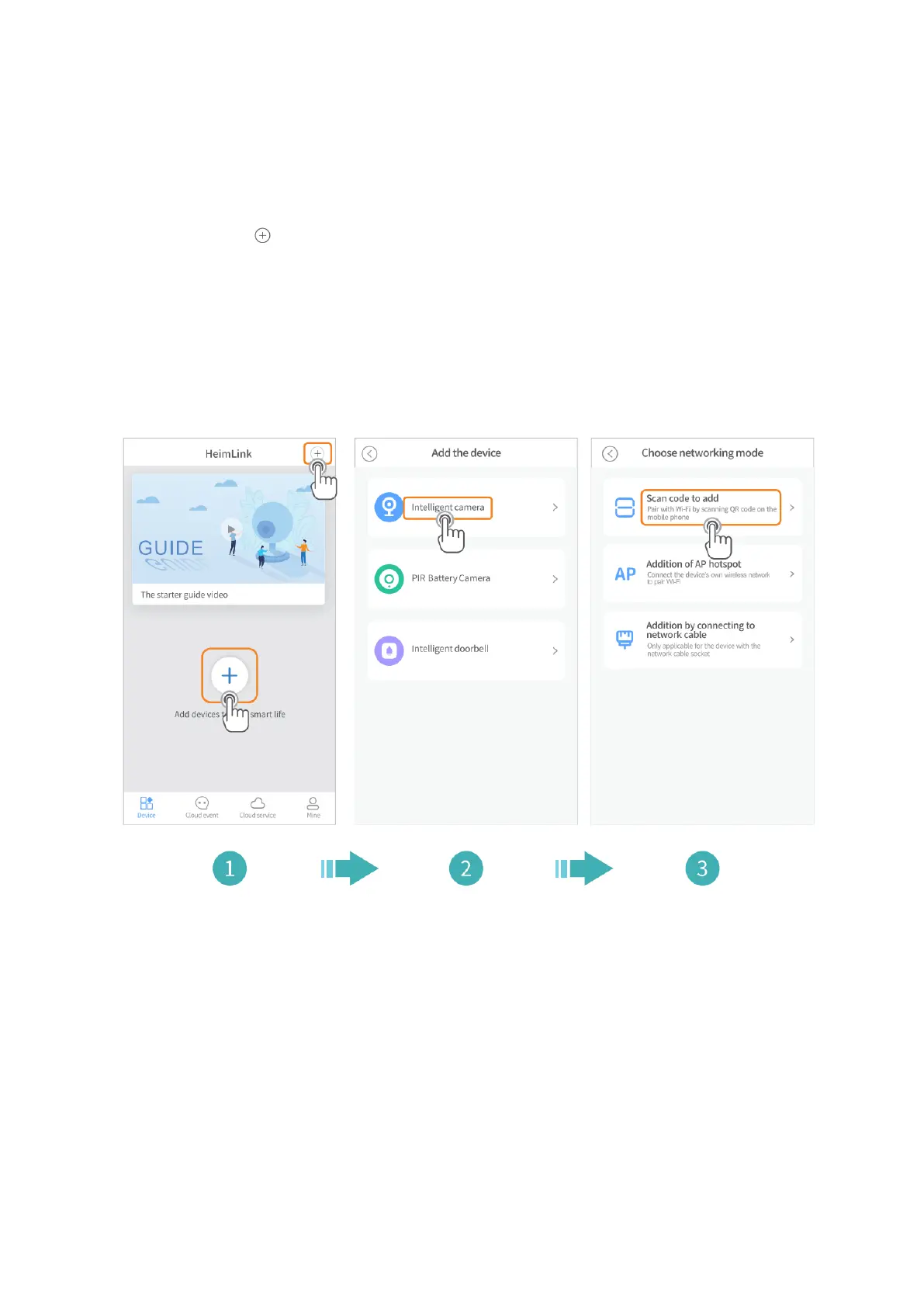
Pripojenie kamery pomocou QR kódu
Zapnite kameru, počkajte, až budete počuť „Konfigurujte kameru pomocou hotspotu
AP alebo skenovanie kódu“ (”Please configure camera by AP hotspot or scanning
code”).
1. Kliknite na v strede alebo v pravom hornom rohu.
2. Vyberte Inteligentná kamera (Intelligent camera).
3. Vyberte Skenovať kód na pridanie (Scan code to add).
4. Kliknite na Ďalší (Next).
5. Pripojte sa k Wifi routeru a kliknite na Ďalší.



 To Next Page